Mac game controller finder
 InputConfig is completely free on the Mac App Store.
Type a game and you'll see how it gets onto a Mac and whether it reads a controller by itself. Every game here also has a layout that plays it from a controller, for the times the game won't.
Find your game
Narrow the list
The "On a Mac" line is from each game's own page here. The controller support line is from Steam's listing, checked in October 2026.
Read a result
- On a Mac. This line says how the game reaches your Mac: a native version, a stream from a cloud service or your own PC, or a wrapper such as CrossOver.
- Controller support. This is what Steam's store page lists for the game. Full means it was made for a controller, partial means some screens still want a keyboard or mouse, and none means it was made for a keyboard and mouse.
- The layout. The game's name opens its page, with every button, the key it sends, and what to check when the controller does nothing.
A game that reads your controller by itself needs no layout at all. The layout is for the game, the stream or the wrapper that does not see your pad.
How this fits with InputConfig
These pages test a controller or look up what you need for it: a fix, a button name, a game or a preset. InputConfig is what puts it to work on a Mac: it maps every button, stick and trigger to keys, clicks, the pointer or scrolling, per app if you like, and its Live Visualizer draws the controller live with what each control does.
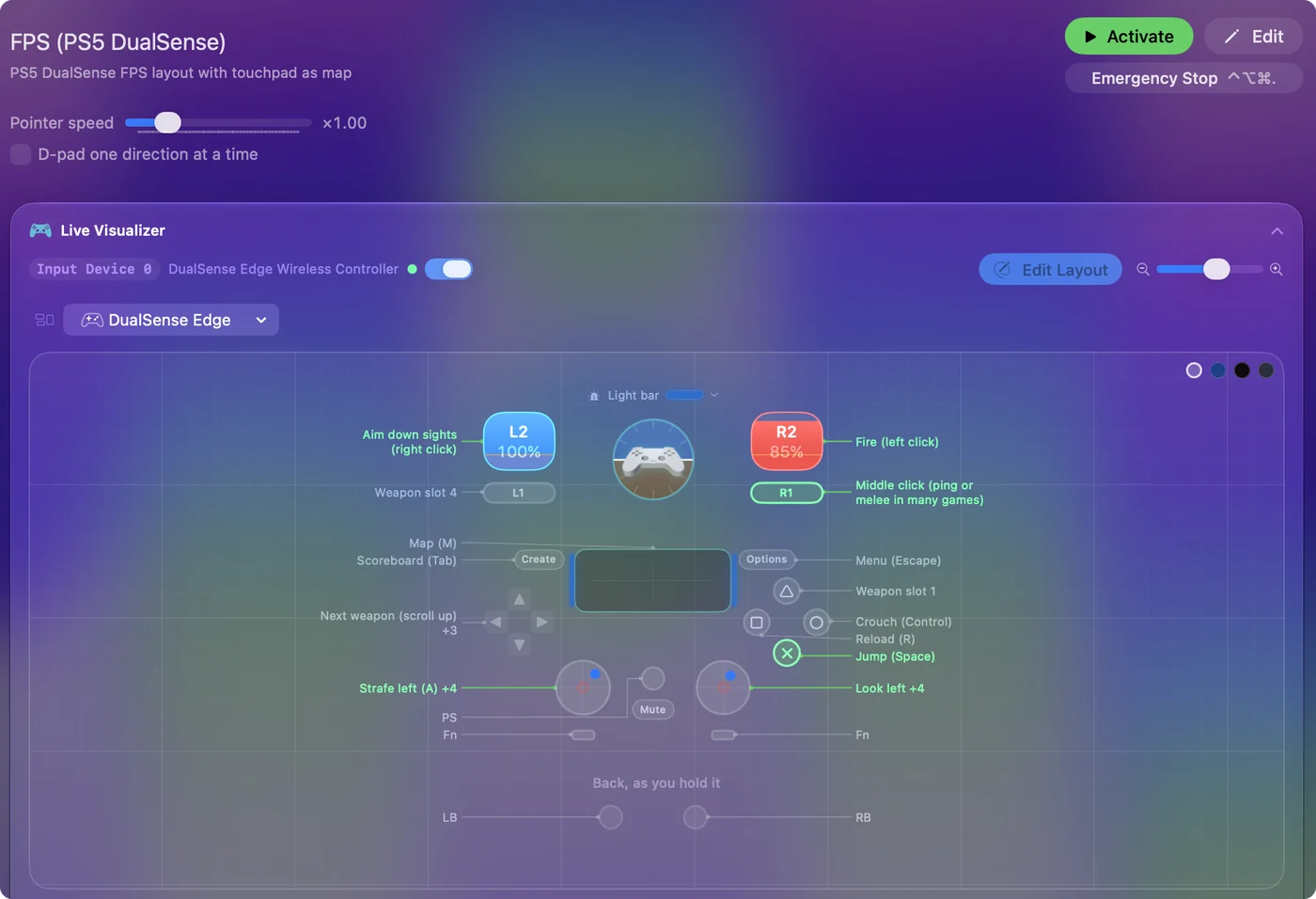
Use a controller as a mouse on a Mac shows it step by step.
More controller tests
- Gamepad tester
- Stick drift test
- PS5 controller drift test
- Xbox controller drift test
- Joy-Con drift test
- Controller vibration test
- Controller button test
- Controller trigger test
- Controller polling rate test
- Joystick test
- Racing wheel tester
- Arcade stick tester
- PS5 controller tester
- PS4 controller tester
- Xbox controller tester
- Switch Pro Controller tester
- Joy-Con tester
- 8BitDo controller tester
- Gamepad viewer and controller overlay
- Deadzone test and curve visualizer
- Controller button names and map
- Controller ID lookup
- Controller fix finder
- Preset chooser
Questions
Which Mac games have controller support?
It depends on the game and on how it reaches your Mac. Type the game above to see its own line. The full list, sorted by what Steam says about each game, is on the page about Mac games with controller support.
Can I play a game with no controller support on a Mac with a controller?
Yes. InputConfig sends the keys and mouse movement the game already reads, so the game thinks you are typing and pointing while you hold a controller. Each game in the finder links to a layout that does that.
What if my game is not in the finder?
Open the Smart Preset Maker in InputConfig and start from a layout for a similar game, then change any row with Scan. The guide to playing any game with a controller walks through it.
Related
Updated