Controller vibration test
 InputConfig is completely free on the Mac App Store.
Connect a controller, press any button on it, and then press one of the motor buttons below. Most gamepads have two rumble motors, a strong one and a weak one. You can run each one by itself or both together, at whatever strength and length you choose.
What each button runs
- Both motors. The full rumble a game uses for a hit or a crash.
- Strong motor only. The heavy motor, usually in the left grip. It gives the low, deep rumble.
- Weak motor only. The light motor, usually in the right grip. It gives the fine buzz.
- Trigger motors. Shown only when the browser says the controller has motors in its triggers and can drive them.
- Stop. Ends a long pulse early.
Run the two motors one after the other. If one grip stays still while the other shakes, that motor is the one that failed. The gamepad tester and the Xbox controller tester have their own rumble buttons for a quick check, and this page is for running each motor alone for as long as you like.
If nothing moves
Climb this ladder, smallest step first:
- Press a button on the controller. The browser shows a controller to a page only after a press.
- Raise the strength and the length. A short, weak pulse is easy to miss. Try full strength for two seconds.
- Change the connection. Browsers handle each connection differently, so try a cable if you are on Bluetooth, or Bluetooth if you are on a cable.
- Try a second browser. Chrome and Edge have offered controller vibration for years, and Safari added it in version 16.4. The message under the buttons says when a browser does not offer it.
- Test outside the browser. On a Mac, System Settings, Game Controllers has an Identify button that plays a pattern: the controller vibration test on a Mac has the steps.
If the controller buzzes outside the browser and not here, the motors are fine and the browser is the limit.
What this cannot test
The page asks for a strength and a length, and the browser and the controller decide the rest. The adaptive trigger resistance of a DualSense and its finer haptics are not part of what a browser offers a page, so a DualSense plays ordinary rumble here, when it plays at all. A browser also reports that a pulse finished, not that the controller moved, so trust your hands over the message.
It works. Now give it a job
A tester tells you the controller is fine. On a Mac, InputConfig is the app I make for the next step: it turns the buttons and sticks you just tested into keys, the mouse pointer, clicks and scrolling, in any app or game. It is free, and its Live Visualizer draws the same live picture inside the app, with the touchpad and motion sensors a browser does not pass to a page. Test it here, then put it to work there.
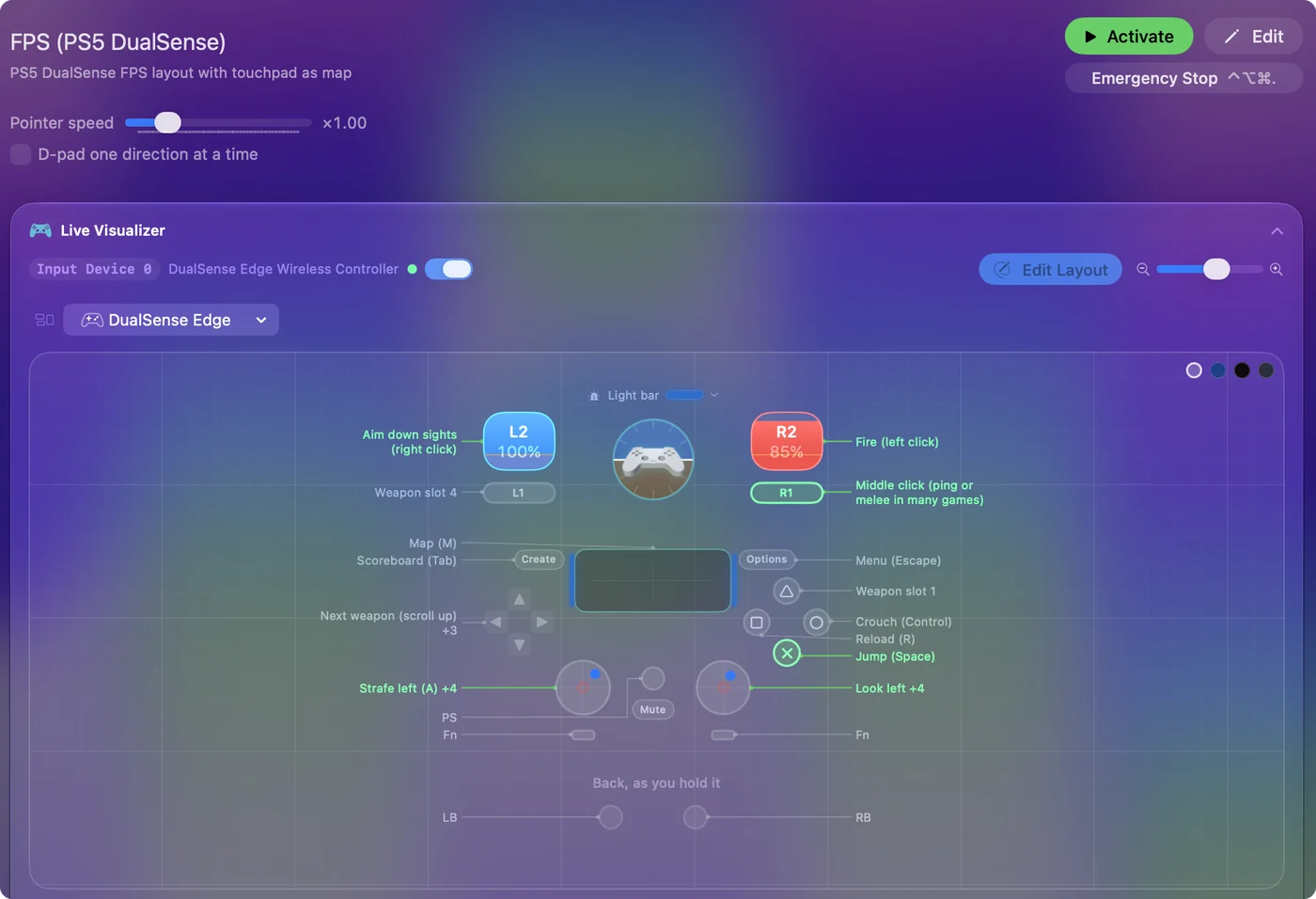
Use a controller as a mouse on a Mac shows it step by step.
More controller tests
- Gamepad tester
- Stick drift test
- PS5 controller drift test
- Xbox controller drift test
- Joy-Con drift test
- Controller button test
- Controller trigger test
- Controller polling rate test
- Joystick test
- Racing wheel tester
- Arcade stick tester
- PS5 controller tester
- PS4 controller tester
- Xbox controller tester
- Switch Pro Controller tester
- Joy-Con tester
- 8BitDo controller tester
- Gamepad viewer and controller overlay
- Deadzone test and curve visualizer
- Controller button names and map
- Controller ID lookup
- Controller fix finder
- Mac game controller finder
- Preset chooser
Questions
How do I test controller vibration online?
Connect the controller, press any button on it so the browser shows it to the page, then press Both motors. Raise the strength and the length if the pulse is hard to feel.
Why does my controller not vibrate in the browser?
Either the browser does not offer vibration for that controller, or the connection does not carry it. Try the other connection, cable or Bluetooth, then a second browser.
Can I test the left and right rumble motors separately?
Yes. Strong motor only runs the heavy motor and Weak motor only runs the light one, so you can tell which of the two has stopped.
Related
Updated