Touchpad and trackpad test
 InputConfig is completely free on the Mac App Store.
Use the trackpad inside the box: tap or click, click with two fingers, scroll with two fingers, pinch and rotate. Each gesture shows up as a number the moment the browser receives it, and a trail shows whether the pointer moves smoothly. In Safari on a Mac the box also reads Force Touch pressure.
Test a touchpad in this order
- Move one finger across the whole box. The trail should be smooth, with no jumps.
- Click, then tap, inside the box. Both count as clicks and taps when tap to click is on.
- Click with two fingers. It counts as a secondary click.
- Scroll with two fingers, up and down, then sideways.
- Pinch out and in, and rotate two fingers.
- In Safari on a Mac, press harder and harder on one spot and watch the Force Touch bar.
Read the result
- Clicks and taps. Every primary click, pressed or tapped.
- Secondary clicks. Two-finger clicks, or Control clicks on a Mac.
- Drags. A press that moved before it let go, which is how a selection or a window move starts.
- Scroll events. Two-finger scrolling. A touchpad sends many small, fine steps; a scroll wheel sends fewer, larger ones.
- Pinch zoom and rotation. Pinch reaches the page in every major browser; rotation reaches it in Safari only.
- Force Touch. Pressure from 0 to about 3 in Safari on a Mac. A force click registers past 2.
A tile turns green the first time its gesture arrives. Every tile green means the browser received every gesture the trackpad can send it.
If a gesture does nothing
Climb this ladder, smallest step first:
- Keep the pointer inside the box. Gestures outside it scroll or zoom the page instead.
- Check the trackpad settings. On a Mac, System Settings, Trackpad holds Tap to click, Secondary click and the scroll and zoom gestures. On Windows, the touchpad settings hold the same switches.
- Try Safari for rotation and Force Touch. Other browsers do not pass those to a page.
- Test it outside the browser. If two-finger scrolling fails in every app, the trackpad or its driver is the problem, not the page.
What a web page cannot test
A page sees the pointer and the gestures the system passes on, not your fingers. It cannot map dead spots on the surface directly, only show whether the pointer jumps as you cross them. Gestures with three or four fingers, such as Mission Control or switching desktops, belong to the system and never reach a page. Tap to click is indistinguishable from a click here, by design.
Give the trackpad more jobs on a Mac
On a Mac, InputConfig, the free app I make, reads the built-in trackpad as an input: clicks, double clicks, the two-finger scroll gesture and the force click can each run a shortcut, a macro or an app. macOS gives trackpad force to the front app only, so force-click rows work while InputConfig is in front. Mouse buttons, keys and trackpad as shortcuts has the details. Test the gestures here, then give them work there.
How this fits with InputConfig
This page measures clicks and pointer movement. InputConfig is the free auto clicker and button mapper for the same jobs on a Mac: its Auto Clicker preset clicks on a timer and starts and stops with fn F6, and any mouse button up to 32 can do something else.
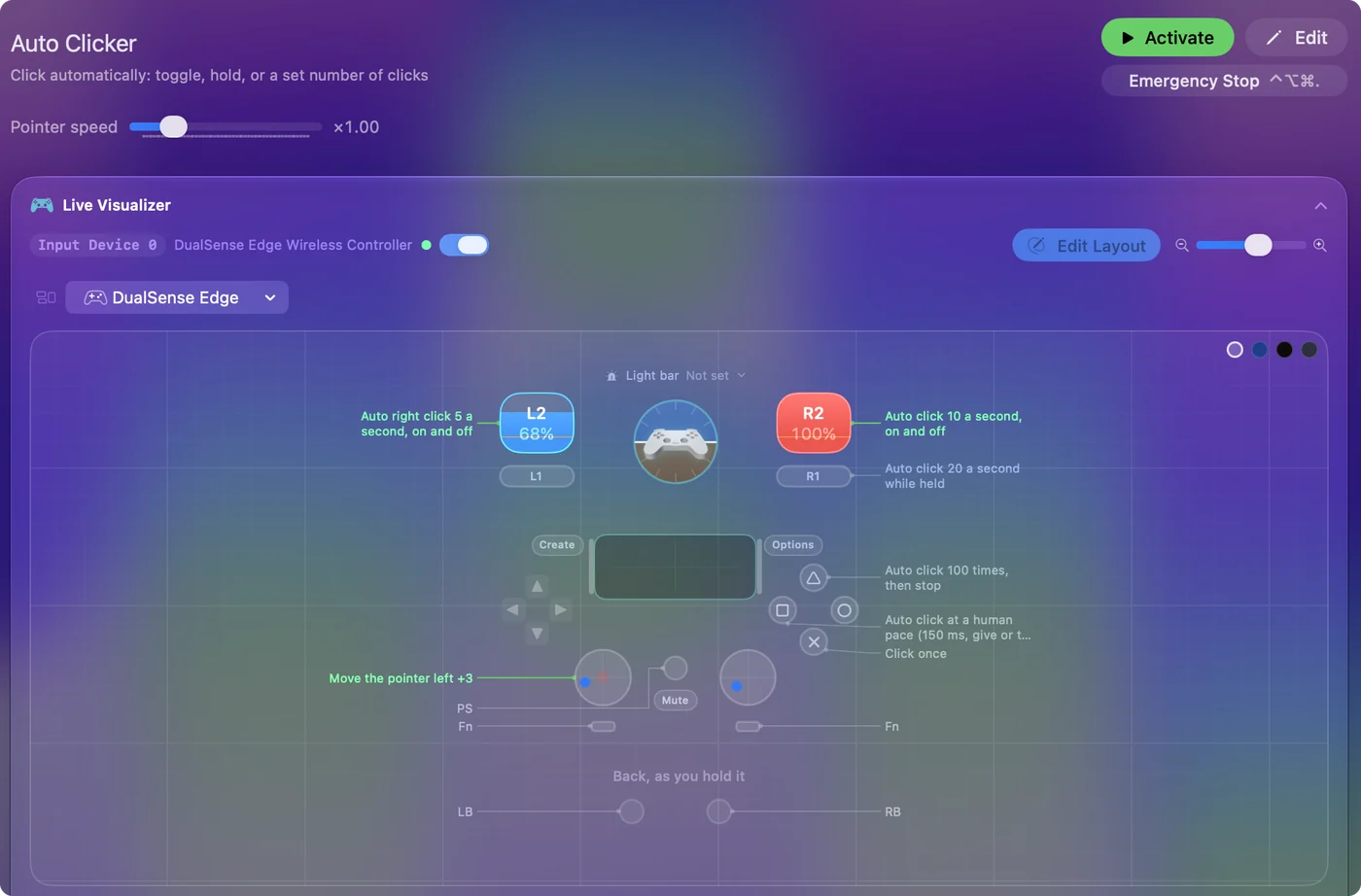
The free auto clicker for Mac shows it step by step.
More mouse and clicking tests
Questions
How do I test my touchpad online?
Use the touchpad inside the box on this page: tap or click, click with two fingers, scroll with two fingers and pinch. Each gesture shows up as a number as soon as the browser receives it.
Why does right click not work on my trackpad?
Secondary click is a setting. On a Mac it is in System Settings, Trackpad, Secondary click; on Windows it is in the touchpad settings. If the setting is on and nothing counts here, the trackpad or its driver is the problem.
Can I test Force Touch online?
In Safari on a Mac, yes: the Force Touch tile shows the pressure as you press harder and counts force clicks. Other browsers do not pass trackpad force to a page.
Can I test the MacBook trackpad's haptic click here?
A page cannot fire the trackpad's click or tell whether you felt it. In Safari on a Mac this page shows the pressure of each press, so you can see whether the trackpad senses a firm press.
Related
Updated