Mouse tester
 InputConfig is completely free on the Mac App Store.
Click inside the box with every button, and each one lights up with a count: left, right, the wheel and the two side buttons. It also catches a button that clicks twice from one press and a scroll wheel that jumps the wrong way, and it shows how many pointer updates a second reach the browser.
Run the four checks
- Click inside the box with each button once: left, right, the wheel, back and forward.
- Click the left button slowly, once a second, about twenty times, and watch clicks under 80 ms apart. It should stay at 0.
- Move the pointer to the scroll box and turn the wheel slowly down, then slowly up.
- Move the mouse in quick circles inside the click box and read pointer updates a second.
Read the result
- Buttons. Each lights while held and counts every press. A button that never lights did not reach the browser.
- Clicks under 80 ms apart. Two presses of the same button that close together are almost always one press that the switch reported twice.
- Double clicks. What the browser counted as a double click, by your computer's double-click speed.
- Wrong-way jumps. A single wheel step against a steady turn. A wheel that does this scrolls up while you scroll down.
- Pointer updates a second. In browsers that pass on every report the mouse sends, such as Chrome, this comes close to the mouse's polling rate. Others count about one update per screen frame.
Test each check twice. Every button lit, no fast doubles and no wrong-way jumps is a healthy mouse.
If a button does nothing
Climb this ladder, smallest step first:
- Click inside the box. Presses outside it are not counted.
- Try a second browser for the side buttons. Not every browser passes button 4 and button 5 to a page.
- Check the mouse's own app. A vendor app can turn a side button into a key press, and then it never arrives as a button.
- Change the connection. A fresh battery, another USB port, or the receiver closer to the mouse.
What a web page cannot test
The page sees five buttons, the wheel and the pointer. It cannot read the mouse's DPI setting, buttons past the fifth, or buttons a vendor app has turned into keys. The update rate is what reaches the browser, and the computer can combine reports before the browser gets them, so treat it as a comparison between two mice or two ports, not as a measurement of the mouse.
Test a mouse on a Mac
This page needs nothing installed on a Mac. Open it in the browser you already use, click inside the box and press each button. What lights depends on the mouse:
- A mouse with a wheel and side buttons. Left, right, the wheel and both side buttons light. If a side button stays dark, work down the ladder above, because a maker's app is the usual reason.
- A Magic Mouse. It has one clickable surface. Left click lights, and right click lights once Secondary click is on in System Settings, Mouse. The wheel and side buttons never light, because the mouse does not have them. What buttons a Magic Mouse has covers the gestures.
- A trackpad. It clicks like a mouse button, but the trackpad test is the one built for its taps and swipes.
On a Mac, a button that stays dark on a mouse that has it means the mouse or its app, not macOS.
Give the side buttons a job on a Mac
On a Mac, the side buttons reach the app in front, and many apps, Safari and the Finder among them, have no job for them. InputConfig, the free app I make, gives each one a job: back and forward, a keyboard shortcut, a macro, or a different job in every app. Mouse side buttons on a Mac has the setup. If both side buttons light here, the mouse is fine and the app was the gap.
How this fits with InputConfig
This page measures clicks and pointer movement. InputConfig is the free auto clicker and button mapper for the same jobs on a Mac: its Auto Clicker preset clicks on a timer and starts and stops with fn F6, and any mouse button up to 32 can do something else.
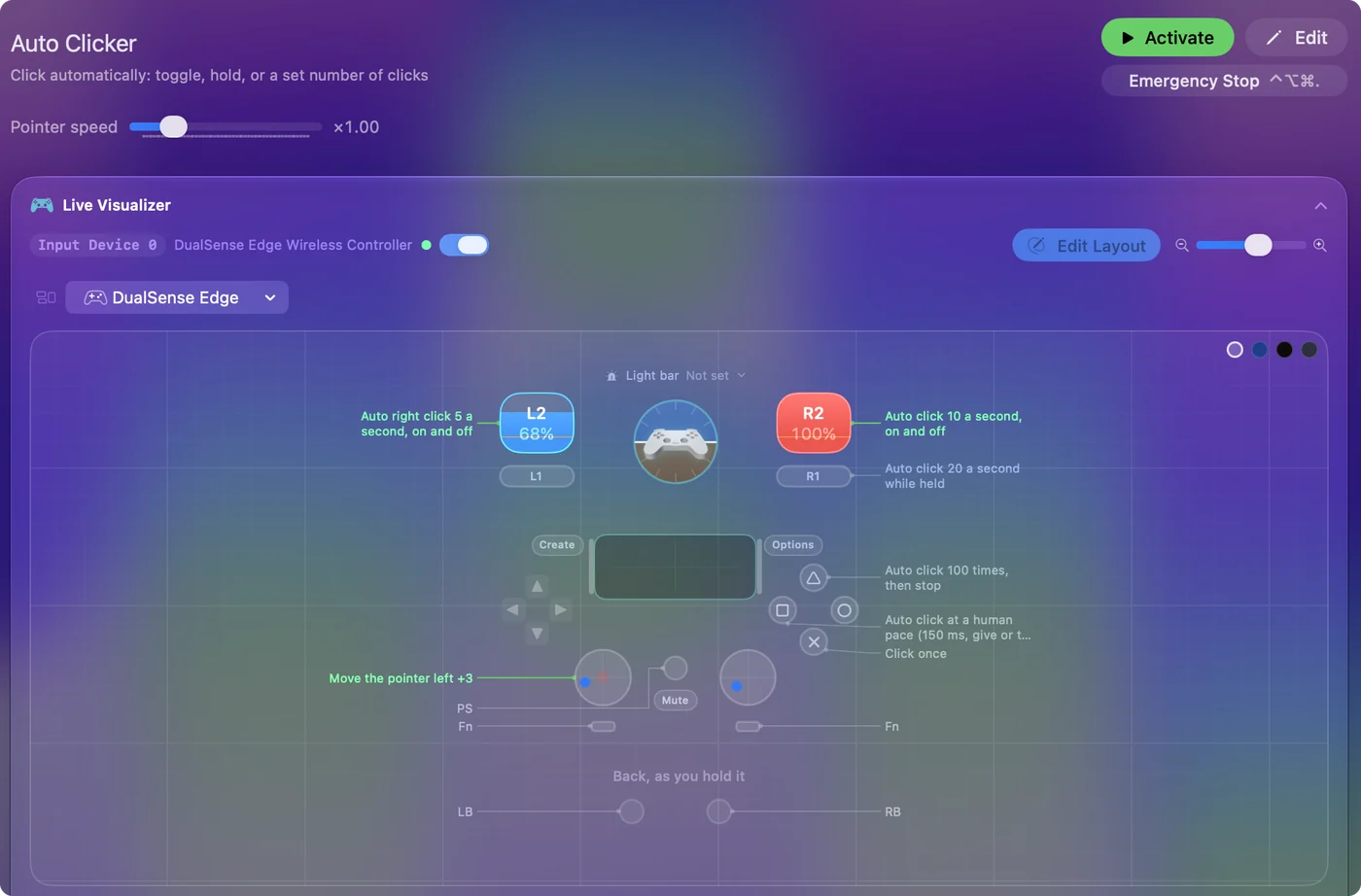
The free auto clicker for Mac shows it step by step.
More mouse and clicking tests
Questions
How do I test my mouse buttons?
Click inside the box on this page with each button: left, right, the wheel, and the two side buttons. Each one lights while held and counts every press.
Is there a mouse tester for Mac?
Yes, this one. Open it in the browser you use on your Mac, click inside the box and press each button. A mouse with a wheel and side buttons lights all five. A Magic Mouse lights its left click, and its right click once Secondary click is turned on in System Settings, Mouse.
Why does my Magic Mouse not light the middle and side buttons?
It does not have them. A Magic Mouse is one clickable surface with touch gestures on top, so there is no wheel press and no side button to send. That is the mouse, not a fault.
Why does my mouse double click when I click once?
The switch under the button is wearing out and makes contact twice. This page counts clicks that arrive under 80 milliseconds apart, which a finger does not do on purpose.
How do I check my mouse polling rate?
Move the mouse in quick circles inside the box and read pointer updates a second. It is the rate that reaches the browser, which can be lower than what the mouse sends.
Why do the side buttons do nothing on my Mac?
macOS passes them to the app in front, and many apps have no job for them. If they light up here, the mouse works; an app such as InputConfig can give them a job.
How do I test the middle mouse button?
Click the wheel inside the box. The middle button lights and counts the press. If nothing lights, the click did not reach the browser.
Can this page show my mouse's DPI?
No. A browser sees the pointer only after the system has applied its tracking speed and acceleration, so the movement it reports is not the sensor's own count. DPI is set on the mouse itself or in its maker's software.
How do I tell if my mouse is broken?
Press every button and turn the wheel inside the box. A button that never lights, clicks that arrive under 80 milliseconds apart, or a wheel that steps the wrong way all point to the mouse. Try it on a second computer first: a fault that follows the mouse is in the mouse.
Can I test click and drag?
Yes. Hold a button down inside the box and move the mouse. The button stays lit until the browser sees it released, so a light that goes out while you are still holding is a switch letting go in the middle of a drag.
Does this page measure mouse latency?
No. A web page learns about a click only when it arrives, so it has no starting point to time from. The mouse polling rate test shows how often the mouse reports, which is one part of the delay.
Related
This page in other languages: Nederlands, Português, 日本語, 简体中文, Русский, Bahasa Indonesia, ไทย, Čeština, Magyar, Suomi
Updated