Mouse double click test
 InputConfig is completely free on the Mac App Store.
Click once, normally, inside the box. A healthy button counts one click. A worn one counts two, a few milliseconds apart. For each button, I count every pair of clicks that came faster than a finger could press twice on purpose.
Run the test
- Click the left button inside the box once a second, about twenty times.
- Watch clicks under 80 ms apart. It should stay at 0.
- Do the same with the right button, then the wheel.
- Copy the report if you are sending the mouse back.
Read the numbers
- Clicks under 80 ms apart. The tell. A person who means to double click leaves more than that between the two presses, so a pair this close is one press reported twice.
- Shortest gap between two clicks. The closest two left clicks came. A few milliseconds means the switch bounced.
- Double clicks. What the browser counted as a double click, by your computer's double-click speed. On a Mac that setting is in System Settings, Accessibility, Pointer Control.
One fast pair in a hundred clicks can be chance. A fast pair every few clicks is a worn switch, and it only gets worse.
If the mouse double clicks
Climb this ladder, smallest step first:
- Check the double-click speed. If double clicks happen when you meant two separate clicks, slow the setting down. That is a setting, not a fault.
- Test it on another computer or port. If the fast pairs follow the mouse, the mouse is the cause.
- Use the warranty. A switch that bounces is a known wear fault, and makers replace mice for it.
- Replace the switch or the mouse. Cleaning can quiet it for a while, but the contacts keep wearing. That is caution, not something I measured.
What this test can miss
The page counts the clicks the browser receives. If the computer or the mouse's own software already filters out a fast second click, the page never sees it, so a mouse that misbehaves in one game and passes here may be filtered on the way. The 80 millisecond line is my rule of thumb, not a standard.
Give the side buttons a job on a Mac
On a Mac, the side buttons reach the app in front, and many apps, Safari and the Finder among them, have no job for them. InputConfig, the free app I make, gives each one a job: back and forward, a keyboard shortcut, a macro, or a different job in every app. Mouse side buttons on a Mac has the setup. If both side buttons light here, the mouse is fine and the app was the gap.
How this fits with InputConfig
This page measures clicks and pointer movement. InputConfig is the free auto clicker and button mapper for the same jobs on a Mac: its Auto Clicker preset clicks on a timer and starts and stops with fn F6, and any mouse button up to 32 can do something else.
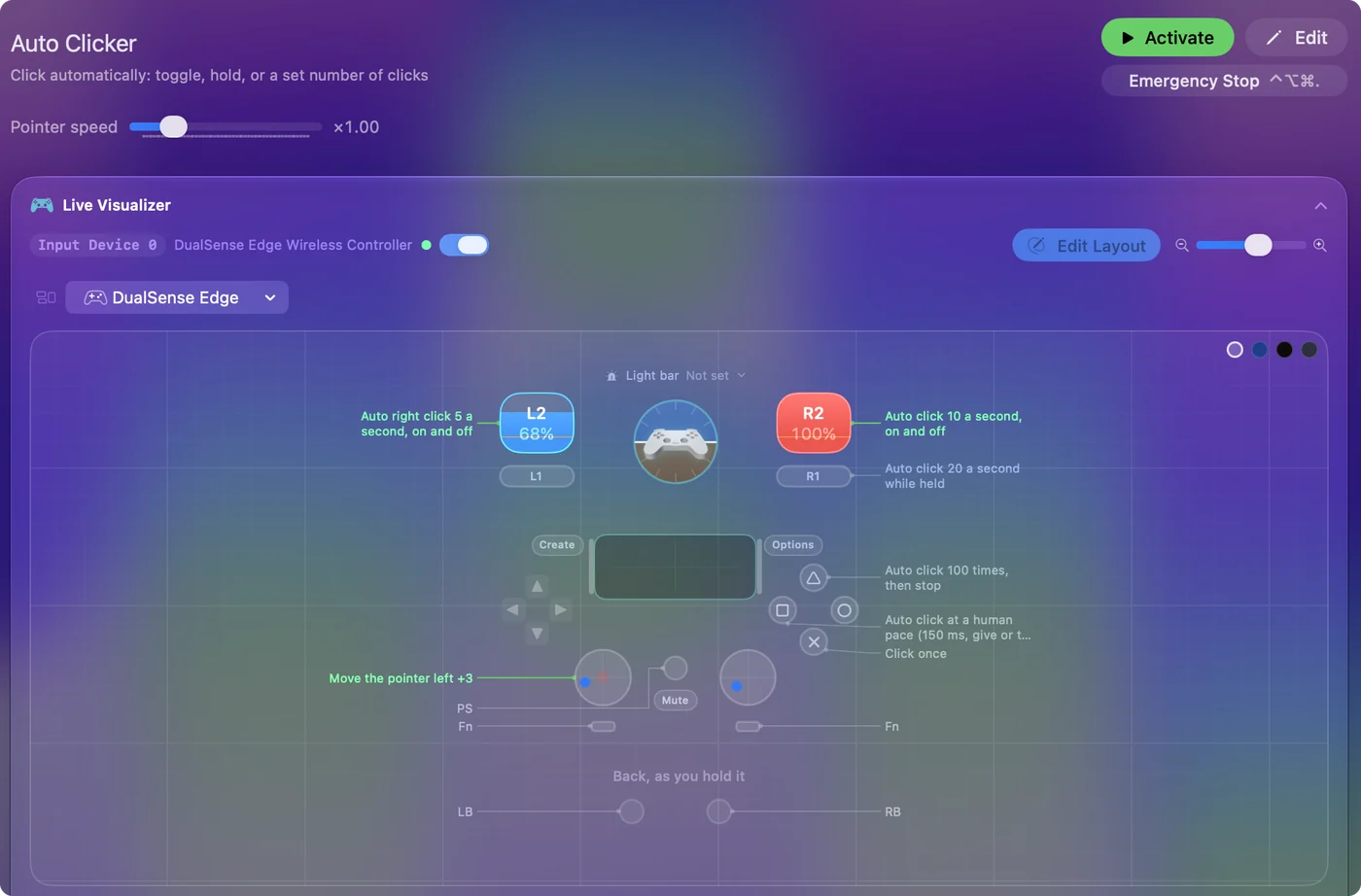
The free auto clicker for Mac shows it step by step.
More mouse and clicking tests
Questions
Why does my mouse double click by itself?
The switch under the button is wearing out. It makes contact, loses it and makes it again within a few milliseconds, so one press arrives as two clicks.
How do I test a mouse for double clicking?
Click once a second inside the box, about twenty times, and watch clicks under 80 ms apart. A healthy button keeps it at zero. A failing one raises it every few clicks.
Can software fix a mouse that double clicks?
It can hide some of it, but the switch keeps wearing. The lasting fix is a new switch, the maker's warranty, or a new mouse.
Can I test the right button and the side buttons?
Yes. The page watches the left, middle, right, back and forward buttons separately and counts close pairs of clicks for each one, so it shows which switch is failing.
Does it test a keyboard key or a controller button that fires twice?
Not on this page. The keyboard tester outlines a key that registers twice from one press, and the controller button test flags a button pressed twice in quick succession.
Can one press send a double click on a Mac?
Yes. In InputConfig, a click row left on Fires while held can repeat 2 times per press, which sends a double click from a single press of any button. Some game servers do not allow click macros, so check the rules before you use one there.
Related
Updated