Spacebar counter
 InputConfig is completely free on the Mac App Store.
Press the space bar as fast as you can. The timer starts on your first press, and only separate presses count, so holding the key down does nothing. At the end you get your presses per second, your best for that length, your fastest gap, how steady your rhythm was and a chart of every second.
Take the test
- Pick a length.
- Press the space bar as fast as you can. The first press starts the timer.
- Keep going until the timer stops, then read the numbers.
- Press the space bar again to start over. Your best for each length stays in this browser.
- To only count presses, pick No timer and press Stop with the mouse when you are done.
Read your result
- Presses a second. Every press divided by the length of the test.
- Your best at this length. Kept in this browser only.
- Fastest gap and steadiness. The shortest time between two presses, and how much the gaps vary.
- Gaps under 30 ms. Two presses closer than a finger presses twice, which points to a switch that counts one press twice.
Alternating two fingers is faster than one. A steady row of bars in the chart beats one fast second.
If presses do not count
Climb this ladder, smallest step first:
- Click the page once. The page only hears the keyboard while it is the front window.
- Let the key come all the way up. A press counts only after the key has been released.
- Test the space bar on its own. The keyboard tester shows whether it registers and whether it chatters.
Give a key a job instead
On a Mac, InputConfig, the free app I make, can turn one press of a spare key into a whole run of key presses or clicks. It listens to the keyboard and does not block the key itself, so a key that types nothing on its own is the one to use.
How this fits with InputConfig
These pages run on the space bar, a click or a key. InputConfig can press those for you from something else, a foot pedal, a controller button or a MIDI pad, which turns a pedal into a stopwatch button or a Morse key.
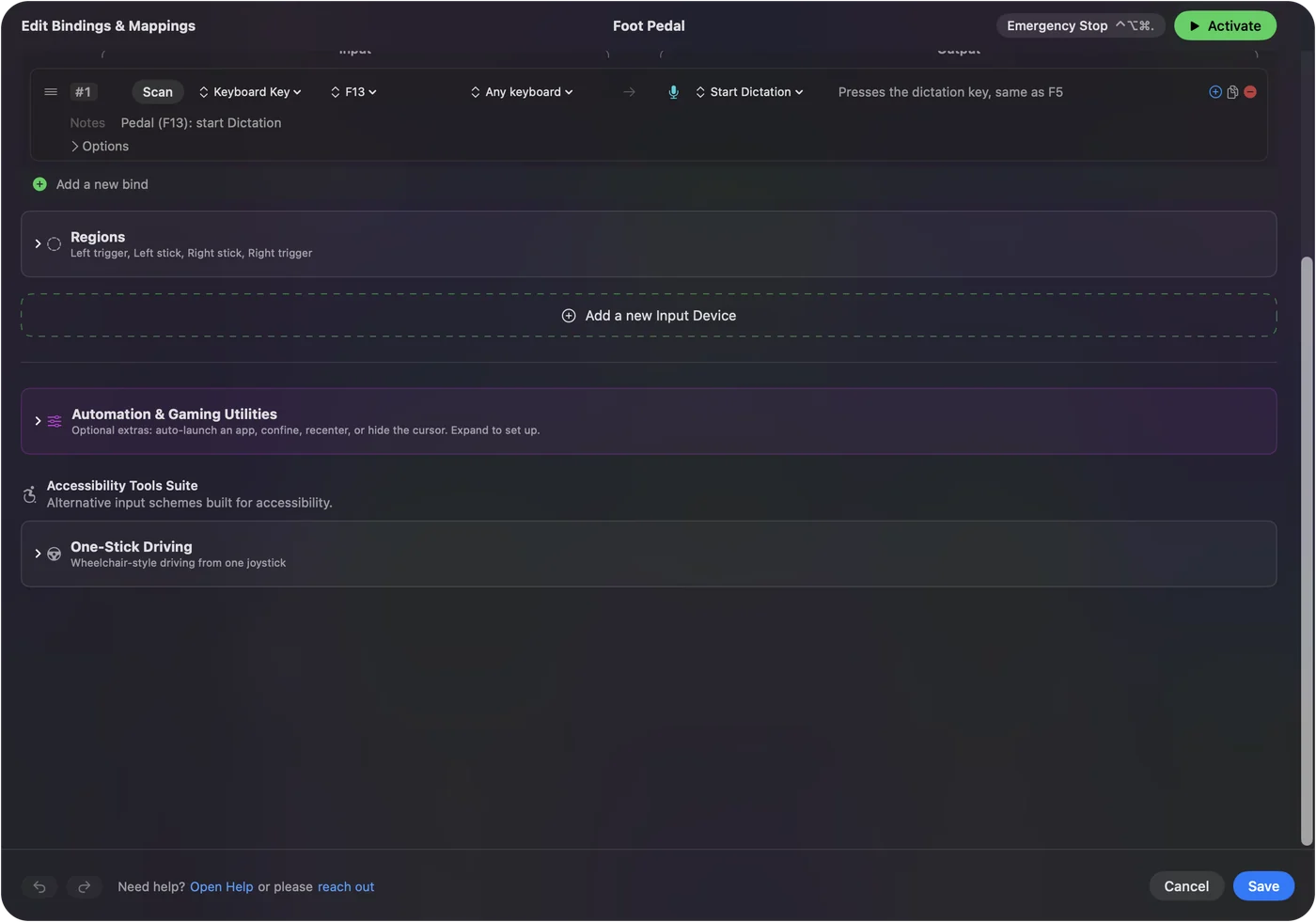
Foot pedal shortcuts on a Mac shows it step by step.
More timing and practice
Questions
How does the spacebar counter work?
Pick a length and press the space bar as fast as you can. The first press starts the timer. Holding the key down does not count; only separate presses do.
Why do some presses not count?
The page counts a press when the key goes down, and only after it has come back up. Holding the key, or pressing so lightly that the switch never fully releases, adds nothing.
What does a gap under 30 ms mean?
Two presses that close are faster than a finger presses twice, so the space bar's switch is probably counting one press twice. The keyboard tester shows whether it does that on every key.
Can I count space bar presses with no timer?
Yes. Pick No timer and press the space bar as many times as you like, then press Stop with the mouse. The page shows the count and the rate from your first press to your last.
Related
Updated