Reaction time test
 InputConfig is completely free on the Mac App Store.
Wait for the box to turn green, then react as fast as you can. You can click it, press any key, or press any button on a controller. Each try shows your time in milliseconds, and the table keeps an average for each device. So five tries with a mouse and five with a controller will show you how much delay the controller adds. Signal: sound swaps the color change for a tone.
Take the test
- Click the box, press a key or press a controller button to start. A controller needs one press first so the browser shows it to the page.
- Wait while the box is red. Pressing early shows Too soon and does not count.
- React the moment it turns green.
- Repeat at least five times with each device you want to compare.
Read your result
- Your time. From the frame that showed green to your press, in milliseconds.
- Average and best. Kept for each device separately. The average says more than one lucky try.
- The comparison. After five tries on two devices, the page shows how much slower the slower one is.
Most people react in about 200 to 300 ms, which is my rule of thumb rather than a standard. The comparison between devices is the useful number, because your own reaction is the same on each.
Use it to measure controller lag
Take five tries with a mouse or a key, then five with the controller. Then run the controller again on a cable and over Bluetooth. The differences between those averages are mostly the device and its connection, since you and the screen stay the same. On a Mac, controller input lag on a Mac covers what to do when the gap is large.
React to a sound
Press Signal: sound and the test plays a short tone in place of the color change. The box stays red, so the tone is the only signal.
- The clock. It starts when the page starts the tone. The time the tone takes to leave the speakers or headphones is inside every result.
- Headphones. Bluetooth adds more delay than a cable or the built-in speakers. Where the browser reports its audio output delay, the page shows the figure beside the buttons.
- Results. They start over when you switch signals, and the copied report says which signal was used.
Compare sound results only with other sound results, taken on the same speakers or headphones.
If a press does not count
Climb this ladder, smallest step first:
- Click the page first. Keys only reach the page while it is the front window.
- Press a controller button before you start. A browser shows a controller to a page only after a press.
- Wait for green. A press while the box is red is too soon and does not count.
What every result includes
Each time includes the screen's own delay, since a 60 Hz screen draws a new picture only every 16.7 ms, and the browser's, on top of your reaction and the device's. That is the same for every device on one computer, which is why comparing devices works. It is not a medical or a clinical test.
How this fits with InputConfig
These pages run on the space bar, a click or a key. InputConfig can press those for you from something else, a foot pedal, a controller button or a MIDI pad, which turns a pedal into a stopwatch button or a Morse key.
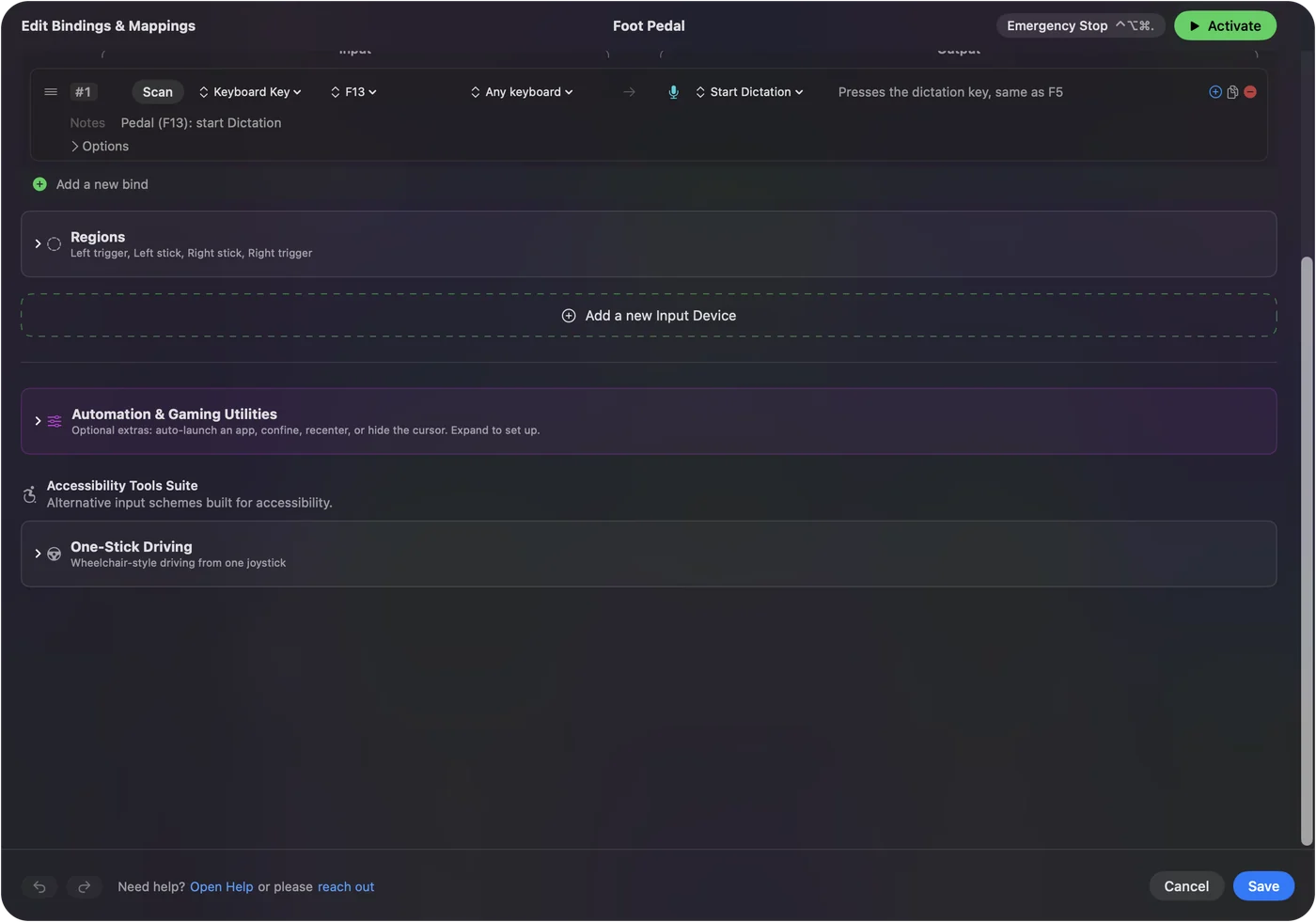
Foot pedal shortcuts on a Mac shows it step by step.
More timing and practice
Questions
What is a good reaction time?
Most people react to something they see in about 200 to 300 milliseconds, and practiced players often land near the low end. That range is a rule of thumb, and every result here includes the screen's and the device's own delay.
Can I test my reaction time with a controller?
Yes. Connect it, press a button once so the browser shows it to the page, then use any button to react. The page times the controller's own report, so the result is comparable with a mouse or a key.
How do I measure controller input lag with this?
Take five tries with a mouse or a key and five with the controller. Your reaction is the same on both, so the difference between the two averages is mostly the controller and its connection. Repeat with a cable and with Bluetooth to compare them.
Is there a reaction time test with sound?
Yes. Press Signal: sound on this page and a tone replaces the color change. The clock starts when the page starts the tone, so the time the sound takes to leave the speakers or headphones is inside every result, and Bluetooth headphones add more of it than a cable.
How accurate is an online reaction time test?
Each result is your reaction plus the delay of the screen or the speakers, the browser and the device you press. Those stay the same on one computer, so the test is good for comparing devices and for tracking yourself over time. It is not a lab instrument or a clinical test.
Related
Updated