Is there BetterJoy for Mac?
 InputConfig is completely free on the Mac App Store. You don't have to make an account, there are no subscriptions, and nothing is locked. Optimized for Apple silicon.
No, and on a Mac you mostly do not need one. BetterJoy lets a Switch Pro Controller, Joy-Cons and the Switch SNES controller work with emulators and as a generic XInput controller, and its setup steps are for Windows: drivers to install, then an .exe to run. macOS 13 and later reads Joy-Cons and the Switch Pro Controller over Bluetooth with no driver, so games and emulators that support controllers see them directly. Joy-Con Toolkit is a separate project, and its GitHub page lists Windows prerequisites.
I make InputConfig, a free Mac app that covers the part macOS leaves out: mapping those controllers to keys and the mouse for games that ignore them.
On this page
Steps
- Hold the Sync button on the Joy-Con or the Pro Controller until its lights move.
- Open System Settings, Bluetooth, and click Connect.
- Open System Settings, Game Controllers, and press a button to check it is live.
- In an emulator, assign the buttons in its own controls screen.
- For a game that ignores controllers, press Scan on a row in InputConfig and press a button.
Know what macOS already does
- Pairing. Joy-Cons connect one at a time over Bluetooth, each as its own controller, and macOS 13 and later can also combine them into a pair. The Switch Pro Controller pairs the same way.
- Games. A Mac game with controller support sees them like any pad.
- Emulators. Emulators that read controllers assign them in their own controls screen.
Connecting Joy-Cons and connecting a Switch Pro Controller have the steps. The job BetterJoy does on Windows is built into macOS 13 and later.
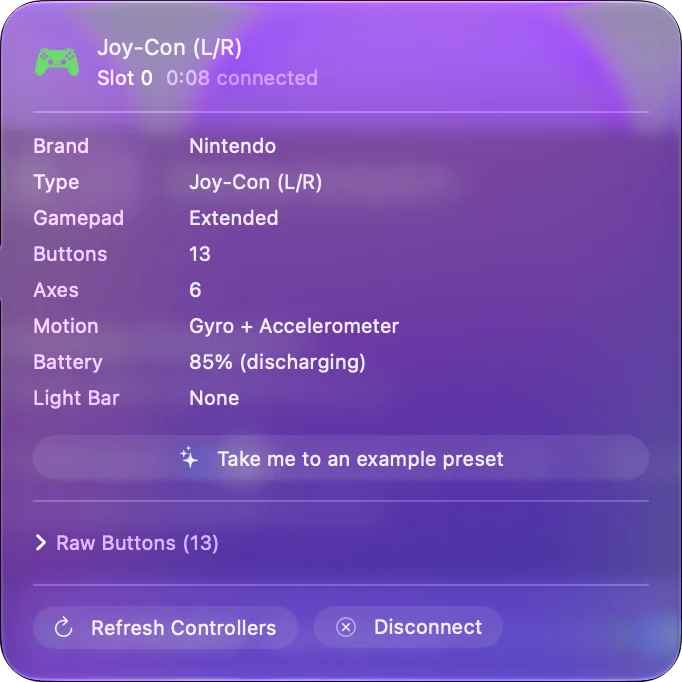
Match the rest of BetterJoy on a Mac
| In BetterJoy | On a Mac |
|---|---|
| Use the controller in emulators | macOS lists it as a game controller, and the emulator reads it |
| Act as a generic XInput controller | Not needed for Mac games, which read the controller directly. InputConfig does not present a controller of any kind |
| Remap SL, SR and Capture to keys | InputConfig binds any button it receives, a Joy-Con's rail buttons included, to a key, a click or a shortcut |
| Gyro as a mouse | InputConfig's Motion rows read a Joy-Con's gyroscope and accelerometer when macOS reports them |
Buttons and sticks come through on a Mac, and a Joy-Con's motion sensors come through when macOS reports them.
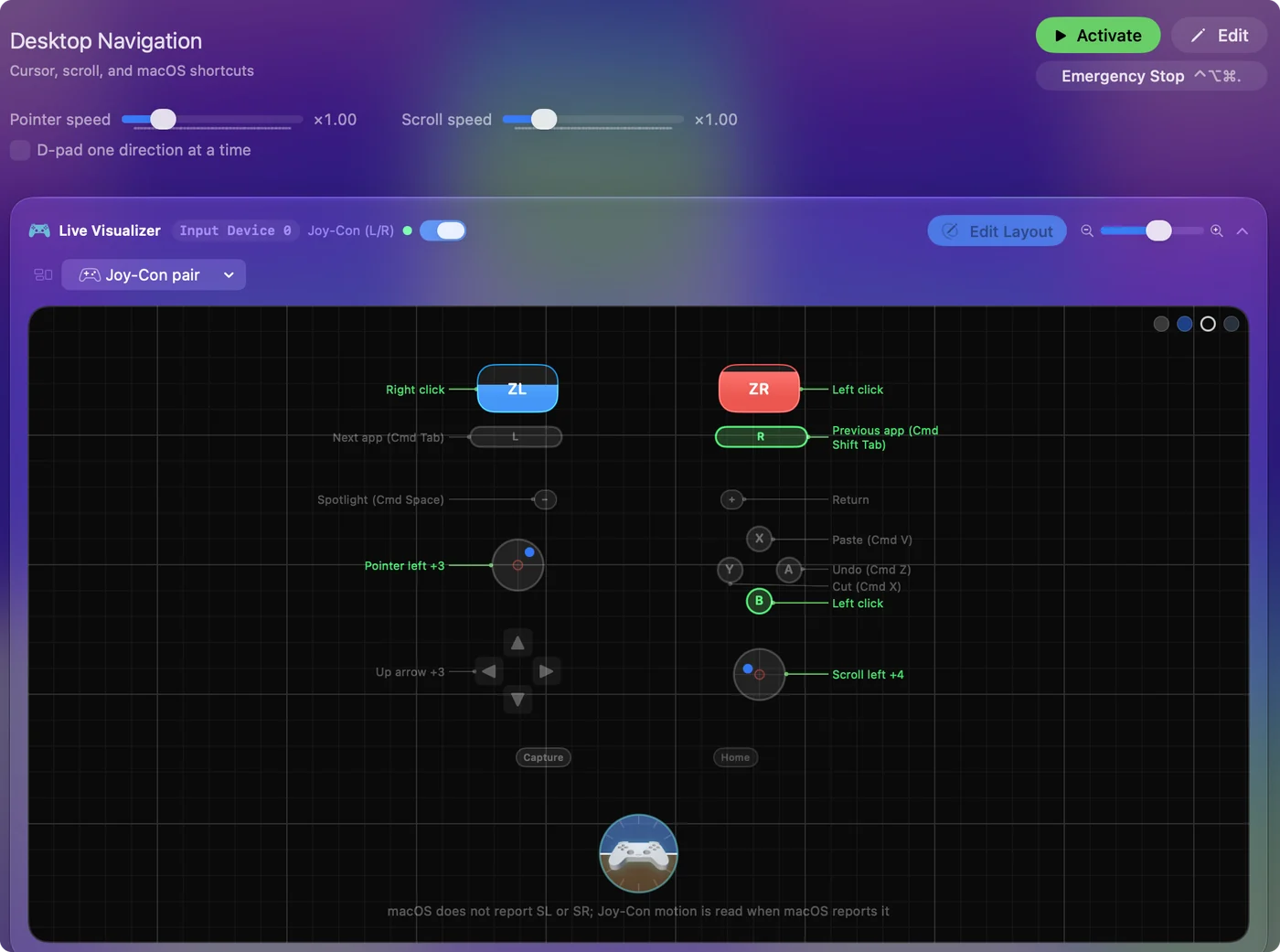
Map them for games that ignore controllers
- You: Add a row to a preset, press Scan and press a button on the Joy-Con or the Pro Controller. Pick the key or click the game expects.
- InputConfig: Binds the row to that button, and turns a stick into WASD or the pointer.
- Check: Activate the preset and press the button in the game.
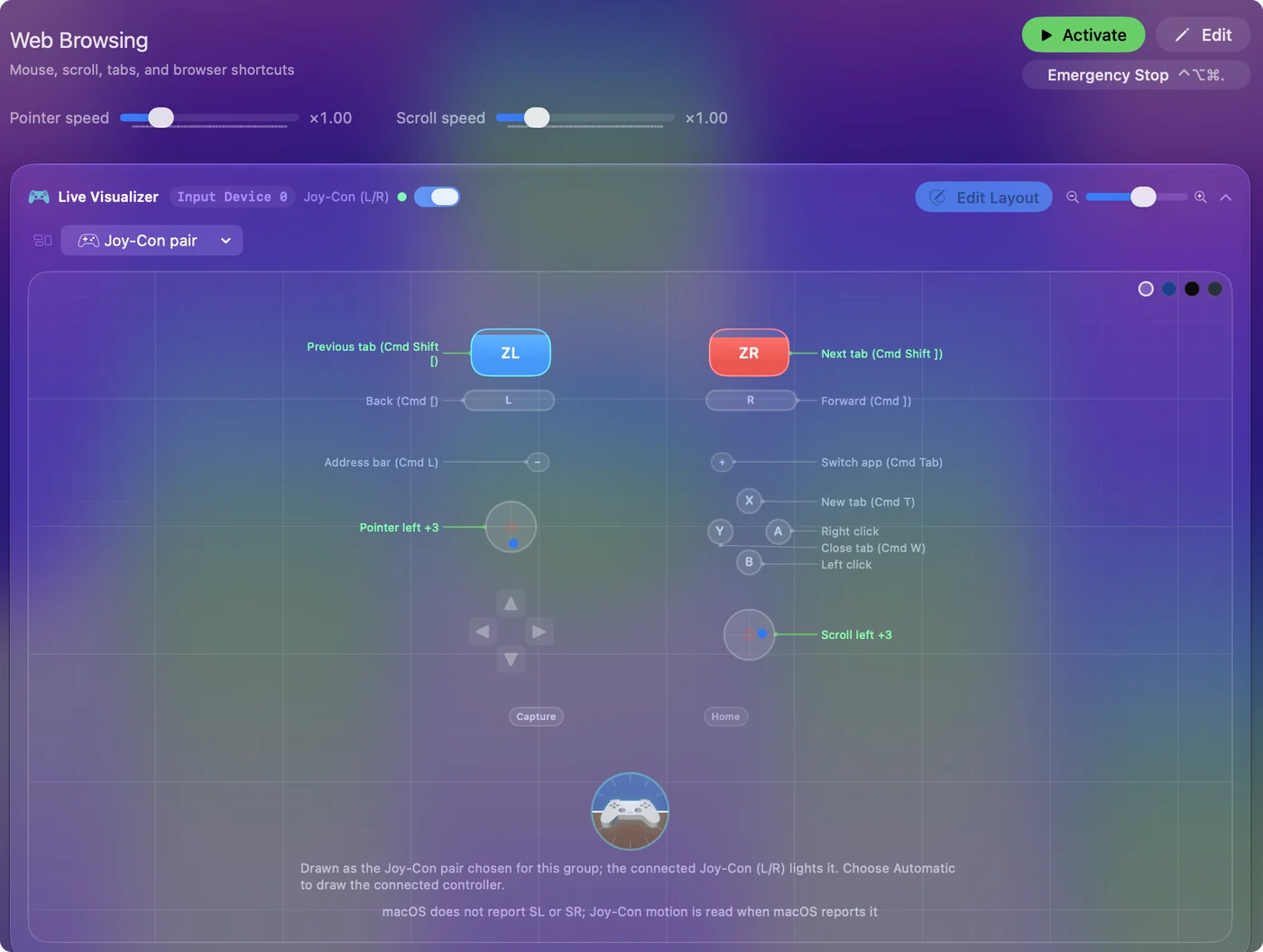
A single Joy-Con held sideways works as a small gamepad or a one-handed mouse. Joy-Cons on a Mac shows both. Where a game takes only the keyboard, the controller can type the keys for it.
Know what Joy-Con Toolkit is
Joy-Con Toolkit is an open-source project apart from BetterJoy. Its GitHub page, which I read on October 27, 2026, lists Windows prerequisites, the Visual C++ 2017 redistributable and, on older Windows, .NET Framework 4.7.1, and I found no Mac build. I have not used it, so check the project's page for what it does. On a Mac, the pairing steps above are what to use. Neither BetterJoy nor Joy-Con Toolkit has a Mac version that I could find.
What a Mac cannot do here
- XInput. InputConfig sends keyboard and mouse input and does not create a virtual Xbox controller.
- The IR camera and NFC. macOS does not pass them through. A Joy-Con's motion reaches InputConfig only when macOS reports it.
- The cable. A Switch Pro Controller sends nothing a Mac reads over its USB cable, so use Bluetooth.
On a Mac these controllers are Bluetooth gamepads with buttons and sticks, and that covers most uses.
The short version
- BetterJoy. It is a Windows program.
- On a Mac. Pair over Bluetooth on macOS 13 or later, and games and emulators see the controller.
- Extra. InputConfig maps it to keys and the mouse.
Pair the controller first, because on a Mac, pairing does the job BetterJoy does on Windows.
Questions
Is there BetterJoy for Mac?
No. BetterJoy's setup is for Windows. A Mac does not need it for the main job, because macOS 13 and later reads Joy-Cons and the Switch Pro Controller over Bluetooth with no driver.
Is there a Joy-Con Toolkit for Mac?
I did not find one. Joy-Con Toolkit's GitHub page lists Windows prerequisites. On a Mac, pair the Joy-Cons over Bluetooth in System Settings on macOS 13 or later.
How do I use Joy-Cons with an emulator on a Mac?
Pair each Joy-Con in System Settings, Bluetooth, on macOS 13 or later. An emulator that reads controllers then lists them in its own controls screen.
Can I use Joy-Con gyro as a mouse on a Mac?
When macOS reports a Joy-Con's gyroscope and accelerometer, InputConfig's Motion rows read them, and Motion Cursor or Gyro Aim moves the pointer by tilt. The stick can move the pointer too.
Can a Mac make a Switch controller act as an Xbox controller?
Not with InputConfig, which sends keyboard and mouse input and creates no virtual controller. Mac games with controller support read a Switch controller directly, so they do not need it to.
Related
This page in other languages: Español, Русский
Updated