Is there X-Mouse Button Control for Mac?
 InputConfig is completely free on the Mac App Store. You don't have to make an account, there are no subscriptions, and nothing is locked. Optimized for Apple silicon.
No. X-Mouse Button Control, also typed XMBC, xmousebuttoncontrol or just X-Mouse, is described by its author as a free tool for Windows, and its site offers no Mac download. What it does, giving mouse buttons new work in each application, is done on a Mac by a mapper. I make InputConfig, a free, open-source Mac app that reads every mouse button up to Button 32 and gives each one a job, with a different layout for each app if you want one.
It does not copy everything XMBC does, and this page says where.
On this page
Steps
- Install InputConfig from the Mac App Store and allow Accessibility access.
- Make a preset and add a row.
- Press Scan and click the mouse button you want to change.
- Choose what it sends: a key combination, a macro, typed text, an app or a system function.
- Turn on Block the button's own action in the row's Options, then activate the preset.
Match XMBC features on a Mac
| In X-Mouse Button Control | In InputConfig on a Mac |
|---|---|
| Remap a mouse button | A Mouse row for any button up to Button 32, sending a shortcut, a macro, typed text, an app or a system function |
| Application-specific profiles | A preset per app with per-app auto-switch: the preset changes when the app comes to the front |
| Stop the button's original action | Block the button's own action, for the middle button and every side button |
| Sticky buttons and keys | Toggles on and off, which holds an output until you press again |
| Media and volume controls | System functions, such as media keys, Mission Control and Spaces |
| More than one job per button | A double click and a hold action, each with its own output |
The core of XMBC, a new job for each button in each app, has a direct Mac equivalent.
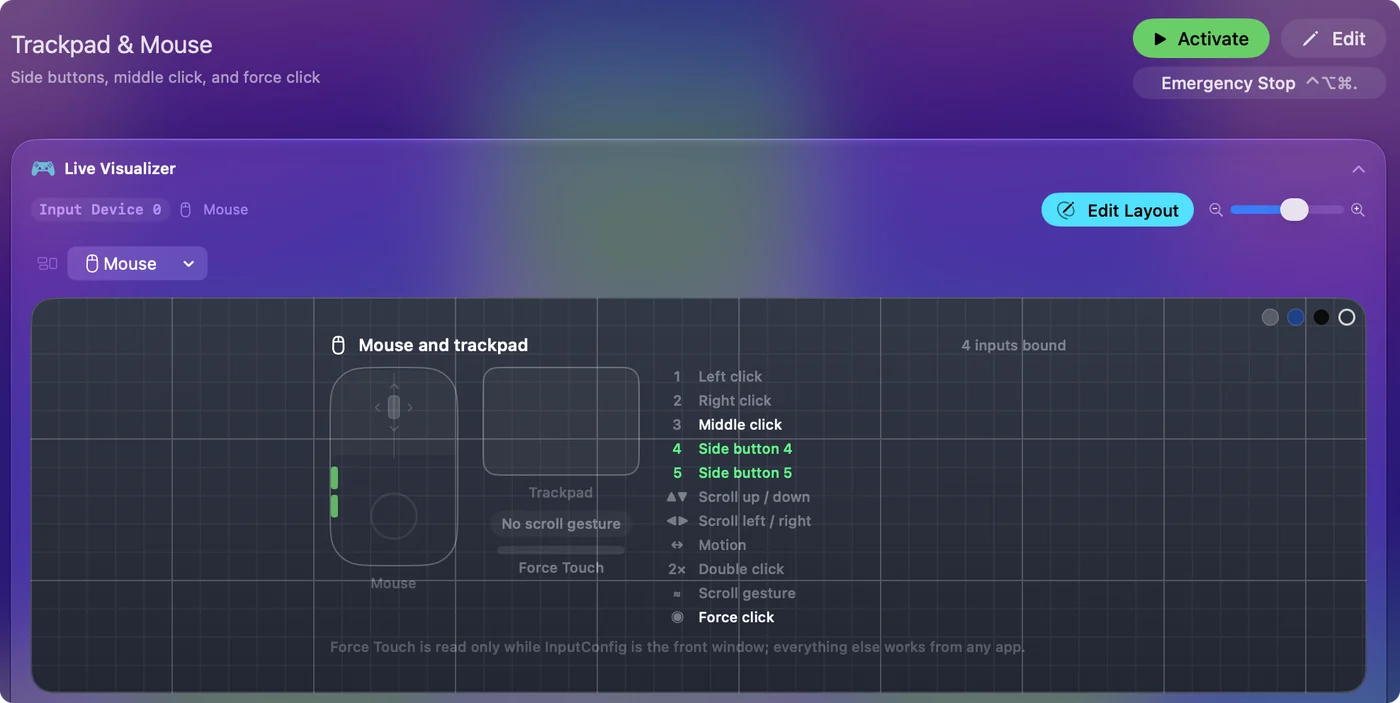
Remap a button
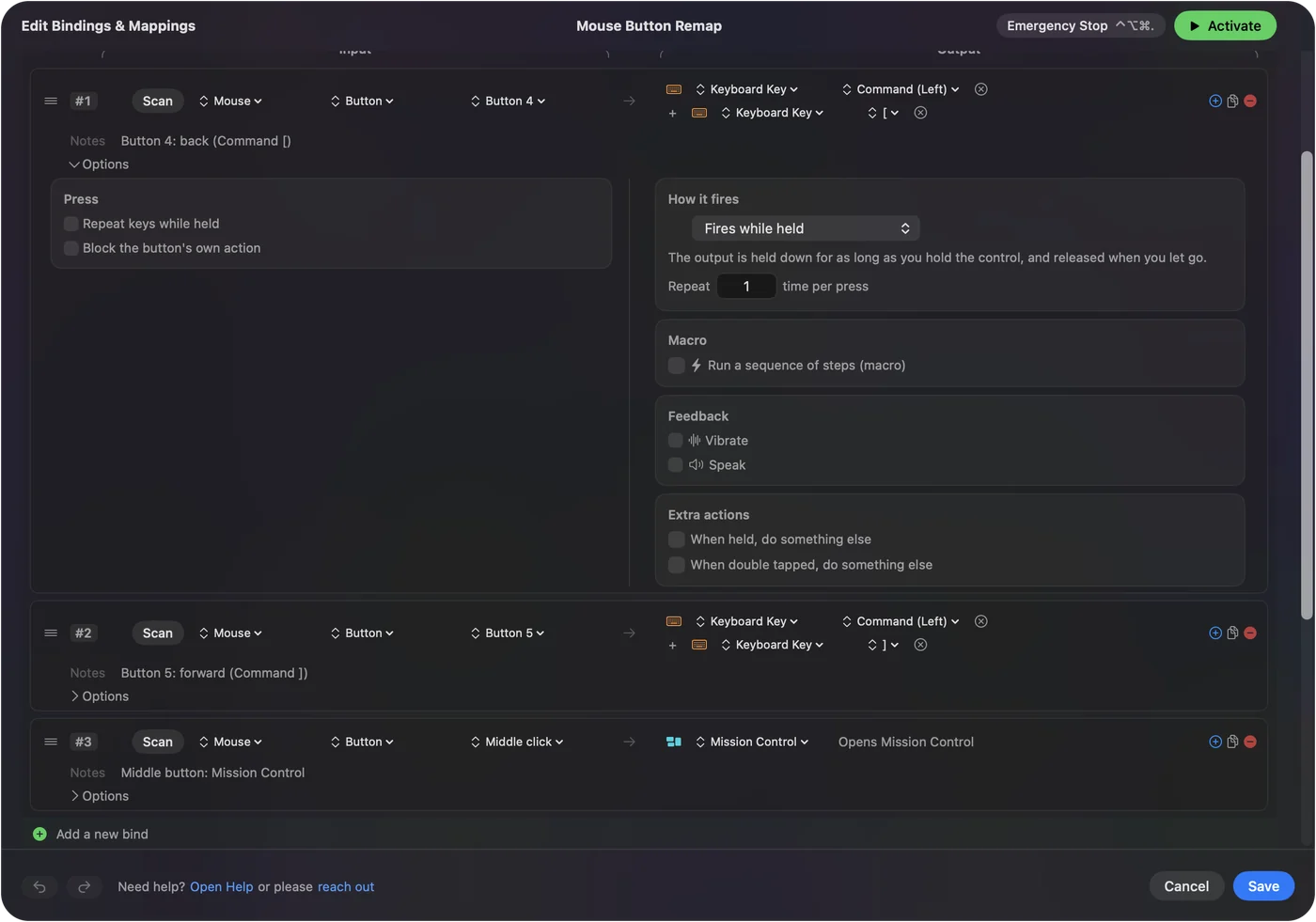
- You: Make a preset and add a row. Press Scan and click the button, or set the input type to Mouse and pick it from the menu. Choose the output.
- InputConfig: Lists Left click, Right click, Middle click and Button 4 to Button 8, with More buttons holding Button 9 to Button 32.
- Check: Activate the preset. The button does its new job in every app while it runs.
The mouse button walkthrough has a picture for each of these steps.
How to map extra mouse buttons on a Mac has the detail, including mice whose extra buttons send keys. Scan finds a button by pressing it, so you never need to know its number.
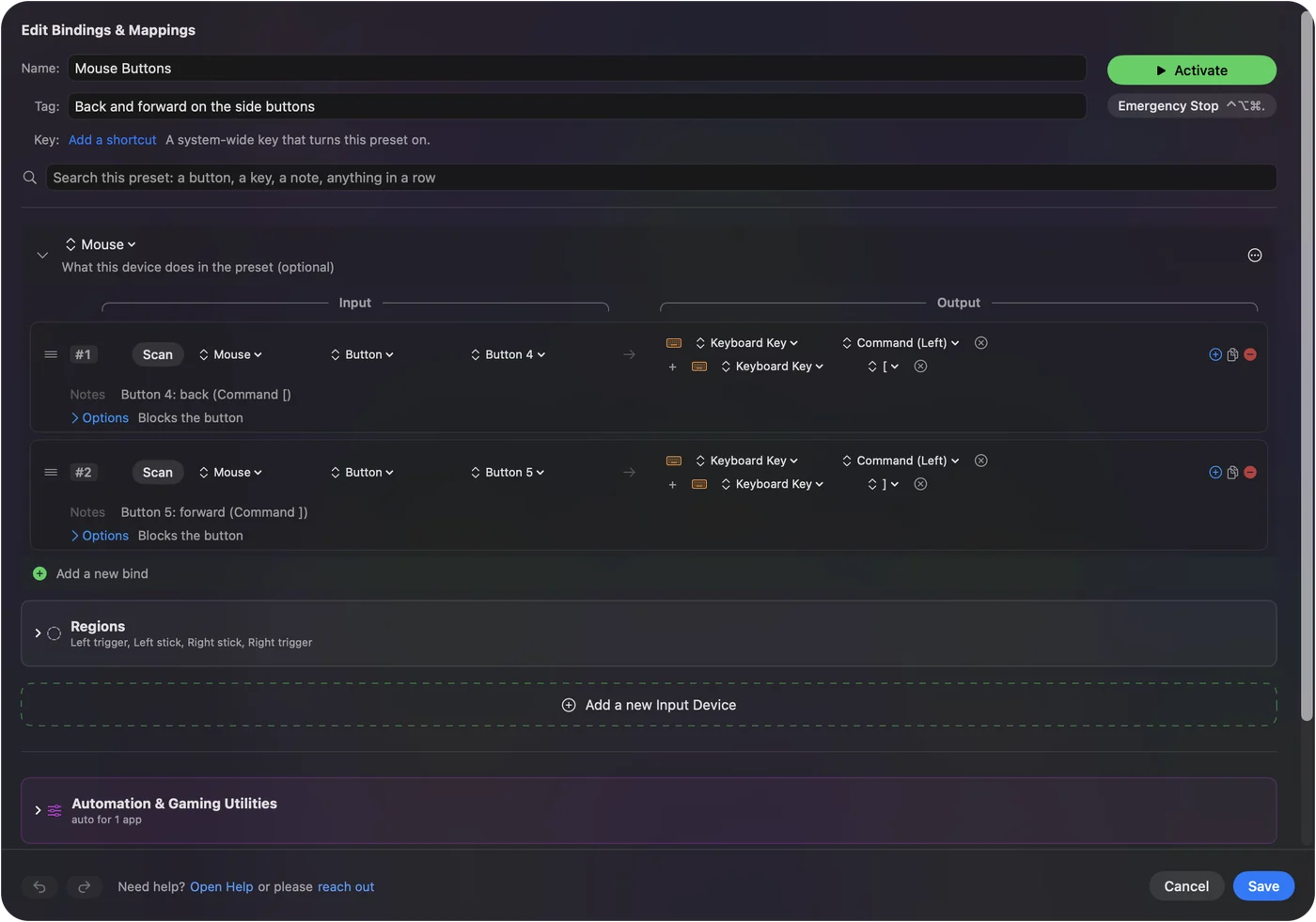
Give each app its own layout
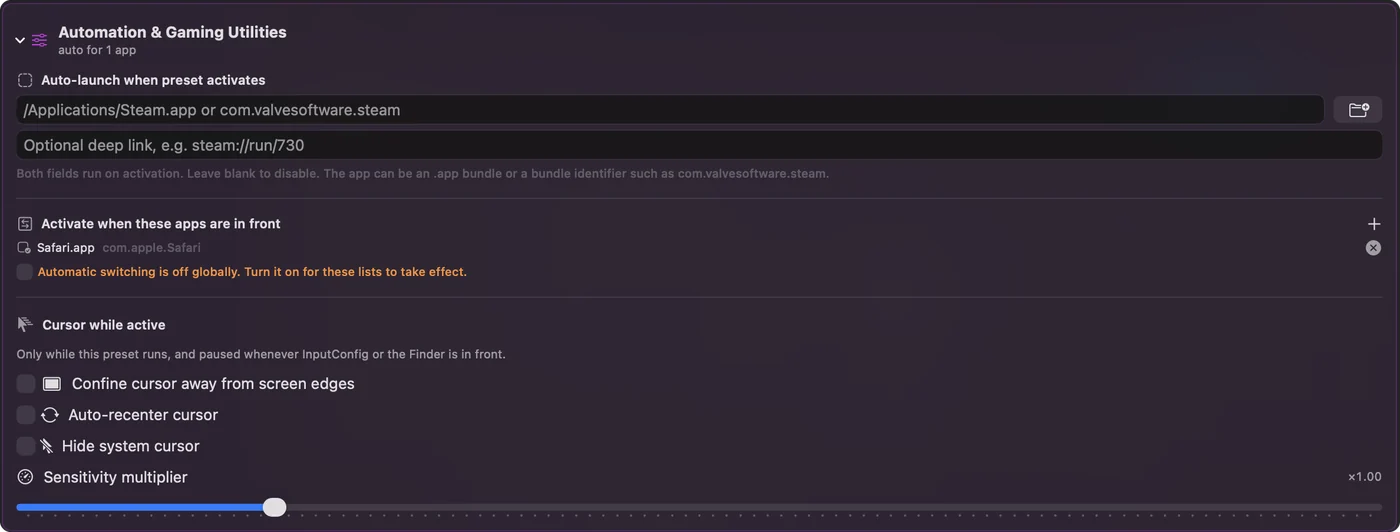
XMBC is built around profiles for each application and window. On a Mac, make one preset per app and turn on auto-switch: the preset changes when that app comes to the front, so the same side buttons are Back and Forward in a browser and undo and redo in an editor. One preset per app, switched for you, is the Mac form of an XMBC profile.
What it cannot match
- Left and right click. InputConfig never offers to block them, so a click cannot be lost. They can trigger extra actions, and they keep clicking.
- The scroll wheel. It can use the wheel as an input, and it cannot hold back or change the wheel's own scrolling. Changing the scroll direction covers what does.
- Two mice apart. Every mouse connected to the Mac counts as one, so two mice cannot have different jobs for the same button.
- Pointer speed and DPI. It does not change them. The mouse maker's app handles the hardware.
InputConfig gives buttons jobs, and it leaves the wheel and the pointer to macOS and the maker's app.
Avoid "XMBC for Mac" downloads
XMBC's own site offers Windows builds only, so a Mac download under that name did not come from its author. Get XMBC for a Windows PC from its official site, and on a Mac use an app from the Mac App Store or a project whose source you can read. InputConfig is both. If a site offers XMBC for macOS, it is not the author's file.
The short version
- XMBC. It only runs on Windows.
- On a Mac. Use a Mouse row per button and a preset per app, with auto-switch on.
- Not covered. InputConfig does not cover left and right click remapping, wheel behavior or pointer speed.
For side and extra buttons, a Mac has a free equivalent that works per app.
Questions
Is there X-Mouse Button Control for Mac?
No. Its author describes it as a free tool for Windows, and its site offers no Mac version. On a Mac, a mapper such as InputConfig gives mouse buttons new jobs.
What is the Mac alternative to X-Mouse Button Control?
InputConfig is free and open source. It reads every mouse button up to Button 32 and binds each to a shortcut, a macro, typed text, an app or a system function, with a different preset for each app.
Can I set mouse buttons per application on a Mac?
Yes. Make one preset per app in InputConfig and turn on auto-switch, and the layout changes when that app comes to the front.
Can I remap the left and right mouse buttons on a Mac with it?
Not to stop them clicking. InputConfig never blocks the left or the right button. It can add an action to them, and the click still happens.
Is X-Mouse Button Control safe on a Mac?
There is nothing to run, because its author offers it for Windows only. A site that offers X-Mouse Button Control for Mac did not get the file from its author, and I cannot vouch for it. Get XMBC for a Windows PC from its official site, and use an app from the Mac App Store on a Mac.
Related
This page in other languages: Italiano, Tiếng Việt, 繁體中文
Updated