What is a controller deadzone?
 InputConfig is completely free on the Mac App Store. You don't have to make an account, there are no subscriptions, and nothing is locked. Optimized for Apple silicon.
A deadzone is the part of a stick's or trigger's travel that the game or app ignores. The inner deadzone is a small area around the center: while the stick rests inside it, nothing happens, which is how a stick that sits slightly off center is kept from turning the camera. The outer deadzone is at the edge: past it, the stick counts as pushed all the way.
I make InputConfig, a free Mac app with both settings on every stick and trigger row, and the deadzone visualizer on this site draws them over your own stick.
On this page
Steps
- Open the stick drift test, connect the controller and press any button on it.
- Let go of both sticks and press Record 5 seconds at rest.
- Read the largest value each stick showed.
- Set the inner deadzone a little above that value, in whatever reads the stick.
- Push the stick around its edge and set the outer deadzone where your push ends.
Inner vs outer deadzone, axial vs radial, anti-deadzone
| Kind | What it does | Where you notice it |
|---|---|---|
| Inner deadzone | Ignores a small area around the center | It hides stick drift and a rest that wobbles |
| Outer deadzone | Counts the stick as all the way before the edge | It helps a stick, or a hand, that does not reach the edge |
| Axial deadzone | Checks left and right apart from up and down, so the ignored area is a cross | A slight sideways tilt can be cut while the stick is pushed forward |
| Radial deadzone | Measures the distance from the center, so the ignored area is a circle | Every direction is treated alike |
| Anti-deadzone | Adds a starting push, so a small tilt arrives past a deadzone a game applies by itself | It is the reverse of the first kind |
Inner is where a stick starts to count, and outer is where it counts as all the way.
Know what a deadzone costs
Everything inside the inner deadzone is thrown away, and that includes the small, careful movements you make on purpose. A stick resting at 8 percent needs a deadzone a little over 8 percent. A blanket 25 percent on a healthy stick makes it feel dead, and it makes fine aiming worse.
How the remaining travel is treated depends on what reads the stick. In InputConfig the travel between the Deadzone and Full push at is stretched to cover the whole range, so the output starts from zero at the edge of the deadzone instead of jumping. Use the smallest inner deadzone that stops the movement.
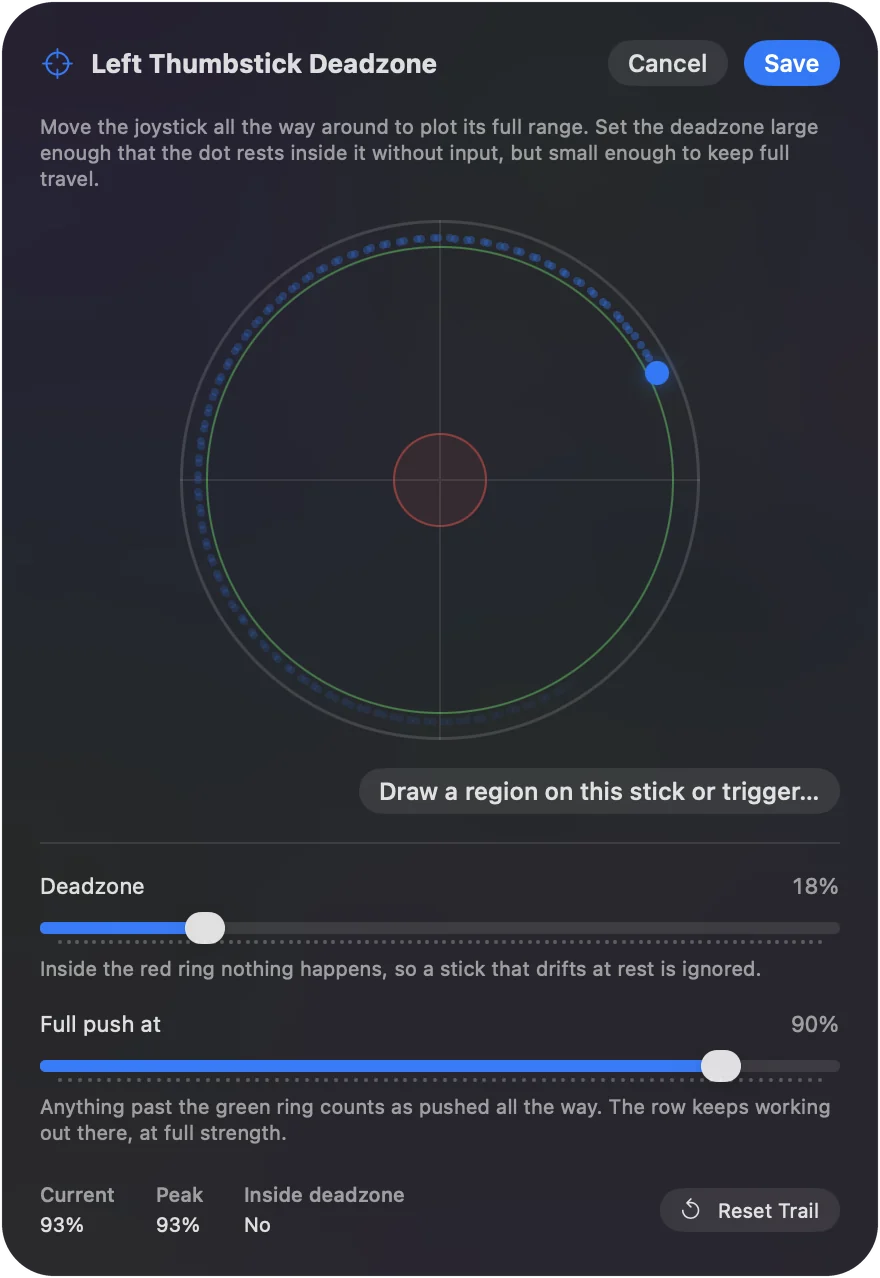
Pick the number from a measurement
- You: Open the stick drift test, press a button on the controller, let go of both sticks and press Record 5 seconds at rest.
- The page: Shows the largest distance from the center each stick reached, on a scale where 1 is full tilt, and an inner deadzone that would hide it.
- Check: Set the deadzone, then let go of the stick in the game or app. Nothing should move.
InputConfig's default is 25 percent, which is safe for a worn stick, and a new DualSense is fine at 8 to 12. A measured number beats a setting copied from someone else's controller.
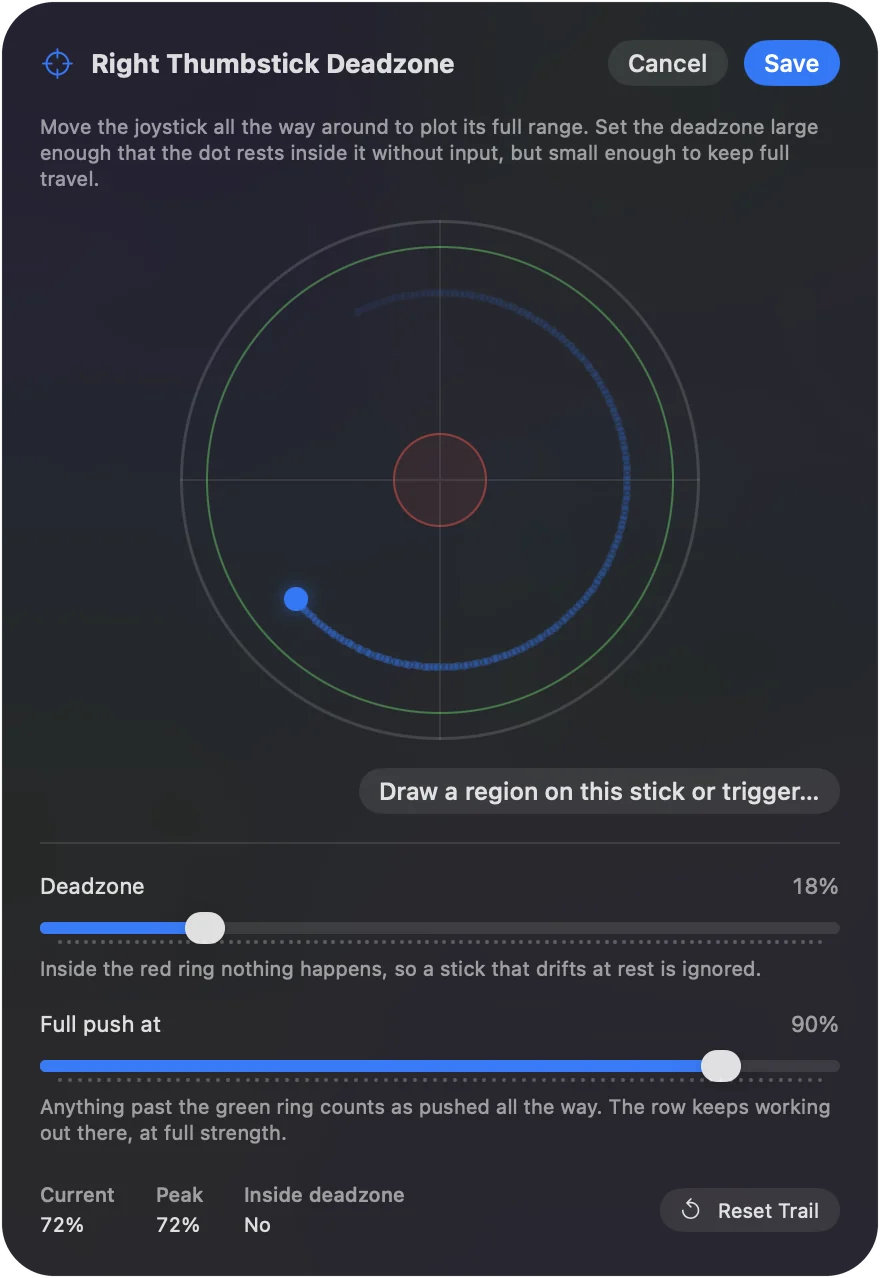
Set it where the stick is read
A deadzone only works in the program that reads the stick:
- A game that supports controllers. It reads the pad itself, so use the game's own deadzone setting.
- A Steam game. Steam Input has a deadzone for each stick in its layout editor.
- Everything InputConfig drives. The pointer, scrolling, keys and MIDI. Open Options on the stick's row: Deadzone is the inner one, from 1 to 90 percent, and Full push at is the outer one.
The deadzones page covers the live plot, and stick drift on a Mac goes through each case. A mapper's deadzone never reaches a game that reads the controller itself.
Triggers and motion have one too
- Triggers. A trigger is an axis that moves one way, and its inner deadzone stops a resting trigger from firing. In InputConfig a trigger band, a range of the pull such as the last third, is its own threshold, so a band row has no deadzone.
- Gyro. In InputConfig, small movement below a motion row's deadzone is scaled down smoothly instead of being cut, so a shaky hand barely moves the pointer while a slow, deliberate tilt still does.
On a trigger the deadzone decides when a pull starts to count.
Anti-deadzone, and why InputConfig has none
Some games ignore the first part of a stick's travel and offer no setting to change it. An anti-deadzone is meant for that: it adds a starting push, so a small tilt arrives already past the game's own deadzone. It only makes sense for a tool that hands the game a controller.
InputConfig sends keys and mouse movement, not a controller, so a game's stick deadzone never sees what it sends. That is why the app has Deadzone and Full push at and no anti-deadzone.
The short version
- Inner. It is the ignored area at the center. Set it just above where the stick rests.
- Outer. It is where full push begins. Set it where your push ends.
- Where. Set it in the game for games that read the pad, and in InputConfig for everything it drives.
Measure the stick first, then set the smallest deadzone that hides what you measured.
Questions
What does a controller deadzone do?
It ignores small stick movement around the center, so a stick that rests slightly off center does not turn the camera or move the pointer.
What is a good deadzone for a controller?
The smallest one that stops movement with your thumb off the stick. Measure where the stick rests and set the deadzone a little above it. InputConfig's default is 25 percent, which is safe for a worn stick, and a new DualSense is fine at 8 to 12.
What is the difference between inner and outer deadzone?
The inner deadzone is the area around the center that is ignored. The outer deadzone is the point where the stick counts as pushed all the way, which helps a stick that no longer reaches its edge.
What is anti-deadzone?
A setting that pushes a small tilt past a deadzone a game applies by itself. InputConfig has none, because it sends keys and mouse movement, which a game's stick deadzone never sees.
Should a deadzone be high or low?
As low as the stick allows. A high deadzone hides more drift and throws away more fine movement, so raise it only until the drift stops.
Does a deadzone fix stick drift?
It hides drift and repairs nothing. The stick still rests off center, and the number can keep growing, so test again later.
Related
This page in other languages: Deutsch, Français, Español, Italiano, Português, 日本語, 한국어, Русский, 繁體中文
Updated