What is stick drift?
 InputConfig is completely free on the Mac App Store. You don't have to make an account, there are no subscriptions, and nothing is locked. Optimized for Apple silicon.
Stick drift is a thumbstick that reports movement while nothing touches it. A camera turns by itself, a character walks, a menu scrolls. The stick's resting position has moved off the center a game expects, and the game reads that offset as a push. It can be measured in a minute, it can usually be hidden with a setting, and in some countries it is repaired for free.
I make InputConfig, a free Mac app with a deadzone on every stick, and the free stick drift test on this site puts a number on the problem.
On this page
Steps
- Open the stick drift test, connect the controller and press any button on it.
- Let go of both sticks and press Record 5 seconds at rest.
- Read how far from the center each stick rested.
- Try the maker's update, calibration and reset steps, and read its repair terms for your country.
- Set a deadzone just above the number, in the game or in InputConfig.
Check it in 60 seconds
- You: Open the stick drift test, connect the controller, press a button, let go of both sticks and press Record 5 seconds at rest.
- The page: Shows how far from the center each stick rested, on a scale where 1 is full tilt, with a verdict and a deadzone that would hide it.
- Check: A largest value under 0.03 is a stick resting where it should. Over 0.08 shows in a game with a small deadzone.
If you want a test with your controller's own button names, the PS5 controller drift test covers a DualSense, a DualSense Edge and a DualShock 4, the Xbox controller drift test covers an Xbox Series or One pad, and the Joy-Con drift test covers a Joy-Con or a Switch Pro Controller. All of them record the same way.
The circle test on the same page finds the short side: a direction where the stick no longer reaches its edge. Those two lines are my rule of thumb, not a standard, and no standard defines them.
Know what it looks like
Drift shows up in four ways, and they do not all mean the same thing:
- A slow creep. The camera turns or the pointer slides with your thumb off the stick.
- A rest that wanders. The stick settles in a slightly different place each time you let go.
- A jump. The reading leaps while the stick sits still. That is a worn part, and no setting hides it.
- A short side. The stick no longer reaches full tilt in one direction.
The first two are a resting offset, which is the kind a deadzone hides.
Why sticks drift
The makers name the causes themselves. Microsoft's support page for its recalibration tool says the tool cannot resolve drift that comes from normal wear and tear, and Nintendo's support page for Europe says it repairs the fault whether a defect or wear and tear caused it.
- Wear. Named by Microsoft and by Nintendo. It builds with use.
- A defect. Named by Nintendo beside wear, and the reason a warranty exists.
- A stored center that is off. Nothing is worn, and the controller simply remembers the wrong middle. This is the kind a calibration fixes.
Wear does not undo itself, which is why a drift number can keep growing and a deadzone that works today may need raising later.
Try the maker's own steps
Climb this ladder, smallest step first:
- Update the controller. Nintendo's steps begin with the latest system update and controller firmware. From a Mac, see the pages on PS5 controller firmware and Xbox controller firmware.
- Calibrate it. Nintendo has you calibrate the control sticks on the console. Microsoft's recalibration tool is in the Xbox Accessories app, for the Xbox Wireless Controller and the Elite Series 2. That app runs on an Xbox console or a Windows PC and has no Mac version. For a DualSense or DualShock 4, read how to calibrate a controller on a Mac first.
- Reset it. Sony's troubleshooting page for the DualSense has you press the reset button, in the small hole on the back, for at least 5 seconds.
- Ask for a repair. Nintendo's page says a Joy-Con whose sticks cannot be calibrated needs service, and Sony's page sends analog stick problems to PlayStation Repairs.
None of these steps needs a tool or a payment, so they come before any repair shop.
Know what the makers cover
These are the terms on each maker's own pages as I read them on October 6, 2026. They differ by country and they change, so read yours before paying anyone.
- Sony. The United States limited warranty for accessories covers defects in material and workmanship for one year from purchase, with repair or replacement at Sony's choice. The DualSense Edge is built differently: its stick modules come out, and Sony sells a replacement module.
- Microsoft. It offers the recalibration tool, with the warning that the tool cannot resolve every stick problem, drift from normal wear included.
- Nintendo. In the European Economic Area, the United Kingdom and Switzerland, it repairs this Joy-Con stick fault at no charge until further notice, even when wear caused it and even after the 24-month warranty has run out. Its page for the Americas says a Joy-Con that cannot be calibrated needs service, and names no price.
A covered repair beats every workaround, so look for one first.
Hide what is left with a deadzone
A deadzone tells whatever reads the stick to ignore a small circle around the center. Set it just above the number the test gave you, in the place that reads the controller:
- In the game. A game that supports controllers reads the pad itself, so use its own deadzone setting, or Steam Input's.
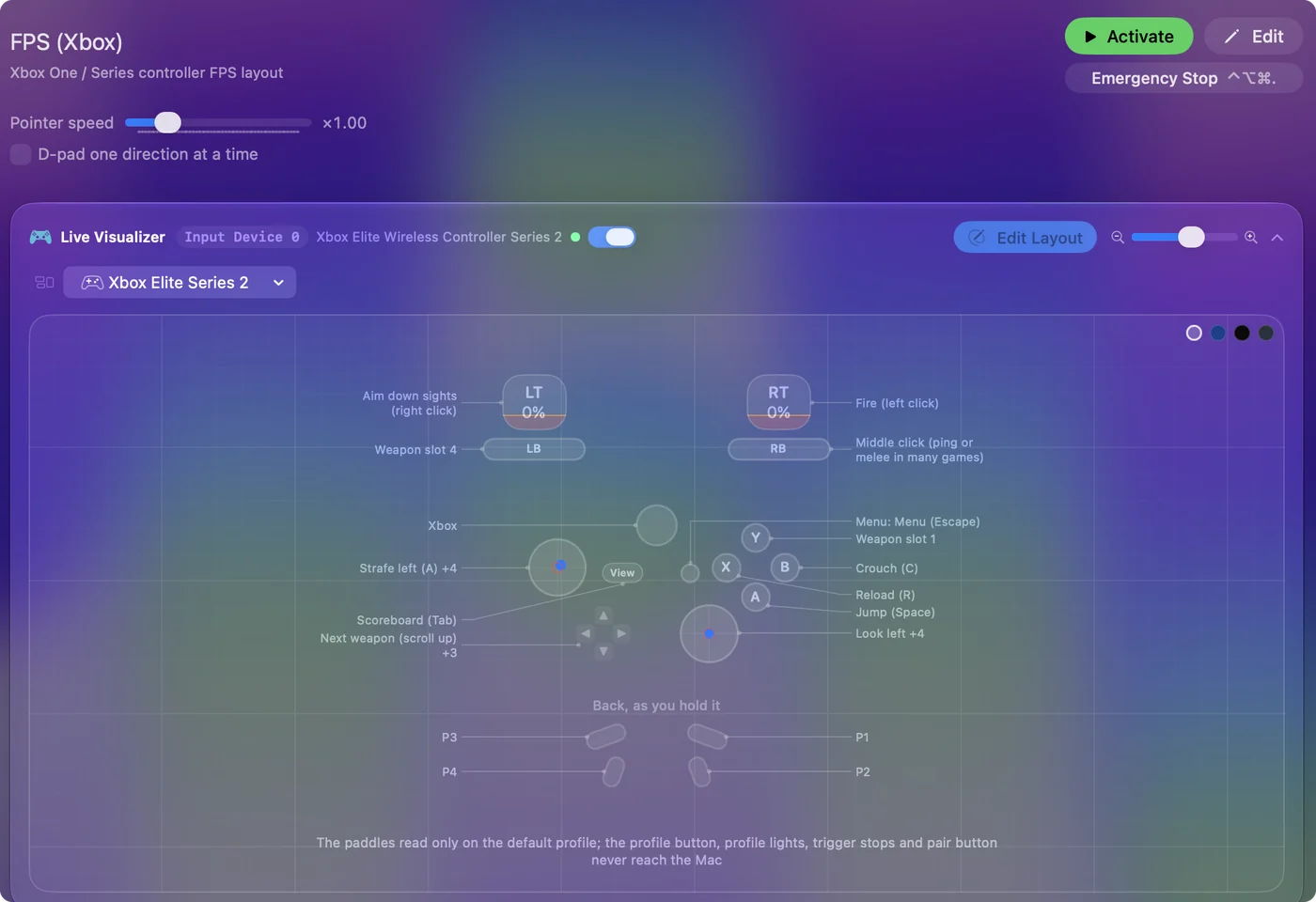
- In InputConfig. For everything InputConfig drives on a Mac, which is the pointer, scrolling and keys, the Deadzone is on the stick's row.
The steps for each case are on stick drift on a Mac, and the deadzone visualizer shows the setting on a live stick. A deadzone hides drift and repairs nothing, so test again in a month and compare.
Hall effect and TMR sticks
Some controllers read the stick with magnets instead of parts that touch. GameSir sells its Hall effect sticks as magnetic sensors with no physical contact, and 8BitDo lists TMR joysticks on its Ultimate 2 controller. Both makers advertise them as more durable. I have not measured that claim, so I will not promise a stick that never drifts.
A browser cannot tell which sensor a stick uses, and the test reads every kind the same way.
The short version
- What it is. It is a stick reporting movement that nobody made.
- Why. Wear, a defect, or a stored center that is off.
- What to do. Measure it, try the maker's steps and repair terms, then hide the rest with a deadzone.
Measure first, because the number decides everything after it.
Questions
What does stick drift mean?
It means a controller's thumbstick reports movement while nothing touches it. The resting position has moved off the center a game expects, so the camera turns or a character walks with no push.
Why does stick drift happen?
Microsoft's and Nintendo's own support pages name wear and tear, and Nintendo names a defect as well. A stored center that is off causes the same symptom with nothing worn, and that kind can be recalibrated.
How do I test an Xbox controller for stick drift?
Open the Xbox controller drift test, connect the pad by cable or Bluetooth, press a button, let go of both sticks and press Record. A healthy stick rests close to 0, and the page gives the number and a deadzone that would hide it.
How do I test a PS5 controller for stick drift?
Open the PS5 controller drift test, connect the DualSense, let go of both sticks and press Record. It shows how far each stick rests from the center and a deadzone that would hide it. A DualSense Edge and a DualShock 4 are measured the same way.
Is stick drift covered by warranty?
Sony's United States warranty covers defects in material and workmanship for one year. Nintendo repairs Joy-Con stick drift at no charge in the European Economic Area, the United Kingdom and Switzerland, even after the warranty. Terms differ by country, so read the maker's page for yours.
Does stick drift go away by itself?
I would not count on it. Wear does not undo itself. A stored center that is off can be recalibrated, and a resting offset can be hidden with a deadzone.
How do you say stick drift in Spanish?
People searching in Spanish mostly keep the English words and type "qué es el stick drift", as they do in several other languages, so the English term is the one to look for. The meaning is the same: a thumbstick that reports movement nobody made.
Related
This page in other languages: Deutsch, Français, Español, Italiano, Nederlands, Português, 日本語, Русский, Čeština, Dansk, Svenska, 繁體中文
Updated