Macro recorder for Mac
 InputConfig is completely free on the Mac App Store. You don't have to make an account, there are no subscriptions, and nothing is locked. Optimized for Apple silicon.
A Mac can record and replay clicks and keystrokes for free: Automator, which ships with macOS, has a Record button that captures what you do as a Watch Me Do action. Dedicated recorders such as Keyboard Maestro and Macro Recorder cost money. If you would rather build the macro than record it, InputConfig, free on the Mac App Store, runs a list of timed steps from one button.
Steps
- Open Automator from Applications and choose a new Workflow.
- Allow Automator in System Settings, Privacy & Security, Accessibility.
- Click Record and do the task once.
- Click Stop, then Run to replay it.
- Save it as an app or a Quick Action to run it again.
Record it with Automator
- You: Open Automator, make a new Workflow, click Record in the toolbar, and do the task once.
- macOS: Saves what you did as a Watch Me Do action in the workflow.
- Check: Click Run. If a step misses, it is usually a window that moved or a step that ran before the app was ready.
Automator needs Accessibility access to record and to replay, in System Settings, Privacy & Security, Accessibility. A recording replays where things were on screen, so keep windows where they were when you recorded.
Compare the recorders
| App | Records | Price |
|---|---|---|
| Automator | Clicks and keys, as Watch Me Do | Free, built in |
| Keyboard Maestro | Clicks and keys, plus a large action library | Paid |
| Macro Recorder (Bartels Media) | Mouse and keyboard, with an editor | A limited free version, paid licenses |
| InputConfig | Does not record. You build the steps | Free |
Prices change, so check each one's own page before you buy.
Build the macro instead of recording it
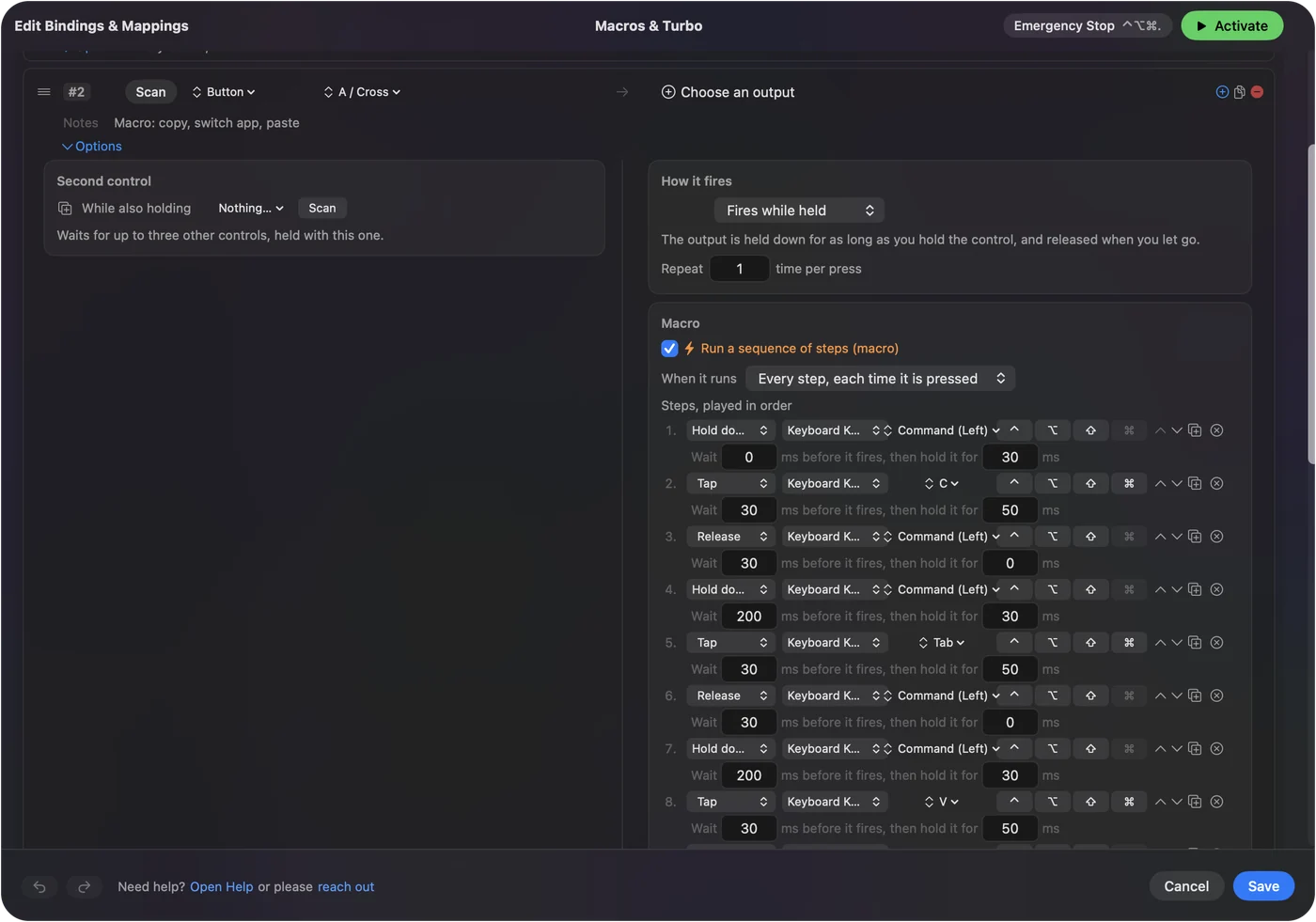
A recorded macro breaks when a window moves. A built one presses keys, which work wherever the window is. In InputConfig a macro is a list of steps, and each step is an output with a wait before it and a hold time.
- Key steps. A step can press a key or a shortcut such as Command V, hold a key down, or let it go.
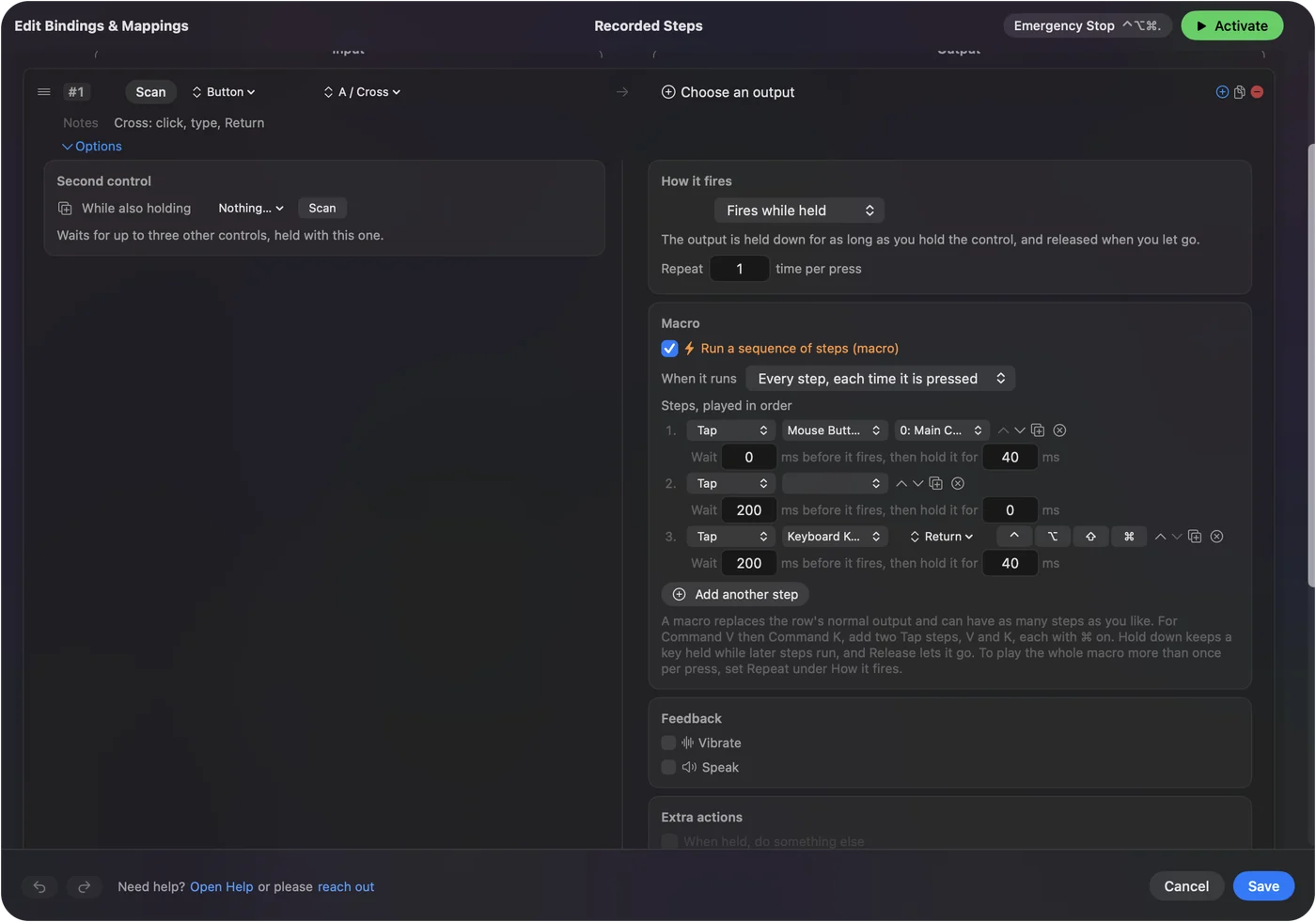
- Clicks. A click step presses a mouse button where the pointer is. A macro step cannot move the pointer to a spot.
- Text. A macro step is a key or a mouse button. For a whole sentence, put a Type Text output on the same row beside the macro.
- Repeating. A repeating macro waits between passes, and the emergency stop, Control Option Command period, ends it.
How to make a macro on a Mac walks through one from start to finish. If a task is the same keys every time, build it, because a built macro survives a window moving.
If the replay goes wrong
Climb this ladder, smallest step first:
- Slow it down. Add a wait before the step that misses. Switching apps needs a few hundred milliseconds.
- Put the window back. A recorded click lands on the spot, not on the button.
- Check the permission. The app that replays needs Accessibility access.
- Use keys instead of clicks. A shortcut finds its target wherever it is.
The short version
- Free recorder. Automator's Record button, built into macOS.
- A lot of automation. Keyboard Maestro, paid.
- A button that runs steps. InputConfig, free, built step by step.
Record once with Automator to see if it works, then build it if it has to run every day.
Questions
Does Mac have a built-in macro recorder?
Yes. Automator, which ships with macOS, has a Record button that saves your clicks and keystrokes as a Watch Me Do action you can replay.
Is there a free macro recorder for Mac?
Automator is free and built in. InputConfig is free too, but it builds macros from steps rather than recording them.
Why does my recorded macro click in the wrong place?
A recording replays the screen position, so a moved window puts the click somewhere else. Put the window back, or build the macro from key presses.
Related
This page in other languages: Français, 한국어, ไทย, Tiếng Việt, 繁體中文
Updated