MIDI visualizer
 InputConfig is completely free on the Mac App Store.
Play a MIDI keyboard and the notes rise from an 88-key piano as colored bars. Open a MIDI file and they fall toward the keys while it plays. It runs right in the page, with sound.
On a phone, turn it sideways or press Full screen for wider keys.
Watch what you play
- You: Press Listen to MIDI, allow MIDI, and play your keyboard. With no keyboard, use the letter keys A to K or click the piano.
- The page: Lights each key you hold and draws a bar rising from it, as long as the note. Each MIDI channel has its own color.
- Check: The line under the piano names the notes you are holding.
Hold a note and its bar keeps growing until you let go. A MIDI keyboard needs Chrome, Edge or Firefox, because Safari has no Web MIDI.
Watch a MIDI file
- Choose a .mid file, or press Try a sample.
- Press Play.
- Watch the notes fall. A key lights when its bar reaches the keyboard.
- Use Pause to hold your place and Stop to go back to the start.
Each track has its own color, so the hands of a piano piece or the parts of a band are easy to tell apart. The file plays with a plain built-in tone. Falling notes show what is coming, which is why they are easy to follow. To see the same file as a list of events, open it in the MIDI file viewer and player.
Play along
With a file open, your own keyboard still lights the keys and sounds. Slow the file down first if it is too fast to follow: the MIDI transposer saves a copy at any percentage of the tempo, and at another pitch if the key is awkward. Half speed is the quickest way to learn a hard passage.
Set it up for a recording or a stream
- Full screen. The piano and the notes fill the display, ready for a screen recorder.
- Speed. Slow spreads the notes out for teaching. Fast packs more of the piece on screen.
- Sound. Turn it off when a music app is already making the sound, so you do not hear every note twice.
Full screen and a screen recorder are all a piano video needs.
Know what it shows
- The keys. All 88, from A0 to C8. Notes outside that range still sound and are not drawn.
- The bars. One for each note, as long as the note lasts.
- Not shown. The sustain pedal, velocity and other controller moves. The MIDI tester lists those.
It draws notes, and leaves pedals and knobs to the tools made for them.
See a game controller's notes
InputConfig, the free Mac app I make, turns a game controller into a MIDI device, with notes on the buttons. It shows up here as a MIDI input named InputConfig, so the buttons you press light the piano like any keyboard. The app has a Live Visualizer of its own too, which draws the controller and a MIDI keyboard as you use them. Anything that sends MIDI notes to the browser can light this piano. Gamepad to MIDI on a Mac has the setup.
How this fits with InputConfig
These pages read and send MIDI in the browser. In InputConfig, MIDI is also an input: a note, a pad or a knob becomes a key, a shortcut, a click or the volume, in any app on the Mac.
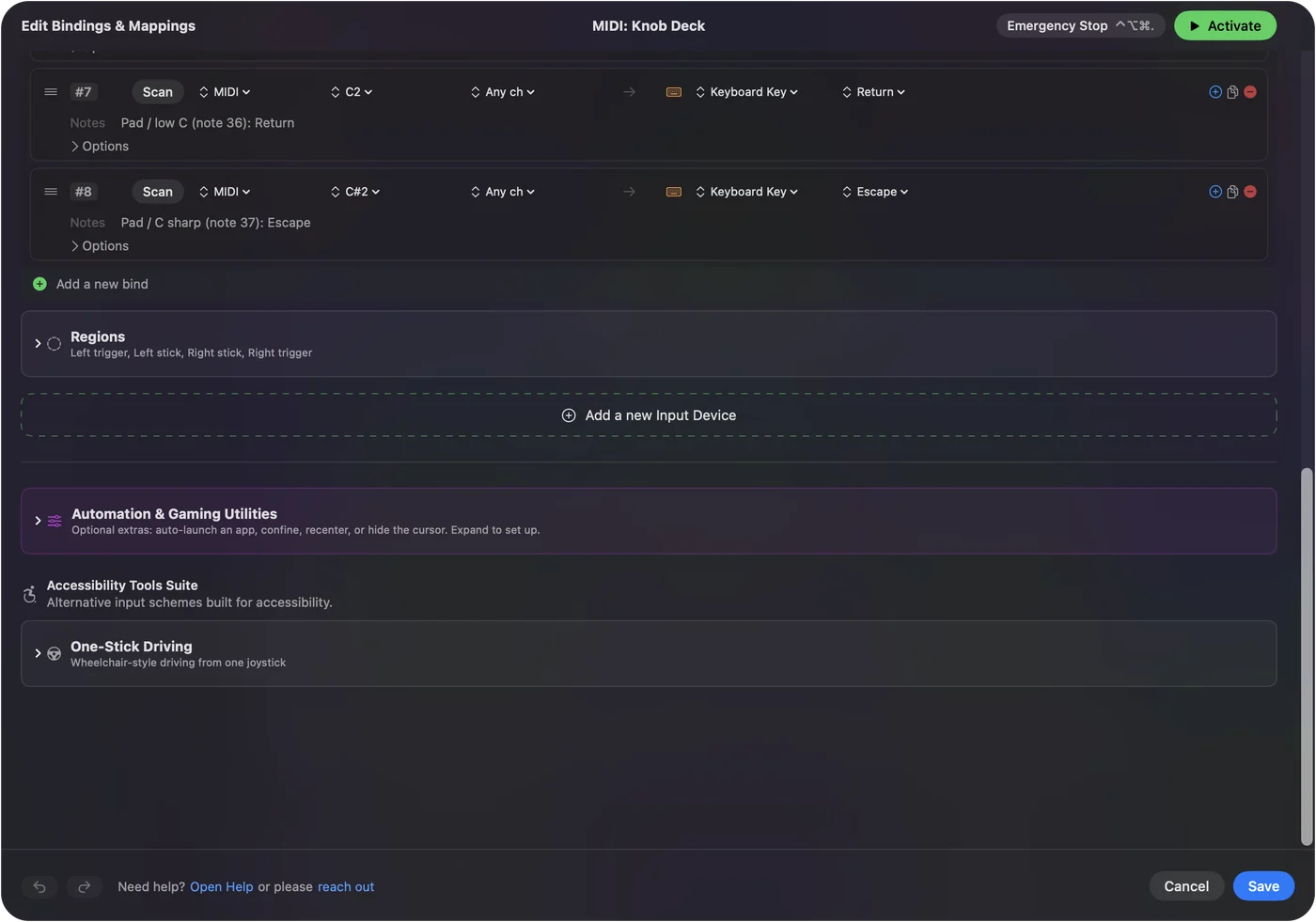
MIDI devices as input shows it step by step.
More midi tools
Questions
How do I visualize a MIDI keyboard online?
Open this page in Chrome, Edge or Firefox, press Listen to MIDI and play. Each key lights on the piano, and a bar rises from it for as long as you hold the note.
Can it show a MIDI file as falling notes?
Yes. Open a .mid file and press Play. The notes fall toward the keyboard and each key lights as its note sounds, with a plain built-in tone.
Is my MIDI file uploaded?
No. Your browser reads the file right on your computer, and what you play stays there too.
Can I use it without a MIDI keyboard?
Yes. The letter keys A to K play notes, Z and X change the octave, and you can click the piano keys. Opening a MIDI file needs no keyboard at all.
Does it work in Safari?
MIDI files, the letter keys and the mouse work in Safari. A MIDI keyboard does not, because Safari does not offer MIDI to web pages. Use Chrome, Edge or Firefox for that.
Can I record the visualizer for a video?
Yes, with any screen recorder. Press Full screen first, and the piano and the notes fill the display.
What do the colors mean?
Each MIDI channel, or each track of a file, has its own color, so the two hands or the different instruments are easy to tell apart.
Related
Updated