How to use an N64 controller on a Mac
 InputConfig is completely free on the Mac App Store. You don't have to make an account, there are no subscriptions, and nothing is locked. Optimized for Apple silicon.
Nintendo's N64 controller for Nintendo Switch Online pairs with a Mac over Bluetooth: hold its SYNC button, then connect it in System Settings, Bluetooth. macOS 13 and later list the Switch Online pads as game controllers. An 8BitDo 64, or an original N64 pad on a USB adapter, is not on any maker's list for a Mac, and InputConfig, the free Mac app I make, reads those directly.
Here is where this comes from. What each maker says is from its own pages, which I read on October 7, 2026, and what a Mac reads comes from InputConfig's own code. I have not tested every pad on this page, so I say so wherever that matters.
On this page
Steps
- Hold the SYNC button on the top edge of the Switch Online N64 controller until its lights flash.
- Open System Settings, Bluetooth on the Mac and click Connect beside the controller.
- Open InputConfig, add a row, press Scan, and press a button on the controller.
- Give each button the key your game or emulator expects.
Pick the kind of N64 controller you have
| Controller | Its maker lists | On a Mac |
|---|---|---|
| Nintendo 64 Controller for Nintendo Switch Online | The Nintendo Switch | Pairs over Bluetooth. macOS 13 and later list the Switch Online pads |
| 8BitDo 64 | Analogue 3D, Switch, Windows and Android | Not on 8BitDo's list for Apple devices. Read directly by InputConfig |
| An original N64 pad on a USB adapter | Depends on the adapter | A plain USB gamepad. Read directly by InputConfig |
Nintendo's Switch Online pad is the one macOS itself knows.
Pair the Switch Online N64 controller
- You: Hold the SYNC button on the top edge until the player lights flash. Then open System Settings, Bluetooth.
- macOS: Lists the controller. Click Connect.
- Check: Open InputConfig's Live Visualizer and press A. It lights in the drawing.
InputConfig reads every button on this controller. Its N64 drawing is experimental and switched off, so the Live Visualizer shows a standard gamepad with the note Model not recognized. Remove it from the Mac's Bluetooth list before pairing it with the Switch again. How to connect a Switch Pro Controller to a Mac has the same pairing in more detail.
Know what each control sends
- A and B. These are the two face buttons, and A is the lower one.
- The C buttons. Four separate buttons when InputConfig reads the pad directly. I have not confirmed how macOS's own controller support hands them to a game.
- Z, L and R. Z is the trigger under the middle prong. L and R are the shoulders.
- The stick and the D-pad. There is one analog stick, plus a D-pad on the left prong.
- ZR, HOME and Capture. Extras Nintendo added to the Switch Online version.
Press Scan and a button, and the row shows exactly what that button sends. The Live Visualizer shows the same thing without binding anything.
Use an 8BitDo 64
8BitDo lists the 64 for the Analogue 3D, the Switch, Windows and Android, over Bluetooth or a USB cable, and its page says nothing about Apple devices. macOS does not treat it as a game controller. The controller list InputConfig bundles has Mac entries for the 8BitDo 64, so it can read the pad directly and name its buttons. I have not tested one. Expect it to work through a mapper, not in games that look for a controller by themselves. 8BitDo controllers on a Mac covers the models 8BitDo does list for Apple devices.
Use an original pad on a USB adapter
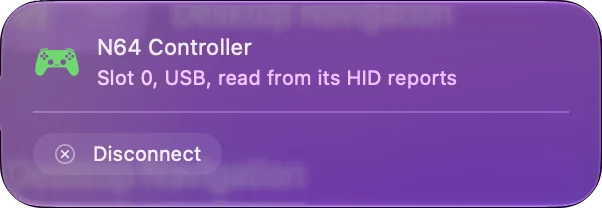
An adapter turns the N64 plug into a plain USB gamepad. InputConfig's list has Mac entries for several, among them the Hyperkin N64 adapter, the RetroUSB N64 RetroPort and Mayflash adapters, and it reads an adapter it has no entry for as an unnamed gamepad. If the adapter shows up in a gamepad tester, it can be mapped. The gamepad tester runs in a browser, and generic USB gamepads on a Mac covers pads macOS does not list.
Map it for an emulator or a modern game
- Emulators. Most read a controller directly and let you assign each N64 button. Where one wants the keyboard, InputConfig sends a key from each button.
- Modern games. An N64 pad has one stick. Put movement on it, and camera on the C buttons, the way N64 games did.
- Everything else. Any button can be a key, a click, a shortcut or a macro, in any app.
The C buttons make a serviceable second stick when each one sends an arrow key. Emulators and retro games on a Mac has layouts.
If the Mac does not see it
- Check macOS. The Switch Online pads need macOS 13 or later to be listed as game controllers.
- Pair again. Remove the old entry in System Settings, Bluetooth, hold SYNC, and connect.
- Open the Devices menu. In InputConfig, Devices, a pad the Mac can read is listed to tick.
- Try a cable. For an 8BitDo 64 or an adapter, use a cable that carries data and plug into the Mac directly.
A pad that is paired but silent usually needs to be removed and paired again. Controller not recognized on a Mac goes further.
The short version
- Switch Online N64 pad. Hold SYNC, connect over Bluetooth, on macOS 13 or later.
- 8BitDo 64 and USB adapters. Read directly by InputConfig.
- C buttons. Four buttons you can map to anything.
If I were picking an N64 controller for a Mac, I would pick the official Switch Online pad, because it is the one macOS already knows.
Questions
Does the Nintendo Switch Online N64 controller work on a Mac?
Yes. Hold its SYNC button and connect it in System Settings, Bluetooth. macOS 13 and later list the Switch Online pads as game controllers, and InputConfig reads every button.
Does the 8BitDo 64 controller work on a Mac?
8BitDo lists it for the Analogue 3D, Switch, Windows and Android, and not for Apple devices. InputConfig has Mac entries for it and can read it directly. I have not tested one.
Can I use an original N64 controller on a Mac?
Yes, with a USB adapter. The adapter makes it a plain USB gamepad, which InputConfig reads and maps.
How do the C buttons work on a Mac?
Read directly by InputConfig, each C button is its own button, so each can send a key, such as an arrow key for the camera.
Which emulators work with an N64 controller on a Mac?
Any emulator that reads game controllers can use one that macOS lists. For an emulator that wants the keyboard, a mapper sends a key from each button.
Related
Updated