How to use a Wii Remote on a Mac
 InputConfig is completely free on the Mac App Store. You don't have to make an account, there are no subscriptions, and nothing is locked. Optimized for Apple silicon.
For the Dolphin emulator, connect the Wii Remote inside Dolphin itself: set a slot to Real Wii Remote, press Refresh, and press 1 and 2 on the remote. Dolphin's own guide says not to pair it in the computer's Bluetooth settings first. For anything other than Dolphin, the dependable route is a Mayflash DolphinBar, a USB sensor bar that presents the remote to the computer as an ordinary USB device.
I have not tested a Wii Remote on a Mac, and I say where that matters. The Dolphin steps are from Dolphin's Configuring Controllers guide and the DolphinBar facts are from Mayflash's product page, and I read both on October 7, 2026. I make InputConfig, a free Mac app that maps controllers to keys and mouse.
On this page
Steps
- In Dolphin, open Controllers and set a Wii Remote slot to Real Wii Remote.
- Press Refresh, then press 1 and 2 together on the Wii Remote, or the Sync button on a newer remote.
- For other games, plug in a Mayflash DolphinBar and sync the remote to the bar.
- Set the DolphinBar to Game Controller mode and map the buttons in a mapper.
Pick the route
| You want | Route | Pairs in Bluetooth settings |
|---|---|---|
| Wii games in Dolphin | Dolphin's Real Wii Remote | No. Dolphin's guide says not to |
| Other Mac games and apps | A Mayflash DolphinBar on USB | No. The bar has its own Bluetooth |
| A Wii U Pro Controller | Read directly by a mapper | Not tested |
Notice that neither of the dependable routes pairs the remote with the Mac in System Settings.
Connect it inside Dolphin
- You: Open Controllers in Dolphin, set a Wii Remote slot to Real Wii Remote, and press Refresh. Then press 1 and 2 together on the remote. On the newer remotes whose model number ends in TR, press the Sync button instead.
- Dolphin: Finds the remote and connects it to that slot.
- Check: The remote's player light settles, and the game responds to it.
Turn on Continuous Scanning and Dolphin picks the remote up whenever you press 1 and 2 while a game is running. Dolphin handles up to four. Let Dolphin find the remote itself, and keep it out of the Mac's Bluetooth list. Emulator controller not working on a Mac covers Dolphin's other settings.
Use a DolphinBar for everything else
Mayflash's DolphinBar is a sensor bar with Bluetooth built in. The remote syncs to the bar, and the bar plugs into USB. Mayflash lists it for Windows PCs and says it handles up to four Wii Remotes, with a Nunchuk or a Classic Controller attached. A MODE button steps through four modes:
- Keyboard and Mouse. The first light.
- Keyboard and Mouse Game. The second light.
- Game Controller. The third light. The remote arrives as a USB gamepad.
- Wii Remote Controller Emulator. The fourth light, for Dolphin.
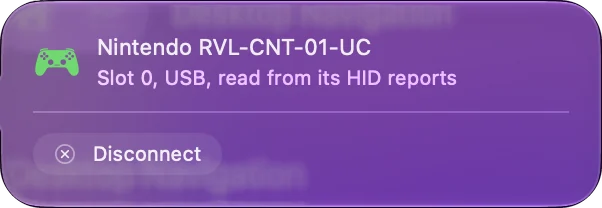
Mayflash does not list the Mac for it. The controller list InputConfig bundles has a Mac entry for the DolphinBar, so in Game Controller mode it should be read like any USB gamepad. I have not tested one. In Game Controller mode the remote is just a gamepad, and a gamepad can be mapped.
Map the remote to keys and mouse
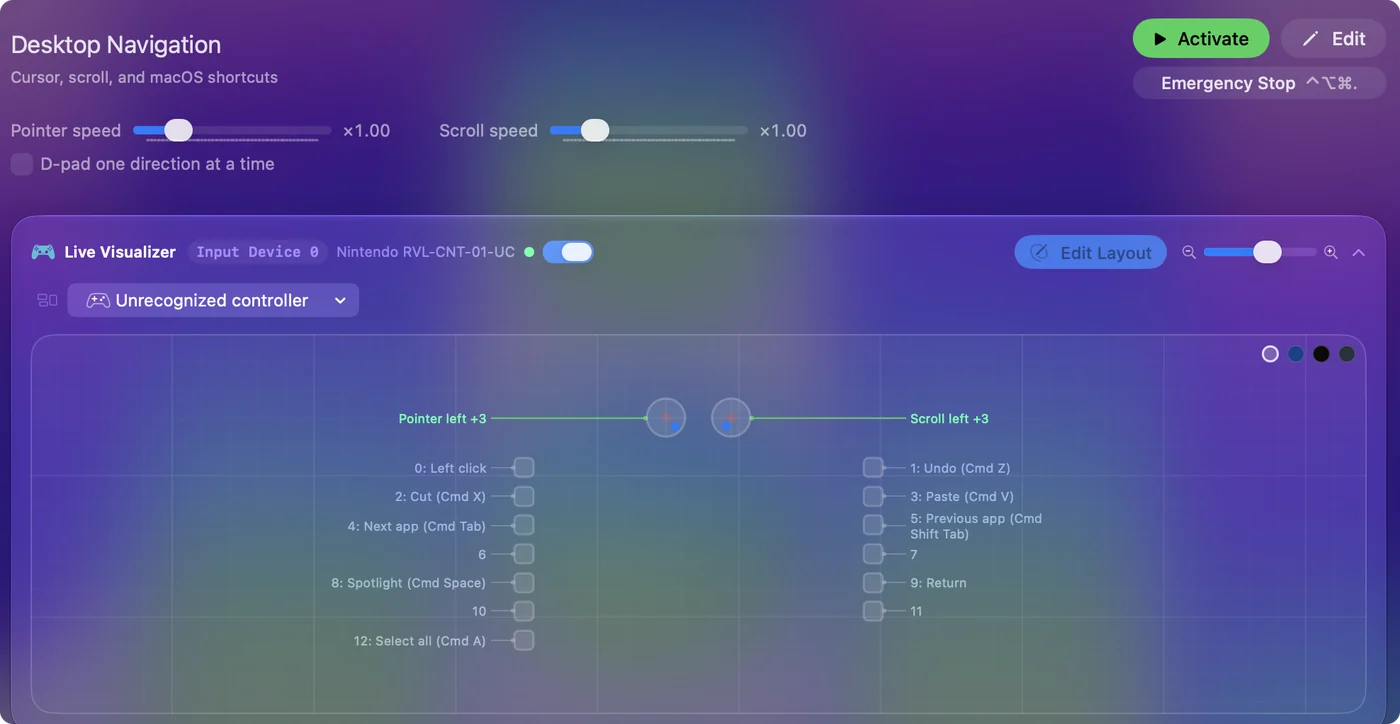
Once the remote arrives as a gamepad, press Scan on a row in InputConfig, press a button on the remote, and choose what it sends: a key, a click, a shortcut or a macro. The D-pad becomes arrow keys, A and B become clicks, and a Nunchuk's stick becomes WASD or the pointer. Scan binds whatever the button sends, so it does not matter what the bar calls it. Your first preset has the steps, and generic USB gamepads on a Mac covers pads macOS does not list.
Use a Wii U Pro Controller
The Wii U Pro Controller is a Bluetooth pad shaped like a modern controller. Nintendo made it for the Wii U. InputConfig's bundled list has Mac entries for the Wii U Pro Controller and for Mayflash's Wii U Pro adapter, which puts it on USB. I have not tested either. If you are buying a Nintendo pad for a Mac, the Switch Pro Controller is the one I would get. How to connect a Switch Pro Controller to a Mac has that one, which macOS supports itself.
Know what I have not tested
- Pairing in System Settings. I have not tested pairing a Wii Remote in the Mac's Bluetooth settings, so this page does not promise it.
- The pointer. Pointing at the screen needs a sensor bar in front of you. A DolphinBar is one. A Wii's own bar is powered by the console.
- Motion. InputConfig reads the buttons and sticks a DolphinBar reports. I have not confirmed what motion data arrives.
The buttons and sticks are the part I would count on.
If it does not connect
- Check the slot. In Dolphin, a slot has to be set to Real Wii Remote, and not already taken by another remote.
- Remove it from Bluetooth settings. If the remote was paired in System Settings, remove it there. Dolphin's guide says the operating system can get in the way.
- Switch off nearby consoles. A Wii or Wii U in the room can claim the remote.
- Change the batteries. A weak remote connects and drops.
A remote that was paired in System Settings is the usual reason Dolphin cannot find it. Controller not recognized on a Mac goes further.
The short version
- Dolphin. Choose Real Wii Remote, press Refresh, then press 1 and 2.
- Everything else. Use a DolphinBar in Game Controller mode, and then a mapper.
- Bluetooth settings. Leave the remote out of them.
A Wii Remote works on a Mac through Dolphin or a DolphinBar, not through the Bluetooth list.
Questions
Can you connect a Wii Remote to a Mac?
Yes, inside the Dolphin emulator: set a slot to Real Wii Remote, press Refresh, and press 1 and 2 on the remote. For other apps, a Mayflash DolphinBar puts the remote on USB.
Should I pair a Wii Remote in the Mac's Bluetooth settings?
Not for Dolphin. Dolphin's guide says not to pair the remote through the operating system, because that can stop Dolphin from connecting to it.
Does the Mayflash DolphinBar work on a Mac?
Mayflash lists Windows PCs for it, not the Mac. InputConfig's controller list has a Mac entry for it, and I have not tested one.
Can I use a Wii Remote as a mouse on a Mac?
A DolphinBar has two keyboard and mouse modes of its own. In its Game Controller mode, a mapper such as InputConfig can turn the remote's buttons and a Nunchuk's stick into clicks and pointer movement.
Does a Wii U Pro Controller work on a Mac?
Nintendo made it for the Wii U. InputConfig's list has a Mac entry for it, and I have not tested one. A Switch Pro Controller is the Nintendo pad macOS supports.
Related
This page in other languages: Español
Updated