Is there a midiStroke alternative for current macOS?
 InputConfig is completely free on the Mac App Store. You don't have to make an account, there are no subscriptions, and nothing is locked. Optimized for Apple silicon.
Yes. midiStroke is a small free Mac app that turns MIDI notes, program changes and Control Change messages into keystrokes. Its page lists version 1.4 and a beta for macOS Catalina, which is the newest system it mentions. InputConfig, the free Mac app I make, does the same job on current macOS and adds knobs, the mouse, macros with timing and layouts that change with the app in front.
What I say about midiStroke comes from midiStroke's own page, read on October 7, 2026. I have not run it on a current Mac, so I make no claim about whether it still launches.
On this page
Know what midiStroke does
- Triggers. A trigger can be a MIDI note, a program change or a Control Change message.
- Output. Keystrokes. One message can send several, in order, such as select all, copy, move, paste.
- Channels. A trigger listens on one channel, or on any channel when the channel is set to 0.
- Cost and code. It is free, and its source is released under the MIT License.
- Permission. It needs Accessibility permission to send keys, like any app that does this.
midiStroke does one thing, MIDI to keystrokes, and its page describes nothing beyond that.
See what carries over to InputConfig
| In midiStroke | In InputConfig |
|---|---|
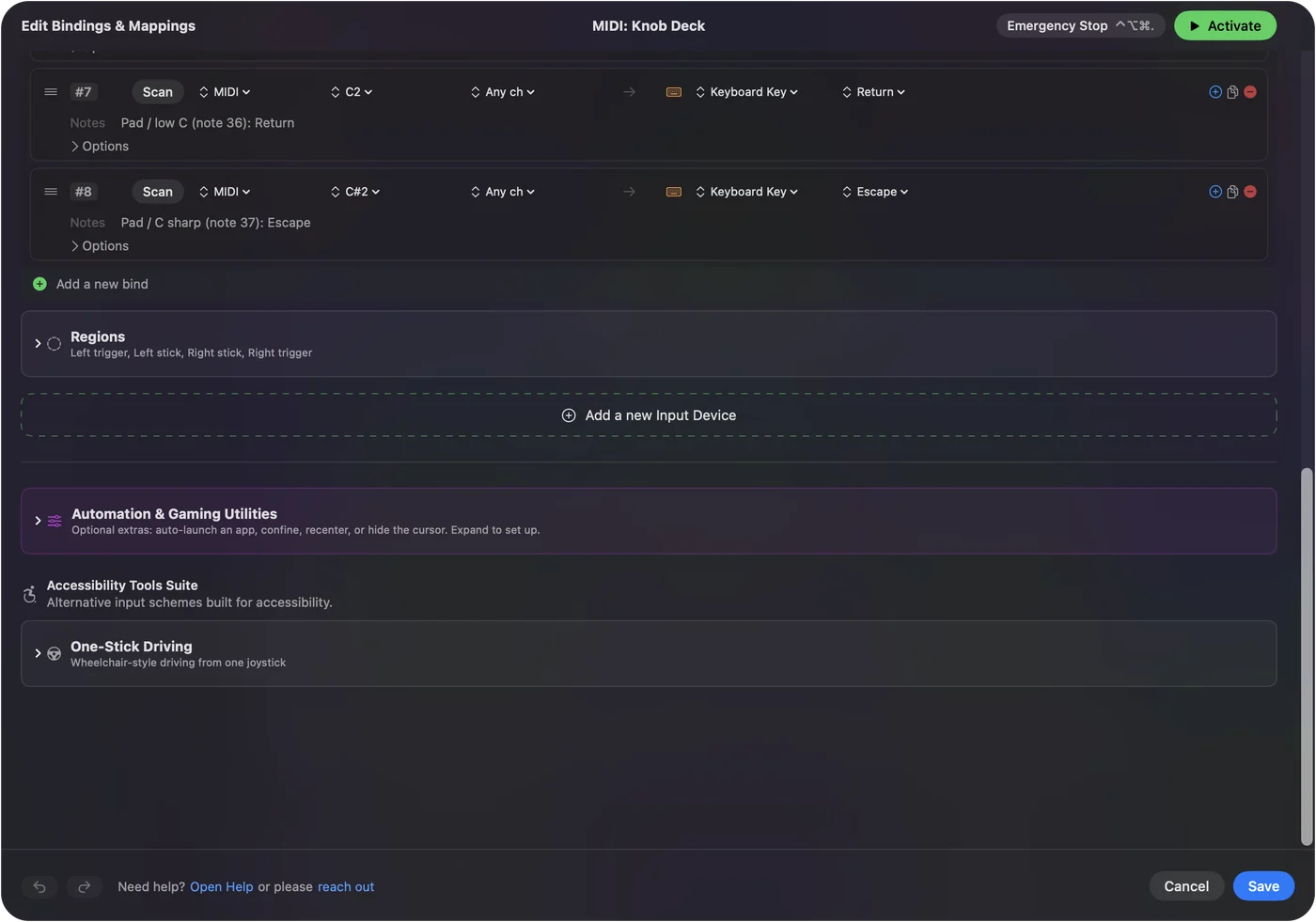
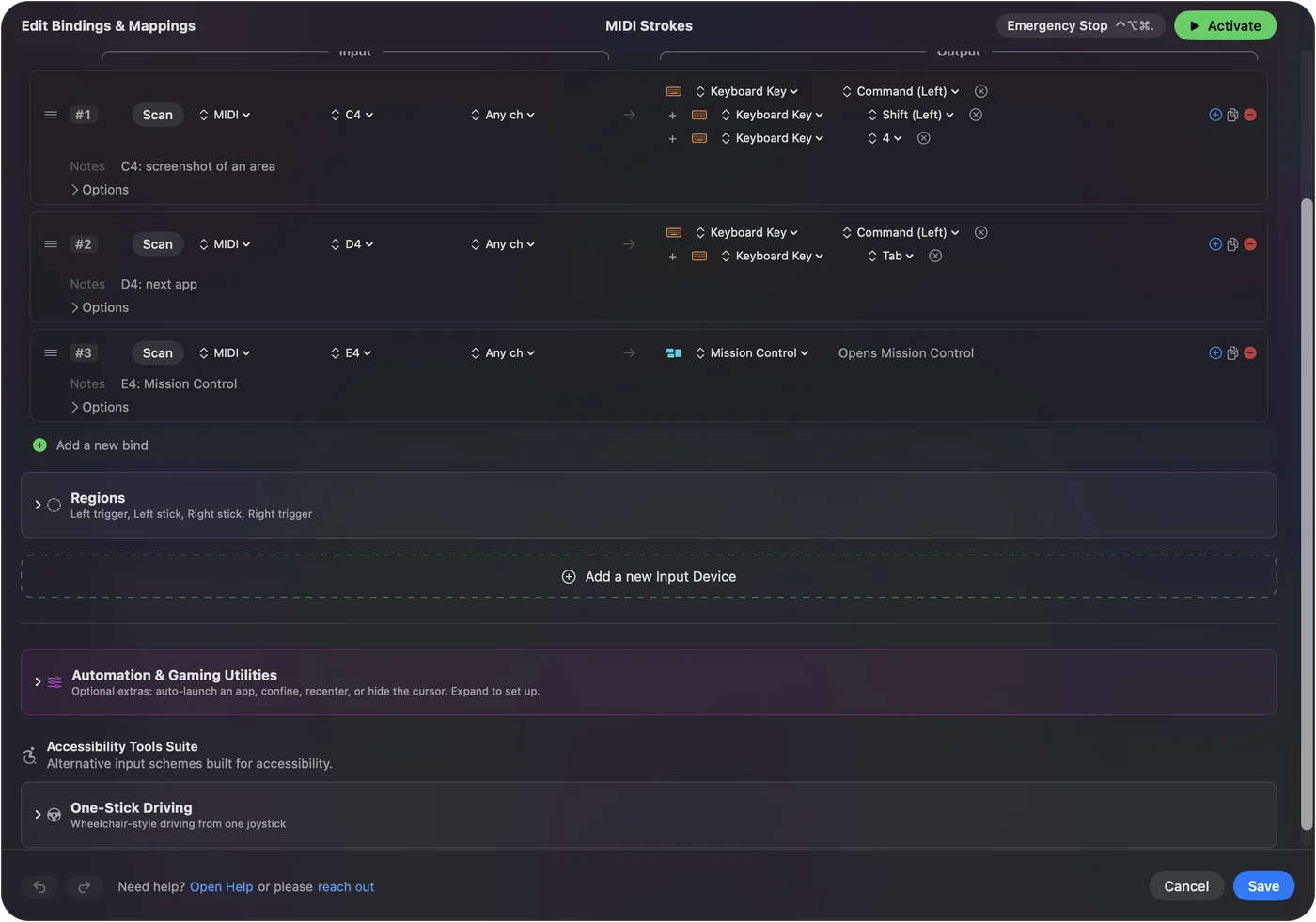
| A row with a note number and a channel | A row made by pressing Scan and playing the note |
| A program change trigger | A Program Change row, which fires once each time the patch changes |
| A CC trigger with a value | A Control Change row in Switch mode, which fires when the value passes halfway |
| Several keystrokes from one message | A macro: a timed list of keys and clicks |
| Channel 0 for any channel | Any channel, chosen in the row's menu |
Every kind of midiStroke trigger has a matching row. MIDI to keystroke on a Mac is the full reference.
Know what you gain
- Knobs that turn. A knob can scroll, step through arrow keys or drive the Mac's volume as a real fader, not only fire once.
- The mouse. Pads and pedals can click and drag.
- Hold and double tap. One pad can carry three actions.
- Per-app layouts. The same pads can send different shortcuts in different apps, once automatic switching is turned on.
- A live view. The Live Visualizer shows every MIDI message as it arrives, so finding a note number takes one press.
- The other direction. A game controller can send MIDI notes and Control Change to a music app.
It is free on the Mac App Store, with no account and nothing to buy inside it.
Move your triggers across
- Open midiStroke's list and note each trigger and the keys it sends.
- In InputConfig, add a row, press Scan, and play the note or move the control.
- Choose the key or shortcut. For a sequence of keys, choose a macro and add each step.
- Activate the preset and play the note.
Scan reads the note and channel from the device, so there are no numbers to copy. A row made by Scan keeps the channel it was scanned on, and Any channel is in the row's menu.
Know what stays the same
Both apps send real keystrokes to whichever app is in front, and both need Accessibility permission to do it. In both, the MIDI device keeps working as an instrument: a music app that is open still hears the notes. If a track is armed, it records the pads you use for shortcuts, so use pads or a channel the music app ignores.
The short version
- midiStroke. It is free and simple, and macOS Catalina is the newest system named on its page.
- InputConfig. It is free on the Mac App Store and made for current macOS.
- Moving. Scan each note, then pick its keys.
The idea is the same, a MIDI note in and a keystroke out, with more kinds of input and output around it. MIDI to keystroke apps for Mac lists every other option.
Questions
Does midiStroke work on current macOS?
Its own page lists version 1.4 and a beta for macOS Catalina, and mentions nothing newer. I have not tested it on a current Mac.
Is midiStroke free?
Yes. Its page offers it as a free download, with the source code under the MIT License.
What is a free alternative to midiStroke?
InputConfig, free on the Mac App Store. It turns MIDI notes, Control Change and program changes into keystrokes, macros and mouse clicks on current macOS.
Can one MIDI note send several keystrokes?
Yes, in both. midiStroke sends several keystrokes in order from one message. In InputConfig that is a macro, which can also hold timing and mouse clicks.
Can a MIDI knob do more than press a key?
In InputConfig, yes. A knob can scroll, send repeated steps such as arrow keys, or control the Mac's volume directly.
Related
This page in other languages: Español, Français, 日本語
Updated