What is MIDI velocity?
 InputConfig is completely free on the Mac App Store. You don't have to make an account, there are no subscriptions, and nothing is locked. Optimized for Apple silicon.
Velocity is the number a MIDI note carries to say how hard the key or pad was hit, from 1 to 127. A soft touch sends a low number and a hard strike sends a high one. The instrument decides what that means, and it is usually loudness and brightness together. Velocity 0 is a special case: a Note On with velocity 0 means note off.
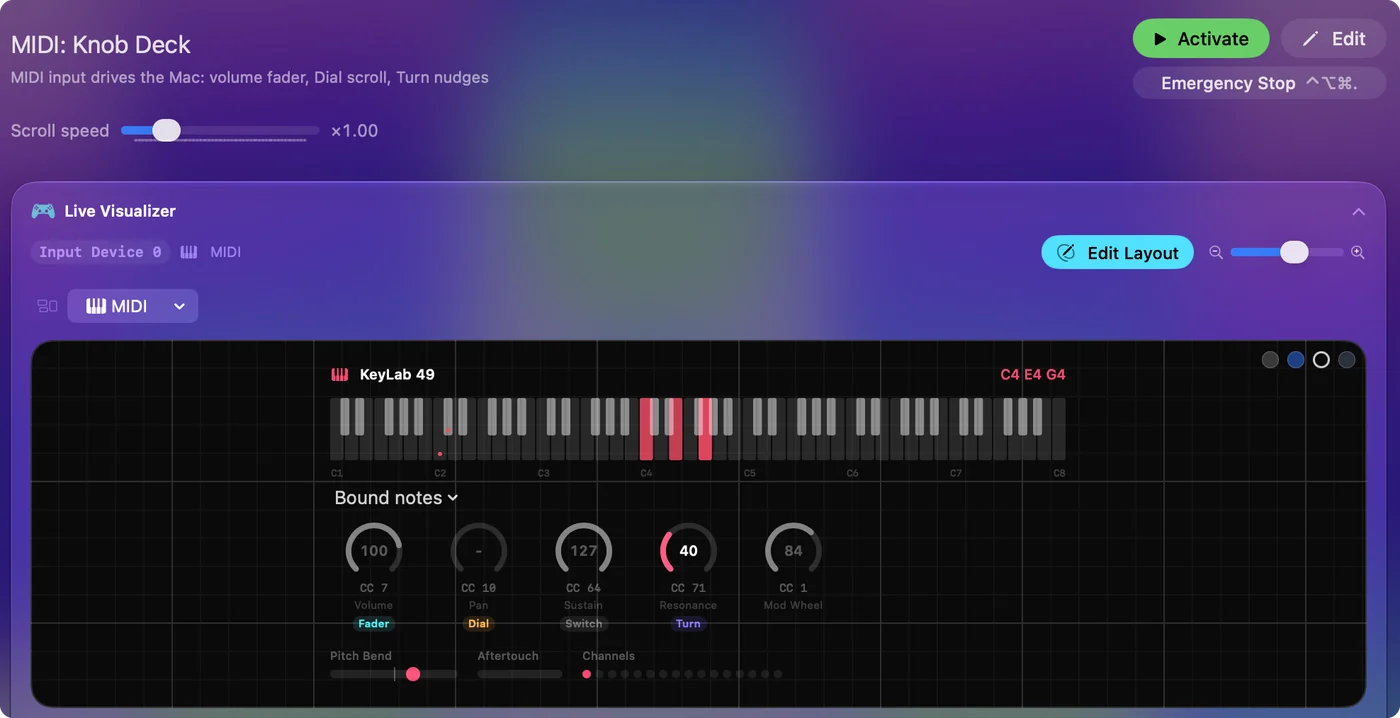
I make InputConfig, a free Mac app that reads and sends MIDI notes, and the last section says how velocity works with buttons, which cannot feel how hard they are pressed.
On this page
Steps
- Open a MIDI tester, press Start listening and play one key softly, then hard.
- Read the lowest and highest velocity it reached.
- If hard playing never gets near 127, or soft playing is already loud, change the velocity curve on the keyboard.
- If one key stands out, that key's sensor is worn or dirty.
See where velocity sits in a note
| Byte | Value | Meaning |
|---|---|---|
| Status | 0x90 to 0x9F | Note On, channel 1 to 16 |
| Note number | 0 to 127 | Which note |
| Velocity | 1 to 127 | How hard. 0 means note off |
Velocity is the third byte of every Note On, so each note carries its own. The MIDI note number chart covers the second byte.
Know why velocity 0 is a note off
MIDI has a Note Off message, and it also treats a Note On with velocity 0 as a note off. Many keyboards send the second kind, because a run of messages of one type can be sent more compactly. A monitor may show either, and both end the note. A Note On with velocity 0 is not a very quiet note, it is the end of one.
Learn what release velocity is
A Note Off message has a velocity byte of its own, called release velocity. It says how fast the key was let go, from 0 to 127.
| Byte | Value | Meaning |
|---|---|---|
| Status | 0x80 to 0x8F | Note Off, channel 1 to 16 |
| Note number | 0 to 127 | Which note |
| Release velocity | 0 to 127 | How fast the key was released |
Many keyboards do not measure it and send a fixed value, and many instruments ignore it, so you may never hear it do anything. A few sounds use it to shape how a note dies away. A keyboard that ends notes with a Note On at velocity 0 sends no release velocity at all. Release velocity is real but rare, so do not expect it from a keyboard unless its manual says it sends it.
Know what the instrument does with it
Velocity is only a number until a sound uses it. A piano sound plays louder and brighter, a drum sample may switch to a harder hit, and an organ sound may ignore it. The same key press can sound different on two instruments that map velocity differently. If everything plays at one loudness, the sound is ignoring velocity, or the keyboard is sending a fixed value.
Test a keyboard's velocity
Open the MIDI tester, play one key as softly as you can and then as hard as you can, and read the velocity range. A healthy key covers most of 1 to 127. A key stuck at one value, or one that never rises past a low number, points to a worn sensor. If every key tops out early, look for a velocity curve setting on the keyboard.
One key that reads differently from its neighbors is a hardware fault, and all keys reading alike is a setting.
Pick a velocity curve
A velocity curve is the rule that turns how hard you press into the number that gets sent. Keyboards and many instruments offer a few. The names differ from maker to maker, so these are typical, not exact.
| Curve | What it does | Reach for it when |
|---|---|---|
| Soft or light | Gentle playing reaches high numbers sooner | You play lightly and everything sounds quiet |
| Normal or linear | Force and number rise together | You want the default |
| Hard or heavy | You must press harder to reach high numbers | You play heavily and everything sounds loud |
| Fixed | Every note sends the same number | The sound ignores velocity, or the keys cannot sense it |
Change the curve on the keyboard first, because that fixes the number at the source. Many DAWs can reshape velocity again after it arrives, so two curves can fight each other. Change one curve at a time and test again with the MIDI tester.
Use velocity with buttons
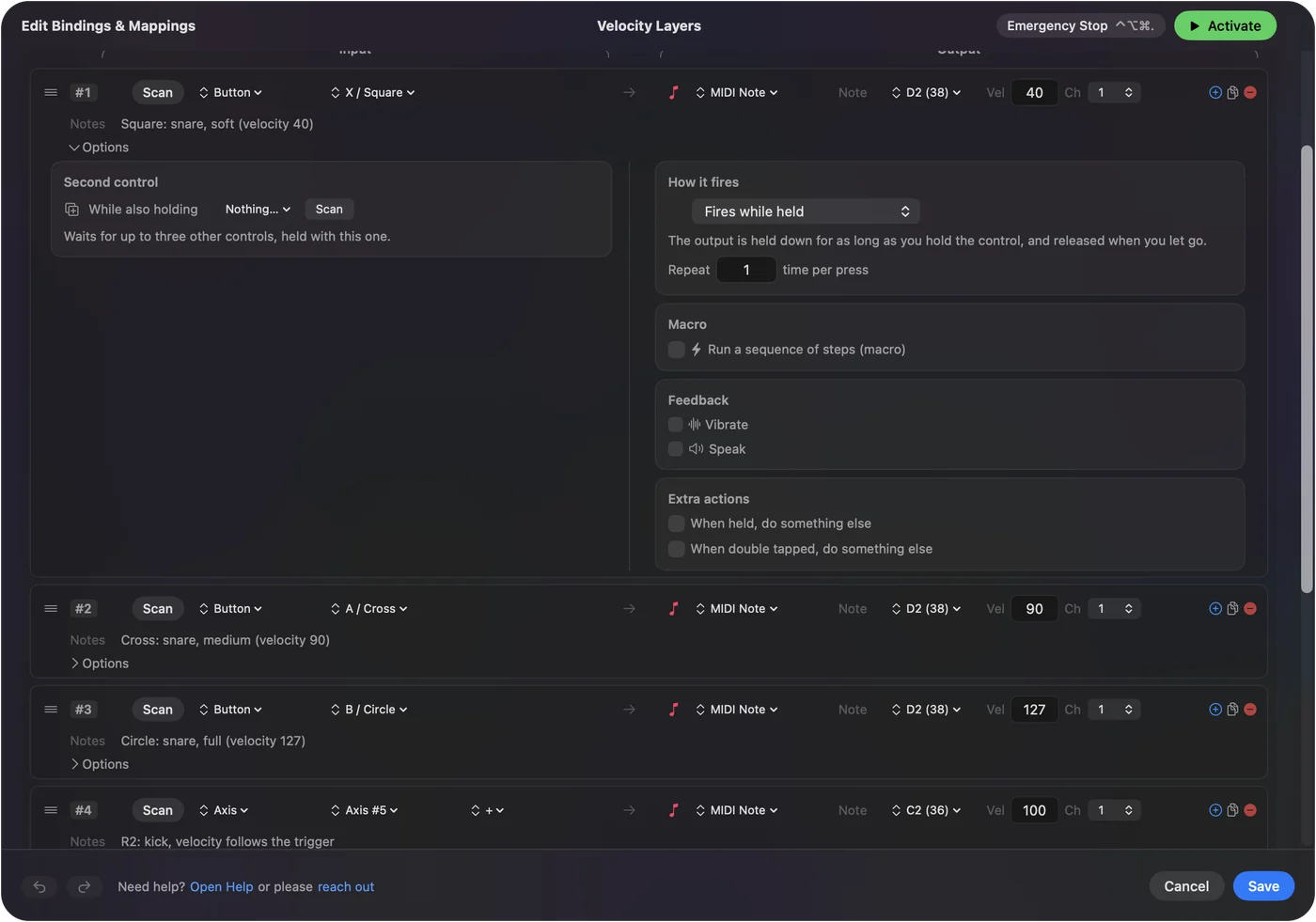
A game controller button, a computer key and most foot switches are either down or up, so they cannot report how hard they were pressed. In InputConfig, each MIDI Note output plays at the velocity set in its row, from 1 to 127. For dynamics, put expression on a trigger: it sends every value in between, so a trigger on CC 11 swells the sound the way a harder strike would.
Fixed velocity on the buttons and expression on a trigger makes a controller playable. MIDI output has the setup.
The short version
- What. How hard a note was played, 1 to 127.
- Zero. A Note On with velocity 0 ends the note.
- Release. A Note Off carries its own velocity, which most gear ignores.
- Curve. A soft or hard curve changes how force maps to the number.
- Effect. It does whatever the sound maps it to, usually loudness and tone.
Velocity travels with every note, and the instrument gives it meaning.
Questions
What is the MIDI velocity range?
1 to 127 for a sounding note, where 127 is the hardest possible strike. A Note On with velocity 0 is treated as a note off.
What is release velocity?
The velocity byte in a Note Off message, from 0 to 127, which says how fast the key was released. Many keyboards do not measure it and many instruments ignore it.
Is MIDI velocity the same as volume?
No. Velocity is a per-note value that the sound usually maps to loudness and tone. Volume is CC 7, which turns a whole channel up and down.
How do I test MIDI velocity?
Play a key softly and then hard in a MIDI tester and read the lowest and highest velocity. A healthy key covers most of the range from 1 to 127.
Why does my keyboard always send the same velocity?
It has no velocity-sensing keys, or it is set to a fixed velocity. Look for a velocity curve or fixed velocity setting in the keyboard's own menu.
Why is my MIDI keyboard so quiet?
A light touch sends low velocity numbers, and most instruments play those quietly. Look for a velocity curve or touch sensitivity setting on the keyboard, or raise the instrument's volume. A MIDI tester shows the numbers your playing sends.
Related
This page in other languages: Español
Updated