Can a MIDI controller run Premiere Pro on a Mac?
 InputConfig is completely free on the Mac App Store. You don't have to make an account, there are no subscriptions, and nothing is locked. Optimized for Apple silicon.
Yes, for editing, through an app that turns each pad and knob into one of Premiere's keyboard shortcuts. InputConfig, the free Mac app I make, does the turning: pads run the transport, mark, cut and delete, and a knob steps the playhead a frame at a time like a jog wheel. It finds a class-compliant MIDI device over USB or Bluetooth MIDI with no driver.
The keys in this layout are from Adobe's list of Premiere keyboard shortcuts, read on October 7, 2026. They are the defaults, so if you have changed yours, use your own.
On this page
Steps
- Connect the MIDI controller over USB or Bluetooth MIDI.
- In InputConfig, add a row, press Scan, and hit a pad.
- Pick the Premiere shortcut for that pad, such as Command K for Add Edit.
- Set a knob to Turn mode on the Left and Right arrow keys.
- Activate the preset and bring Premiere Pro to the front.
Map the pads to Premiere's shortcuts
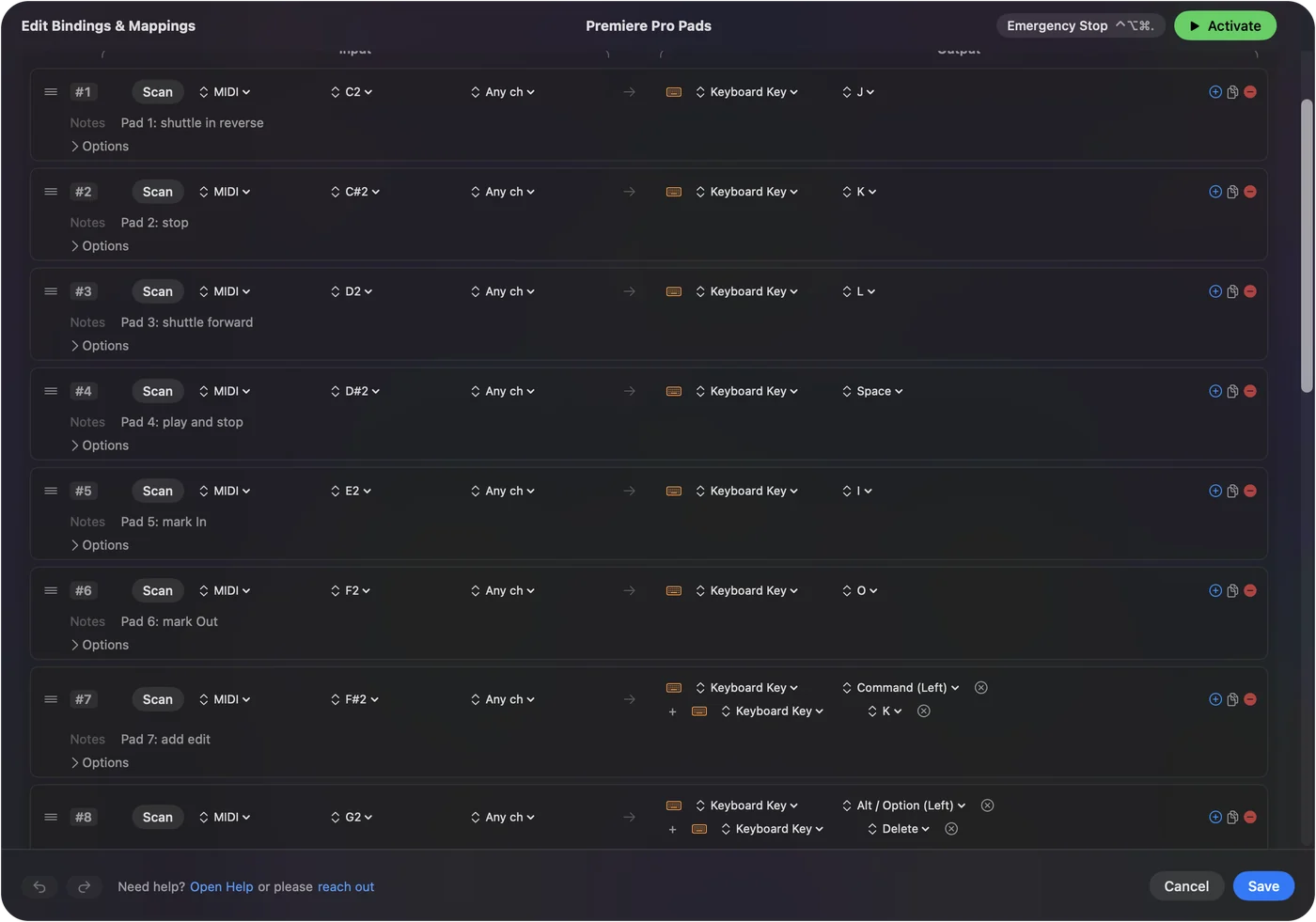
- You: Add a row for each pad, press Scan, hit the pad, and pick the key.
- InputConfig: Sends that key to Premiere whenever you hit the pad, and holds it for as long as the pad is held.
- Check: With Premiere in front and the timeline active, hit the pad for Space and playback starts.
| Pad or knob | Premiere key | Job |
|---|---|---|
| Pad 1 | J | Shuttle in reverse |
| Pad 2 | K | Stop |
| Pad 3 | L | Shuttle forward |
| Pad 4 | Space | Play and stop |
| Pad 5 | I | Mark In |
| Pad 6 | O | Mark Out |
| Pad 7 | Command K | Add Edit, the cut at the playhead |
| Pad 8 | Option Delete | Ripple Delete |
| Pad 9 | M | Add Marker |
| Pad 10 | Semicolon | Lift |
| Pad 11 | Apostrophe | Extract |
| Pad 12 | Command Z | Undo |
| Knob 1, Turn mode | Right Arrow clockwise, Left Arrow counterclockwise | Step forward and backward a frame |
| Knob 2, Turn mode | Equals clockwise, minus counterclockwise | Zoom the timeline in and out |
| Knob 3, Dial mode | Horizontal mouse wheel | Move along the timeline, faster the further you turn |
Shift Command K is Add Edit to All Tracks, which suits a hold on the same pad as Command K. Cut, ripple delete and a jog knob are most of a rough cut.
Choose a mode for each knob
A knob can be read three ways:
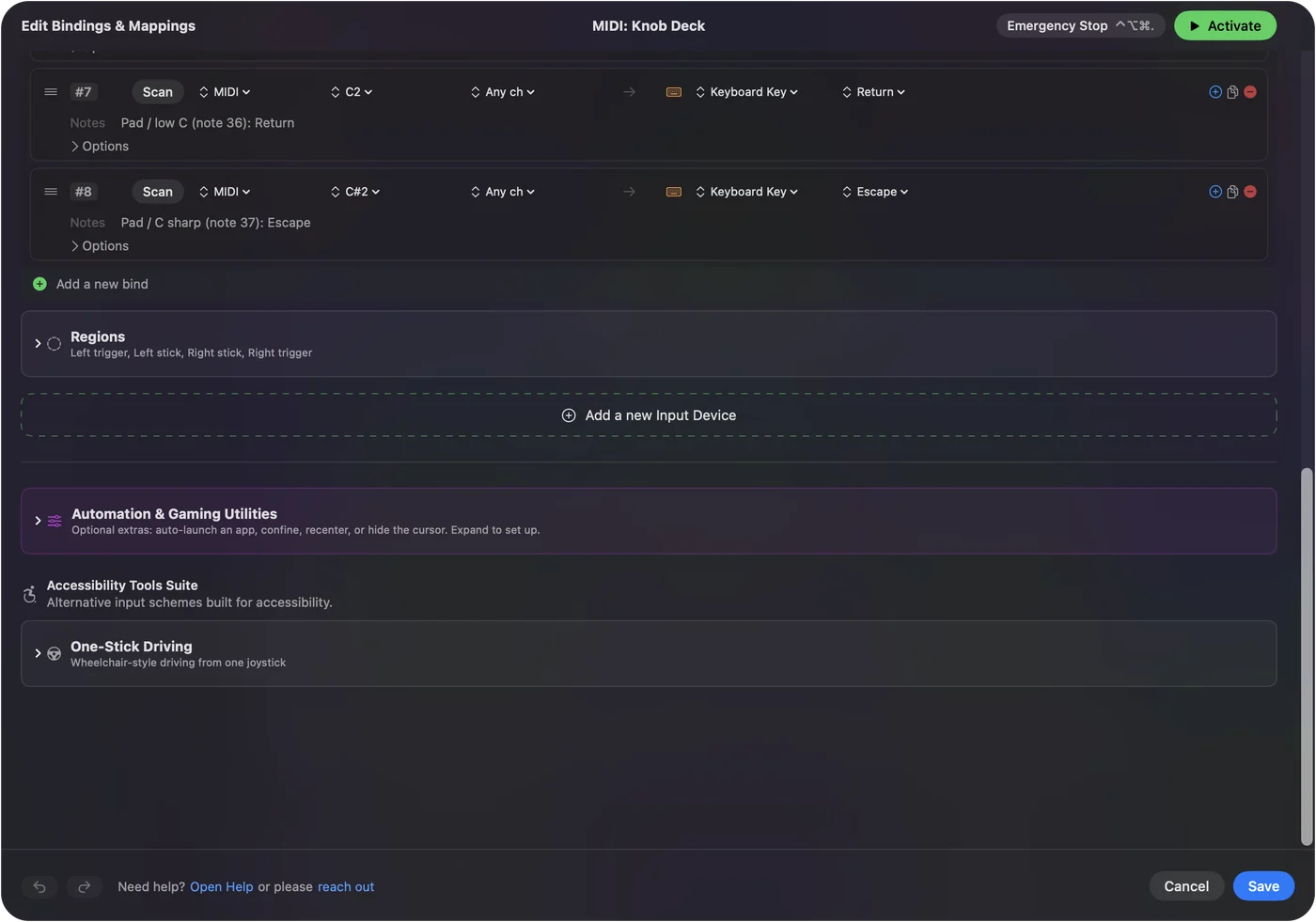
- Turn. Fires a short nudge every few steps of rotation, clockwise for one row and counterclockwise for the other. This is the mode for stepping.
- Dial. Treats the center as rest, like a stick: the further from the center, the faster the output runs. This is the mode for scrolling.
- Switch. Fires once past halfway, for pedals and buttons that send a Control Change.
Turn Step sets how far you turn for each frame. Set the knob to Turn mode on the arrow keys, and it behaves like a jog wheel. The built-in MIDI: Knob Deck preset has both kinds to copy from.
Put two cuts on one pad
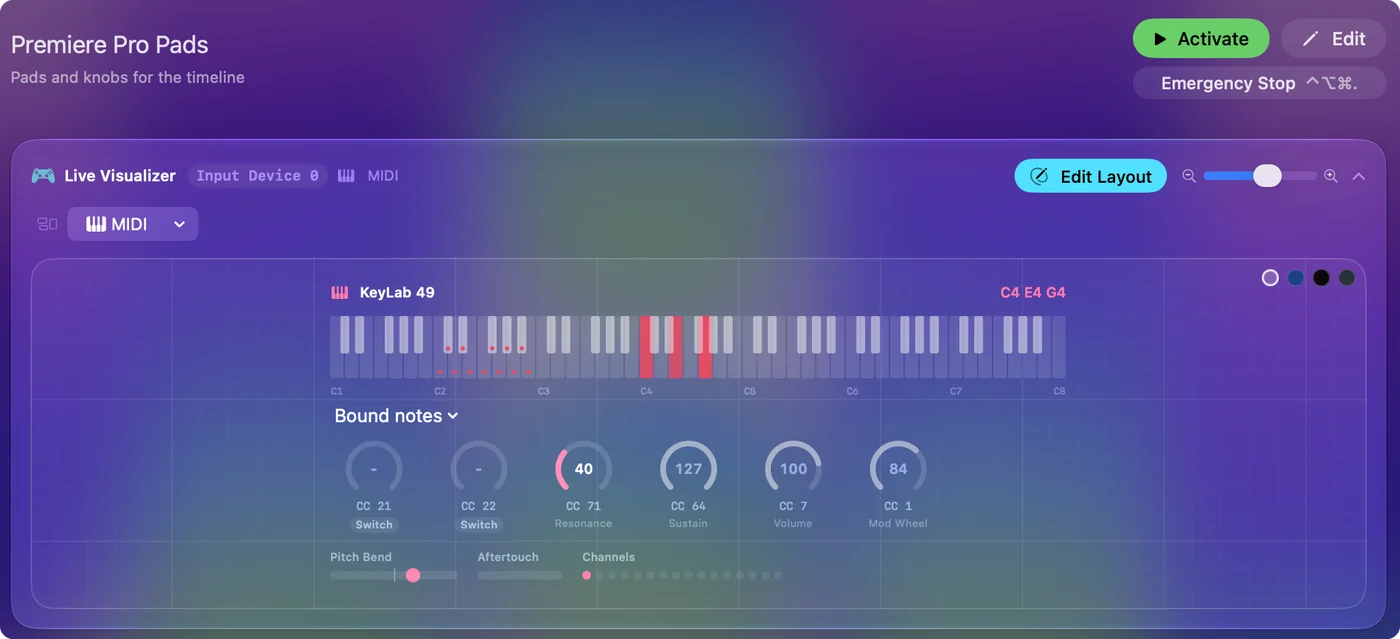
Every row can carry a second action on a hold and a third on a double tap. A tap for Add Edit and a hold for Add Edit to All Tracks keeps both under one finger. A macro can chain keys in order, such as Mark In, Mark Out and Extract. One pad can hold a tap, a hold and a double tap. Hold and double-tap actions has the settings.
Know what a keystroke mapper cannot do in Premiere
- Mixer faders and effect knobs. They are not keys. Premiere has a Control Surface page in its settings for the hardware protocols Adobe supports, which is the route for faders.
- Feedback. Premiere never tells the controller anything, so no pad lights to show a state.
- Panels that are not in front. A shortcut acts on the active panel, so click the timeline once before you start.
If Premiere has a keyboard shortcut for it, a pad can do it.
Share one controller between Premiere and a music app
If the same controller also plays instruments in a music app, give this preset an auto-switch entry for Premiere Pro. The pads send its shortcuts while it is in front, and the preset that was running before comes back when you leave. Turn automatic switching on in Settings, Advanced first. InputConfig reads a copy of the MIDI, so the music app still hears the notes. Turn on auto-switch so the pads are Premiere's only while Premiere is the app in front.
If a game controller is simpler
If you do not already own MIDI gear, a game controller in the off hand does the transport and marking jobs with no desk space. The Premiere Pro preset is ready in two clicks, and MIDI rows and controller rows can live in the same preset. A pad controller you already have on the desk can run the edit. The video editing controller guide compares Premiere Pro, Final Cut Pro and DaVinci Resolve row by row.
The short version
- Pads. Give them J, K, L, Space, I, O, Command K, Option Delete and M.
- Knobs. Turn for frame stepping and zoom, Dial for scrolling the timeline.
- Limit. Keys only: faders go through Premiere's own Control Surface settings.
For a rough cut, a pad controller and a free mapper will do the job.
Questions
Can I use a MIDI controller with Premiere Pro?
Yes, for anything with a keyboard shortcut. An app such as InputConfig turns pads and knobs into Premiere's keys: transport, marks, Add Edit, ripple delete and frame stepping.
Can a MIDI knob be a jog wheel in Premiere Pro?
Yes. Set the knob to Turn mode with Right Arrow on clockwise and Left Arrow on counterclockwise, and it steps a frame at a time.
What is the shortcut to cut at the playhead in Premiere Pro?
Command K on a Mac, which is Add Edit. Shift Command K adds the edit to all tracks.
Can a MIDI fader control Premiere's audio mixer?
Not through a keystroke mapper. Premiere has Control Surface settings for the hardware protocols Adobe supports.
Do I need a driver for my MIDI controller?
Not for a class-compliant USB or Bluetooth MIDI device, which is most of them.
Is it free?
InputConfig is free on the Mac App Store, with no account and nothing to buy inside it.
Related
Updated