How to set up a controller in Dolphin on a Mac
 InputConfig is completely free on the Mac App Store. You don't have to make an account, there are no subscriptions, and nothing is locked. Optimized for Apple silicon.
Open Controllers in Dolphin, set port 1 to Standard Controller, click Configure, and choose your pad in the Device menu at the top. Then click each slot and press the button you want on it. A PS5, PS4, Xbox or Switch Pro controller that the Mac already sees works this way, with nothing else installed.
I took the steps from Dolphin's own guides, Configuring Controllers and the GameCube adapter guide, which I read on October 7, 2026. I make InputConfig, a free Mac app that maps controllers to keys and mouse. Dolphin does not need it to read a pad, so I only bring it up where it really helps.
On this page
Steps
- Connect the controller to the Mac and check it under System Settings, Game Controllers.
- In Dolphin, open Controllers and set GameCube port 1 to Standard Controller.
- Click Configure and choose your controller in the Device menu.
- Click each slot and press the button or move the stick you want on it, then click OK.
Connect the pad to the Mac first
Connect the controller to the Mac before opening the emulator. A PS5, PS4, Xbox or Switch Pro controller pairs in System Settings, Bluetooth, and shows under Game Controllers. How to connect a controller to a Mac has each one. Dolphin can only list a controller the Mac already sees.
Map a GameCube controller
- You: Open Controllers, set port 1 to Standard Controller, and click Configure. Choose your pad in the Device menu, not the keyboard entry.
- Dolphin: Reads that pad for port 1.
- Check: Click a slot and press a button. The slot shows the button's name.
- Clear a slot. Middle click it.
- More options. Right click a slot.
- Save the layout. Type a name under Profile and save it, so a second pad or a reinstall takes a moment.
The Device menu is where most dead pads are fixed: it is still set to the keyboard.
Map a Wii Remote layout
For Wii games, set a Wii Remote slot to Emulated Wii Remote and click Configure. It works like the GameCube window: choose the pad in Device, then fill the slots. Two settings there save a lot of mapping:
- Extension. Adds an emulated Nunchuk, guitar or another Wii Remote attachment, with its own slots.
- Sideways Wii Remote. For games played with the remote on its side, such as New Super Mario Bros. Wii, without changing your layout.
An emulated Wii Remote is a set of slots, the same as the GameCube window.
Use a real Wii Remote
Set the slot to Real Wii Remote, press Refresh, and press 1 and 2 together on the remote. Dolphin's guide says not to pair the remote in the computer's Bluetooth settings, because the system can get in Dolphin's way. A real Wii Remote connects inside Dolphin, not in System Settings. The Wii Remote on a Mac has the rest.
Use real GameCube controllers through an adapter
Dolphin supports Nintendo's GameCube controller adapter directly, with rumble and no button mapping, and third-party adapters that have a Wii U mode. On a Mac there is one extra step, and it is Dolphin's own: its guide says macOS needs a small driver installed first, GCAdapterDriver, for macOS 10.13.6 and later, and notes that it does not require turning off System Integrity Protection.
- Set a third-party adapter's switch to Wii U.
- Install the driver Dolphin's guide links to.
- In Controllers, choose GameCube Controller Adapter (USB) for each port in use.
The left socket on the adapter is port one. With the adapter route, the controllers need no mapping at all. How to use a GameCube controller on a Mac covers the adapter outside Dolphin.
If the pad does nothing
- Check the Device menu. It has to show your controller, not the keyboard.
- Press Refresh. A pad connected after Dolphin opened may not be listed yet. Restarting Dolphin does the same.
- Turn on Background Input. Without it, Dolphin ignores the pad whenever another window is in front.
- Check the port. A port that is turned off gives the game no controller, however well it is mapped.
A pad that works in the Configure window and not in the game is usually on the wrong port. Emulator controller not working on a Mac covers the Mac side.
Where a mapper helps, and where it does not
- Not for the pad itself. Dolphin reads controllers directly. I have not confirmed that Dolphin's Mac keyboard reader takes keys sent by a mapper, so map the pad in Dolphin.
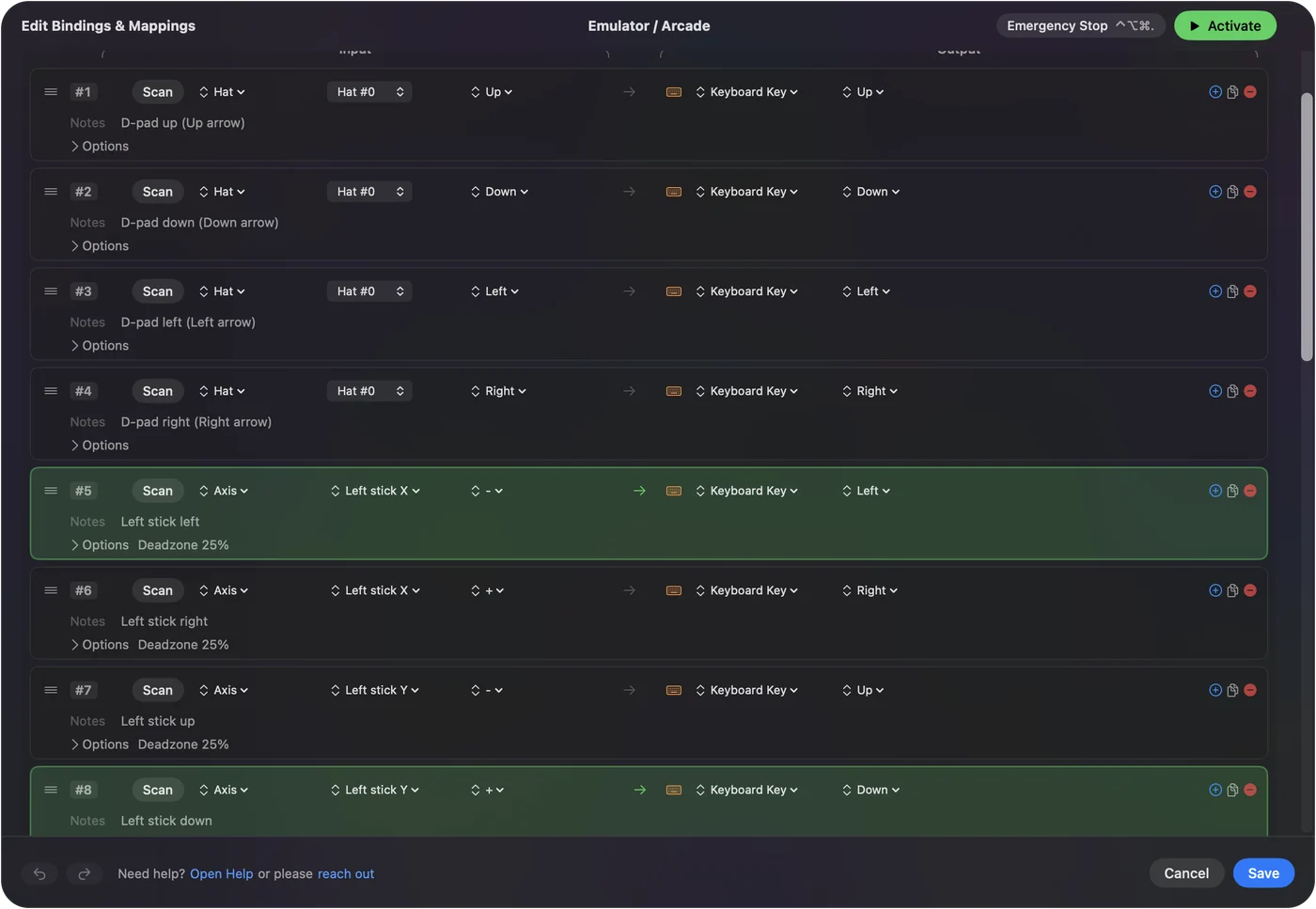
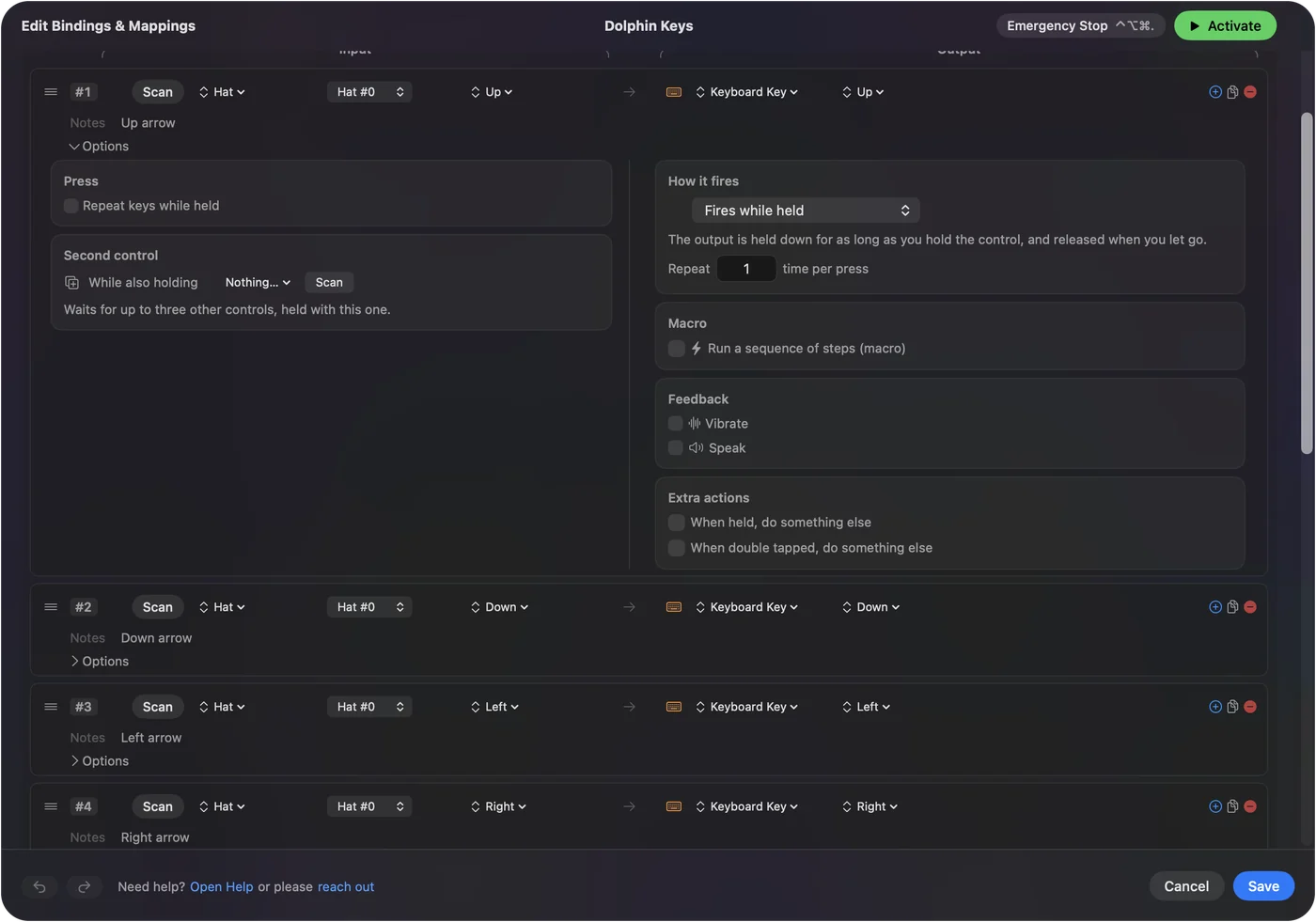
- The Mac around Dolphin. InputConfig lets the same pad move the pointer through the game list and file dialogs, and open Dolphin from a button.
- Checking the pad. Its Live Visualizer lights each control as you press it, so you can see the Mac is getting the press.
I would map the game in Dolphin itself, and use a mapper for everything outside the game. InputConfig switches layouts by the app in front, so its pointer layout can switch off while Dolphin is in front.
The short version
- Any modern pad. Go to Controllers, choose Standard Controller, click Configure, and pick the pad under Device.
- Real Wii Remote. Press Refresh, then 1 and 2, and skip the system's own pairing.
- GameCube adapter. Set Wii U mode, install the driver, then choose the adapter entry.
Most of the time it comes down to picking the pad in the Device menu and filling in the slots.
Questions
Does a PS5 controller work with Dolphin on a Mac?
Yes. Pair it with the Mac, then choose it in the Device menu of Dolphin's controller Configure window and assign each slot.
Does an Xbox controller work with Dolphin on a Mac?
Yes, an Xbox Wireless Controller paired over Bluetooth. Choose it in the Device menu and map the slots.
Why is my controller not working in Dolphin on a Mac?
Most often the Device menu in the Configure window is still on the keyboard, or the pad was connected after Dolphin opened. Choose the pad, press Refresh, and turn on Background Input.
Do I need a driver for the GameCube adapter in Dolphin on a Mac?
Dolphin's guide says yes: macOS needs GCAdapterDriver installed, for macOS 10.13.6 and later, before Dolphin can use the adapter.
Can I use a real Wii Remote with Dolphin on a Mac?
Dolphin's guide gives the steps: set a slot to Real Wii Remote, press Refresh, and press 1 and 2 on the remote, without pairing it in the system's Bluetooth settings. I have not tested it on a Mac.
Related
This page in other languages: العربية, Español, Français, Italiano, ไทย, 繁體中文, 简体中文
Updated