The best app for connecting a controller to a Mac
 InputConfig is completely free on the Mac App Store. You don't have to make an account, there are no subscriptions, and nothing is locked. Optimized for Apple silicon.
You do not need an app to connect a controller to a Mac. macOS pairs PS5, PS4, Xbox, Switch Pro, 8BitDo and other MFi controllers by itself, in System Settings, Bluetooth, or with a USB cable. What you need an app for is the next step: using the controller in a game or app that ignores it, or running the whole Mac from the couch. For that, the free app I make, InputConfig, is my answer, and this page also says when a different app, or no app, is the better pick.
On this page
Pick the app by what you want to do
| You want to | Use |
|---|---|
| Play a Mac game that supports controllers | No app. Pair the controller in System Settings, Bluetooth |
| Play one Steam game | Steam Input, already inside Steam |
| Play a game that ignores the controller, or use it in any app | A controller mapper: InputConfig, free |
| Run the Mac from the couch: pointer, clicks, scrolling | InputConfig with its Desktop Navigation or Easy Browse preset, or Controlly |
| Use a controller macOS does not list, such as the original Steam Controller or an 8BitDo pad in a mode macOS ignores | InputConfig, which reads them directly |
| Map a controller on an older Mac | JoyMapper from macOS 10.14.4, or Gamepad Mapper on macOS 12 and 13, since InputConfig needs macOS 14 |
| Use your iPhone as the controller | A phone app that forwards input to the Mac; InputConfig does not do this |
Start with no app, and add one only when a game or app will not listen.
Connect it first, with no app
Put the controller in pairing mode, open System Settings, Bluetooth, and click Connect next to it, or plug in a USB cable. Then open System Settings, Game Controllers and press a button to check it is live. The pairing buttons for each controller, and what to do when it will not pair, are in how to connect a controller to a Mac. Games that use Apple's controller support work from here with nothing else installed.
Know why a connected controller can still do nothing
A Mac seeing the controller does not mean a game will. Plenty of games and almost every app were never written for a controller: older games, keyboard-only indie games, browser games, Windows games in CrossOver, and apps like Safari or Anki. An app for this is a controller mapper. It reads the controller and sends the keys, clicks and mouse movement the game already understands, so the game thinks you are on a keyboard and mouse.
Why InputConfig is my pick
- Free and open source. MIT licensed, with nothing locked behind a purchase and no account.
- Any control, any output. Every button, trigger and stick can be a key, a shortcut, a click, mouse movement, scrolling or a macro.
- Ready layouts. More than 450 games and apps, so most people never map a button by hand.
- Most controllers. PS5, PS4, Xbox, Switch Pro, Joy-Cons, 8BitDo, both Steam Controllers (the 2026 model is experimental), the PlayStation Access Controller and more, with MIDI gear, keyboards and mice as inputs too.
- Built for accessibility first. One-handed and one-stick layouts, switches, spoken feedback. I built it because my hands do not work well.
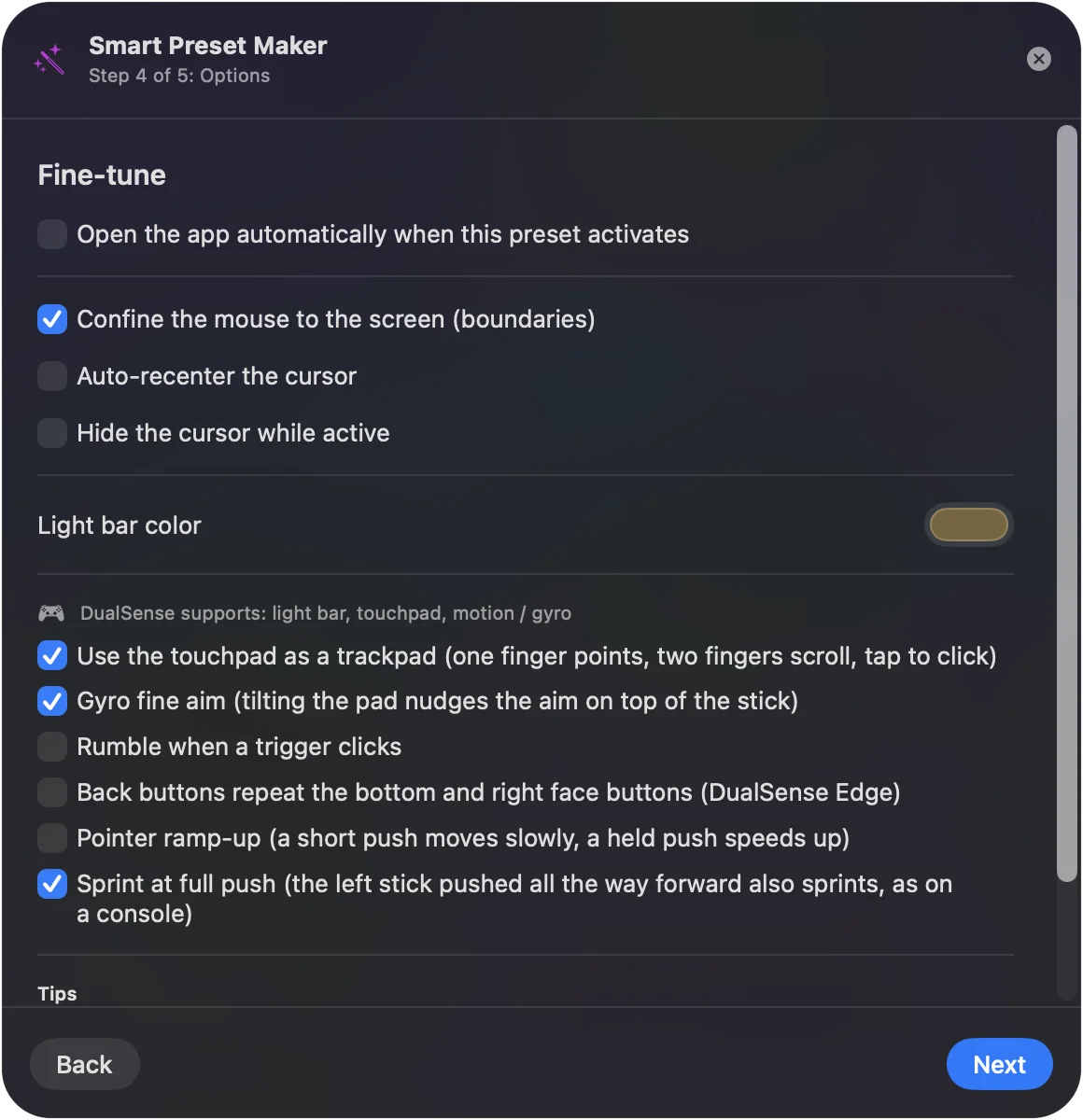
It needs macOS 14 or later and runs on Apple silicon and Intel Macs. Get it free on the Mac App Store.
Compare the other good apps
- Steam Input. The right tool for a single Steam game, and already installed with Steam.
- Controlly. A controller as a remote control for the Mac. 7-day trial, then $3.99.
- JoyMapper. The widest macOS range, back to 10.14.4. 5-day trial, then $7.99.
- Gamepad Mapper. A long-running App Store mapper that installs on macOS 12. Free download with in-app purchases.
- JoyKeyMapper. Tiny, free and open source, for Joy-Cons and the Switch Pro Controller.
Prices and versions for sixteen of them, checked at the source, are in the full comparison of Mac controller mappers.
What InputConfig does not do
- Pretend to be a gamepad. It sends keyboard and mouse events. A game that accepts only a gamepad needs the real one.
- Use your phone as a controller. It reads controllers, MIDI devices, keyboards and mice connected to the Mac itself.
- Run on older macOS. It needs macOS 14 Sonoma or later.
The short version
- Connecting. You need no app for this, only System Settings, Bluetooth, or a cable.
- One Steam game. Use Steam Input.
- Everything else. A mapper. InputConfig is free and covers games, apps and the desktop.
The app you need is the one for the game that ignores your controller, not for the pairing.
Questions
Is there a way to connect a controller to a Mac?
Yes, and it needs no app. Put the controller in pairing mode and pick it in System Settings, Bluetooth, or plug it in with a USB cable. PS5, PS4, Xbox, Switch Pro, Joy-Con, 8BitDo and other MFi controllers all work this way.
What are some good controller apps for Mac?
InputConfig (free, open source) for games and apps that ignore a controller, Steam Input for Steam games, Controlly for using a controller as a remote for the Mac, JoyMapper or Gamepad Mapper on older versions of macOS, and JoyKeyMapper for Nintendo controllers.
What is the best free app to use a controller on a Mac?
InputConfig. It is free and open source on the Mac App Store, with nothing locked behind a purchase, and it turns any controller into keys, clicks, mouse movement and scrolling, with ready layouts for more than 450 games and apps.
Do I need an app to connect a PS5 or Xbox controller to a Mac?
No. macOS supports both. Pair them in System Settings, Bluetooth. An app only matters when a game or app does not respond to the controller.
What is the best app for an Xbox controller on a Mac?
For games that support controllers, none: macOS handles an Xbox Wireless Controller itself. For games and apps that do not, InputConfig maps the Xbox controller to the keyboard and mouse for free.
Can I use my phone as a controller for my Mac?
Yes, with a pair of apps made for it, one on the phone and one on the Mac. InputConfig does not do this. It reads controllers, MIDI devices, keyboards and mice connected to the Mac itself.
Related
This page in other languages: Deutsch, Español, Bahasa Indonesia, 日本語, 한국어, Nederlands, Polski, Русский, ไทย, Türkçe, Tiếng Việt, 简体中文
Updated