The Sims 4 on a Mac with a controller
 The Sims 4 layout is built into InputConfig, free on the Mac App Store. You don't have to make an account, there are no subscriptions, and nothing is locked. Optimized for Apple silicon.
On a Mac: Native on macOS through the EA app. Steam sells it for Windows only. The Mac game reads only the mouse and keyboard, so this layout is the mouse game from a pad.
Yes, you can play The Sims 4 on a Mac with a PS5, Xbox or Switch controller, but only through a mapper, because the Mac game reads the mouse and keyboard and nothing else. Plug in a PS5 pad and the game does not notice. InputConfig reads the controller and sends the mouse and keys the game already accepts.
It works better than you might expect, because the Sims is mostly clicking a Sim and picking from a pie menu. A pointer and two triggers cover almost all of it, and the speeds go on the face buttons, because you spend half the game at speed three.
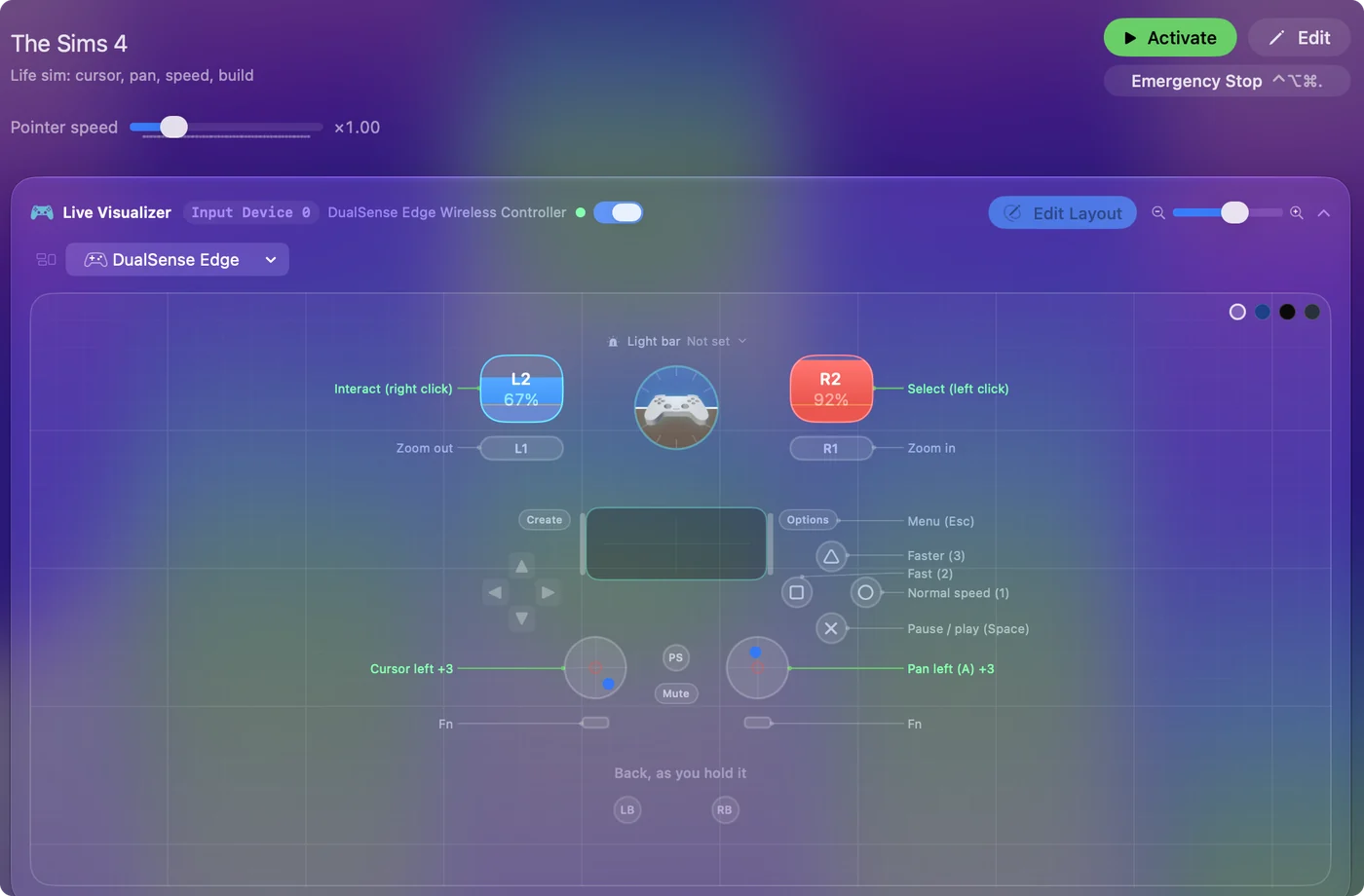
The layout, control by control
How the layout thinks
- Pointer and camera. The left stick is the pointer. The right stick pans the lot (W, A, S and D).
- Clicks. The right trigger selects (left click). The left trigger interacts (right click).
- Time. Pause and play (Space) on the bottom face button, and normal, fast and faster speed (1, 2, 3) on the right, left and top ones.
- Zoom and menu. The bumpers zoom out and in, and Start is Escape.
Every game speed is one face button, so you can pause the moment a Sim catches fire.
Tune it to how you play
- Pie menus. The wedges are small. Turn on Ramp-up on the pointer rows so a light push creeps and a held push travels, or lower the Pointer speed slider on the preset's page.
- Build mode. F2 enters it, and comma and period rotate objects. Put them on the D-pad, with the bracket keys on a chord to rotate the camera.
- Cheats. On a Mac the cheat console is Command Shift C, not the Control Shift C the Windows guides give. Put it on the touchpad press or Back, and add a Type Text row that types the cheat you always use.
- Text. Naming a Sim needs the keyboard, or macOS's on-screen Accessibility Keyboard driven by the pointer.
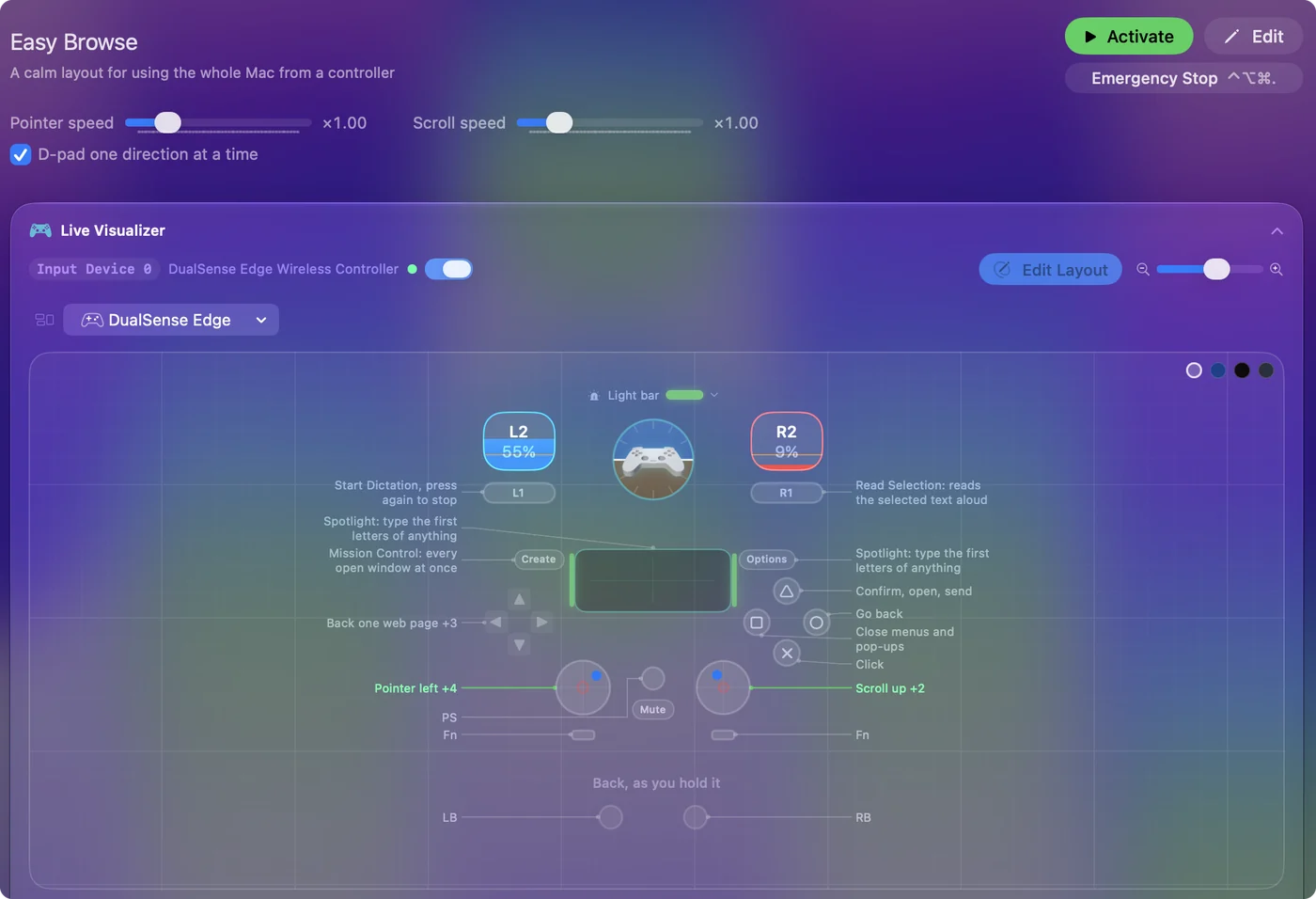
Ramp-up is the setting that makes pie menus easy from a stick.
Why the game ignores the pad
The console editions have their own interface, and the Mac edition was built for a mouse, so there is no setting to turn on. A mapper is the route. There is no mod and nothing to install in the game, and it works the same in Create a Sim, Live mode and Build mode.
The game never has to know a controller exists.
The Sims 4 controller support: controller or keyboard
Steam's store page lists no controller support for The Sims 4, so it was made for a keyboard and mouse, and that is how it expects to be played. A controller still works: this layout sends the game's keys and mouse movement from the pad, so to the game you are simply typing and pointing.
From Steam's listing, checked in October 2026. Every game's listing is in Mac games with controller support.
If your controller is not working in The Sims 4
When The Sims 4 does not react to your controller on a Mac, check these in order:
- Check that the Mac sees the controller. Open the gamepad tester and press a button. If nothing lights up there, the problem is the connection, and a controller that is connected but not working covers that first.
- Check the Steam Input setting for The Sims 4. In Steam, open The Sims 4, Properties, Controller, and change the Steam Input override. A controller that works in Steam but not in the game goes through each choice.
- Stop looking for a setting. The Sims 4 reads the keyboard and mouse here, so no option makes it see a pad. Activate this layout, and the controller sends the keys and mouse movement The Sims 4 already reads. The layout works without The Sims 4 ever seeing the controller.
Get it in two clicks
- Open InputConfig and click Smart Preset Maker on the welcome screen.
- Search for The Sims 4 and pick it. The layout is created as a preset in your sidebar, named and ready.
- Press Activate. Every row can be changed afterwards: the editor's Scan button rebinds any control the moment you touch it.
The Sims 4 controls: every button and the key it sends
The Sends column is The Sims 4's default keyboard and mouse controls, as this layout expects them. If you changed a key in the game's settings, change the same row in InputConfig.
| Controller | Sends | What it does |
|---|---|---|
| Left stick left | Mouse motion left (speed 16) | Cursor left |
| Left stick right | Mouse motion right (speed 16) | Cursor right |
| Left stick up | Mouse motion up (speed 16) | Cursor up |
| Left stick down | Mouse motion down (speed 16) | Cursor down |
| Right stick left | A | Pan left (A) |
| Right stick right | D | Pan right (D) |
| Right stick up | W | Pan up (W) |
| Right stick down | S | Pan down (S) |
| Right trigger | Left click | Select (left click) |
| Left trigger | Right click | Interact (right click) |
| A / Cross | Space | Pause / play (Space) |
| B / Circle | 1 | Normal speed (1) |
| X / Square | 2 | Fast (2) |
| Y / Triangle | 3 | Faster (3) |
| LB / L1 | Scroll down | Zoom out |
| RB / R1 | Scroll up | Zoom in |
| Start / Options | Escape | Menu (Esc) |
Names follow the editor's Xbox / PlayStation pair, and a Switch pad fires by position.
Questions
How do I play The Sims 4 on a Mac with a PS5 controller?
Pair the DualSense with the Mac (how to connect a PS5 controller), get InputConfig free on the Mac App Store, open the Smart Preset Maker, pick The Sims 4, and press Activate. An Xbox or Switch Pro Controller works the same way.
Does The Sims 4 on Mac support controllers?
No. The Mac version reads the mouse and keyboard only. This layout gives it a controller by sending mouse movement, clicks and keys.
Is The Sims 4 on Steam for Mac?
No. Steam lists it for Windows only. On a Mac it installs through the EA app.
Related
Updated