How do you use a PS3 controller on a Mac?
 InputConfig is completely free on the Mac App Store. You don't have to make an account, there are no subscriptions, and nothing is locked. Optimized for Apple silicon.
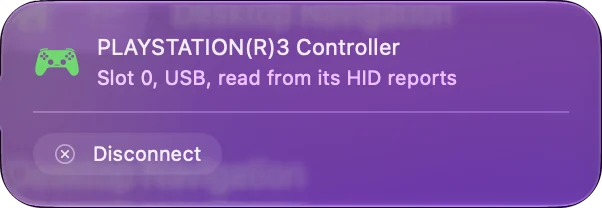
On a USB cable, through an app that reads it directly. Apple's list of supported PlayStation controllers names the DualSense, the DualSense Edge, the DualShock 4 and the Access controller, and not the PS3's DualShock 3. So macOS does not show it under Game Controllers, and games with controller support do not see it. Plugged in, though, it is a USB device an app can talk to.
I make InputConfig, a free Mac app that reads the DualShock 3 on a cable, names its buttons the PlayStation way, reads how hard each button is pressed and how the controller is tilted, and maps them to keys and mouse for any game that takes a keyboard. This page says what the app reads from it and what it does not.
On this page
Steps
- Connect the DualShock 3 to the Mac with a Mini-USB cable that carries data, plugged into the Mac directly.
- Open InputConfig, and tick the DualShock 3 under InputConfig, Devices if it is not at the top of the sidebar.
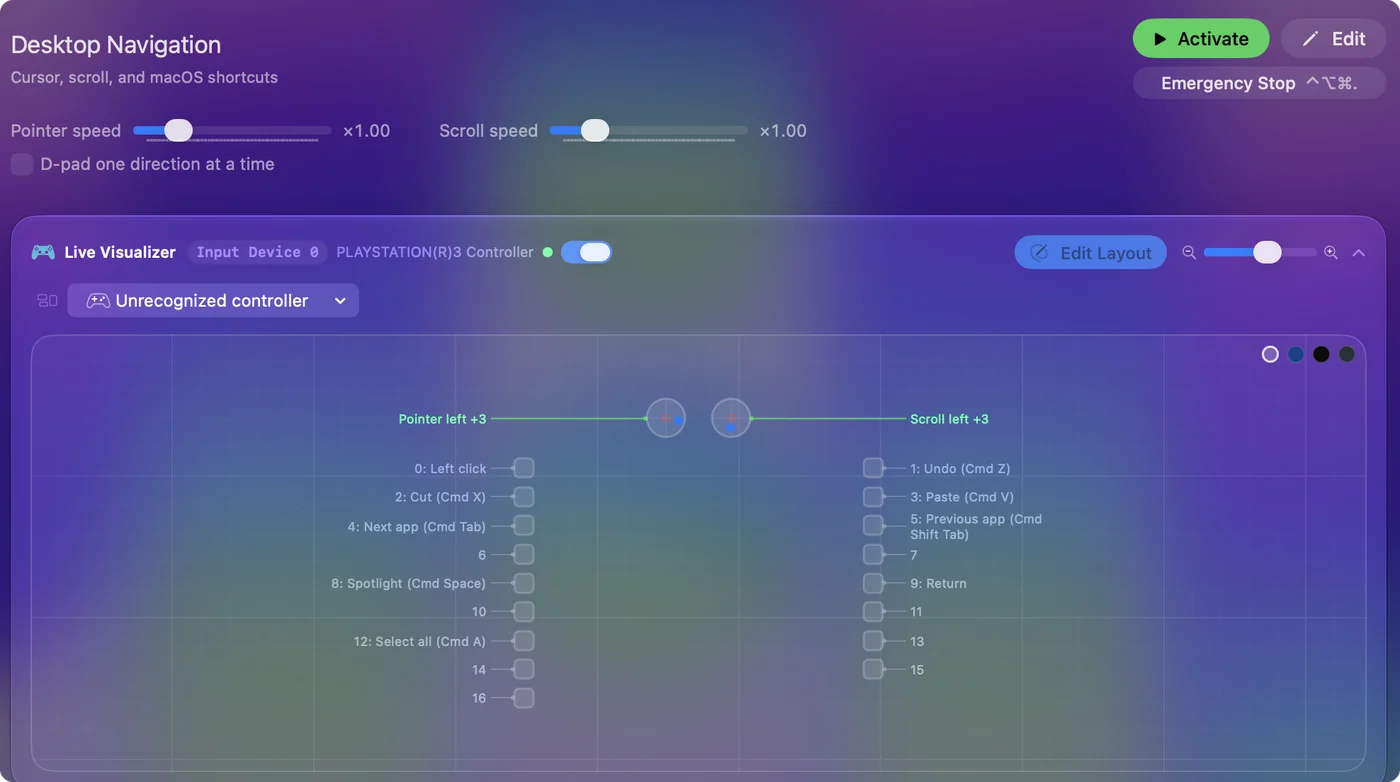
- Press a few buttons and watch the Live Visualizer light each one.
- Activate a preset, or press Scan on a row and press a button to bind it.
Connect it with a cable
- You: Plug the DualShock 3 into the Mac with a Mini-USB cable, the kind that came with the PS3.
- InputConfig: Wakes the controller. A DualShock 3 on USB sends nothing until the computer tells it to start, so InputConfig sends that command when it opens the pad, and again after the Mac wakes from sleep.
- Check: The Live Visualizer shows the DualShock 3's sticks, triggers and buttons and lights each one as you press it.
- The four lights. InputConfig does not set the player lights, so ignore whatever they show.
- No pairing step. There is no PS button and Share button routine as on a DualShock 4. The cable is the connection.
If the Live Visualizer lights up when you press a button, the controller is working.
Know why games do not see it
Games on a Mac that support controllers use Apple's controller support, and that support covers the controllers Apple lists. The DualShock 3 is not one of them.
- Not in Game Controllers. System Settings, Game Controllers does not show it, and neither does a game's controller menu.
- Silent to most software. Because it waits for a start command, software that does not send one sees a connected pad that never reports a press.
- Emulators. Some read it themselves. OpenEmu controller not working covers that case.
For a game with a keyboard mode, the way through is to turn the controller's buttons into the keys the game already takes.
Leave Bluetooth out of it
InputConfig reads the DualShock 3 over USB only. Pairing one with a Mac over Bluetooth is not something Apple documents, and it takes a manual procedure outside the app. Some people get it working and many do not.
- The cable also charges it. A long Mini-USB cable is the plain fix for sitting back from the screen.
- If you want wireless. A DualShock 4 or a DualSense pairs with a Mac in System Settings, Bluetooth, and macOS supports both. See connecting a PS4 controller.
On a Mac, treat the DualShock 3 as a wired controller.
Find each button's name
| On the DualShock 3 | In InputConfig |
|---|---|
| Cross, Circle, Square, Triangle | The same names, with how hard you press them |
| L1 and R1 | L1 and R1, with how hard you press them |
| L2 and R2 | L2 and R2, with how far you pull them |
| SELECT and START | Select and Start |
| PS button | PS |
| Pressing a stick in | L3 and R3 |
| D-pad | Up, Down, Left, Right, each with its own pressure |
| Left and right sticks | Both axes of each stick |
Press Scan on a row and press the button, and you never need to look a name up.
Know what InputConfig reads, and what it does not
- Button pressure. Since 1.8 it is read on every button that senses it: the four face buttons, the four D-pad arrows, L1, R1, L2 and R2. Each pressure is an axis from 0 to 1, like a trigger's pull.
- The accelerometer. Since 1.8 the SIXAXIS accelerometer is read, so tilt reaches Motion rows. The DualShock 3 has no gyroscope reading in InputConfig.
- Rumble and the lights. InputConfig does not drive the motors or set the four lights.
- Battery level. Not shown.
- Bluetooth. USB only.
Every button, both sticks, the D-pad, all twelve pressures and tilt are read, and only rumble, the lights and Bluetooth are left out.
Put it to work
- Games that take keys. InputConfig turns the sticks into WASD and mouse look and the buttons into keys. Its Smart Preset Maker has layouts for more than 450 games and apps.
- The desktop. The built-in Desktop Navigation preset moves the pointer with the left stick and clicks with Cross.
- Games that only accept a controller. InputConfig sends keyboard and mouse events, not a virtual controller, so those games need a controller macOS supports.
An old PS3 controller is enough for any Mac game you can play on a keyboard.
Third-party PS3 pads and arcade sticks
Some third-party PS3 pads copy the DualShock 3's identity, and InputConfig reads those the same way.
- ShanWan pads. One part of the usual start command sets these rumbling without stopping, so InputConfig leaves that part out for them.
- Arcade boards in PS3 mode. A GP2040-CE board in PS3 mode appears as a DualShock 3 and is read by the same code. See arcade sticks on a Mac.
- Wheels with a PS3 switch. That is a different thing: see the Logitech G29 on a Mac.
If a pad says PS3 on the box, plug it in and look at the Devices menu before assuming it will not work.
If nothing happens
Climb this ladder, smallest step first:
- Change the cable. Many Mini-USB cables only charge. Use one you know carries data.
- Skip the hub. Plug into the Mac directly, with a plain USB-C adapter if the Mac needs one.
- Tick it in the Devices menu. In InputConfig, Devices in the menu bar, tick the DualShock 3 if it is listed and not already in the sidebar.
- Replug it. Unplug the cable, wait a moment and plug it in again, so InputConfig sends the start command to a fresh connection.
- Check the Mac sees it. Hold Option, open the Apple menu, choose System Information, and click USB. If the controller is not listed there, the cable or the port is the problem.
- Reset the controller. Press the reset button in the pinhole on the back, near L2, with a paper clip.
Start with the cable, because a charge-only cable looks exactly like a dead controller.
The short version
- Connect. Use a Mini-USB data cable, straight into the Mac.
- Check. Use the Live Visualizer in InputConfig, not System Settings.
- Map. A preset, or Scan on a row, for games that take keys.
- Use the extras. Button pressure and tilt are read. Do not count on Bluetooth or rumble.
A DualShock 3 works on a Mac as a wired controller that types the game's keys.
Questions
Does a PS3 controller work on a Mac?
Not as a game controller macOS lists: Apple's supported PlayStation controllers are the DualSense, DualSense Edge, DualShock 4 and Access controller. On a USB cable, InputConfig reads the DualShock 3 directly and maps its buttons and sticks to keys and mouse.
Can you connect a PS3 controller to a Mac with Bluetooth?
Apple does not document it, and InputConfig reads the DualShock 3 over USB only. Some people pair one by hand and many cannot. A cable is the dependable way.
Why does the PS3 controller not show up in Game Controllers on my Mac?
System Settings, Game Controllers lists the controllers macOS supports, and the DualShock 3 is not one of them. It also sends nothing over USB until an app tells it to start, which InputConfig does.
Do rumble, motion and button pressure work on a Mac?
Pressure and tilt do in InputConfig since 1.8: it reads how hard each of the twelve pressure-sensitive buttons is pressed and the SIXAXIS accelerometer. It does not drive the rumble motors.
Can I map PS3 controller buttons to keyboard keys on a Mac?
Yes. In InputConfig, press Scan on a row, press a button on the DualShock 3, and pick a key, a click, a shortcut or a macro. It is free on the Mac App Store.
Related
Updated