A mouse alternative for carpal tunnel and RSI on a Mac
 InputConfig is completely free on the Mac App Store. You don't have to make an account, there are no subscriptions, and nothing is locked. Optimized for Apple silicon.
Change the shape of the work: different muscles, fewer clicks, more breaks. On a Mac that means ergonomic hardware, the voice and Dwell features macOS already has, or a game controller as the mouse. I am not a clinician, and if it hurts, see one. What I can tell you is what a Mac can do, starting with what needs no software, and where a controller fits.
On this page
Try different hardware first
Vertical mice, trackballs, most joystick mice, and a Magic Trackpad all work on a Mac as ordinary pointing devices, with no app needed. They change the position of the hand rather than the amount of clicking. If one of them suits you, stop here.
Let macOS take work off your hands
- Voice Control. In System Settings, Accessibility: click, open menus, and type by voice.
- Dictation. For anything longer than a sentence.
- Dwell. In Accessibility, Keyboard: turn on the Accessibility Keyboard, then its Dwell options. Rest the pointer and it clicks, so the index finger does not.
- Sticky Keys. In Accessibility, Keyboard: shortcuts one key at a time instead of a stretch.
Use a game controller as the mouse
A controller moves the pointer with a thumb on a stick and clicks with whichever button you choose, with the hands in a lap instead of planted on a desk. For some people that is a welcome change of load. For others, especially with thumb pain, it is worse.
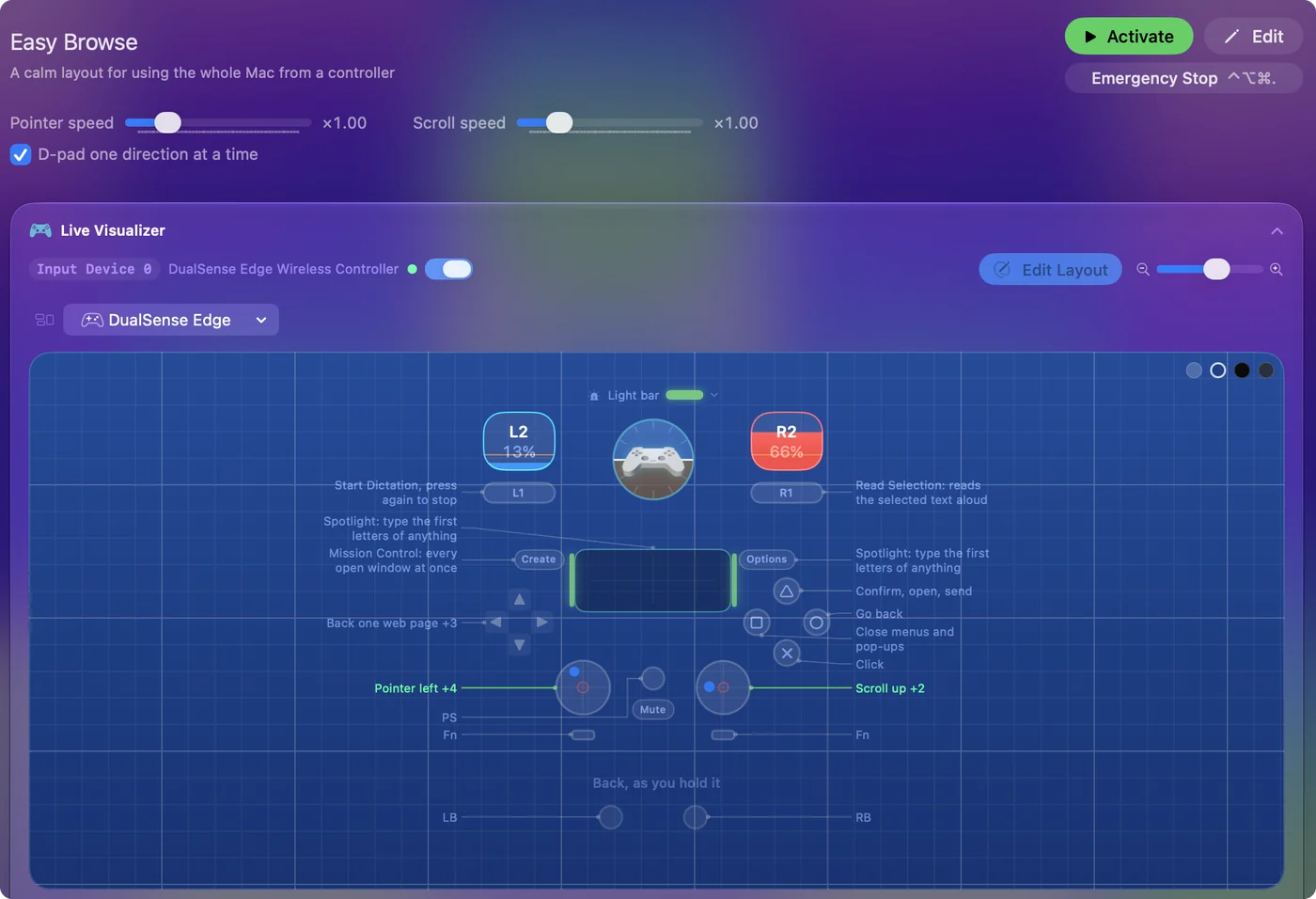
- You: Install InputConfig, connect a PS5, Xbox, Switch or 8BitDo controller, and activate the built-in Desktop Navigation preset.
- InputConfig: Makes the controller a complete mouse and keyboard from the first minute.
- Check: Use it for short sessions, and notice which hand and which finger feel it.
Then shape it:
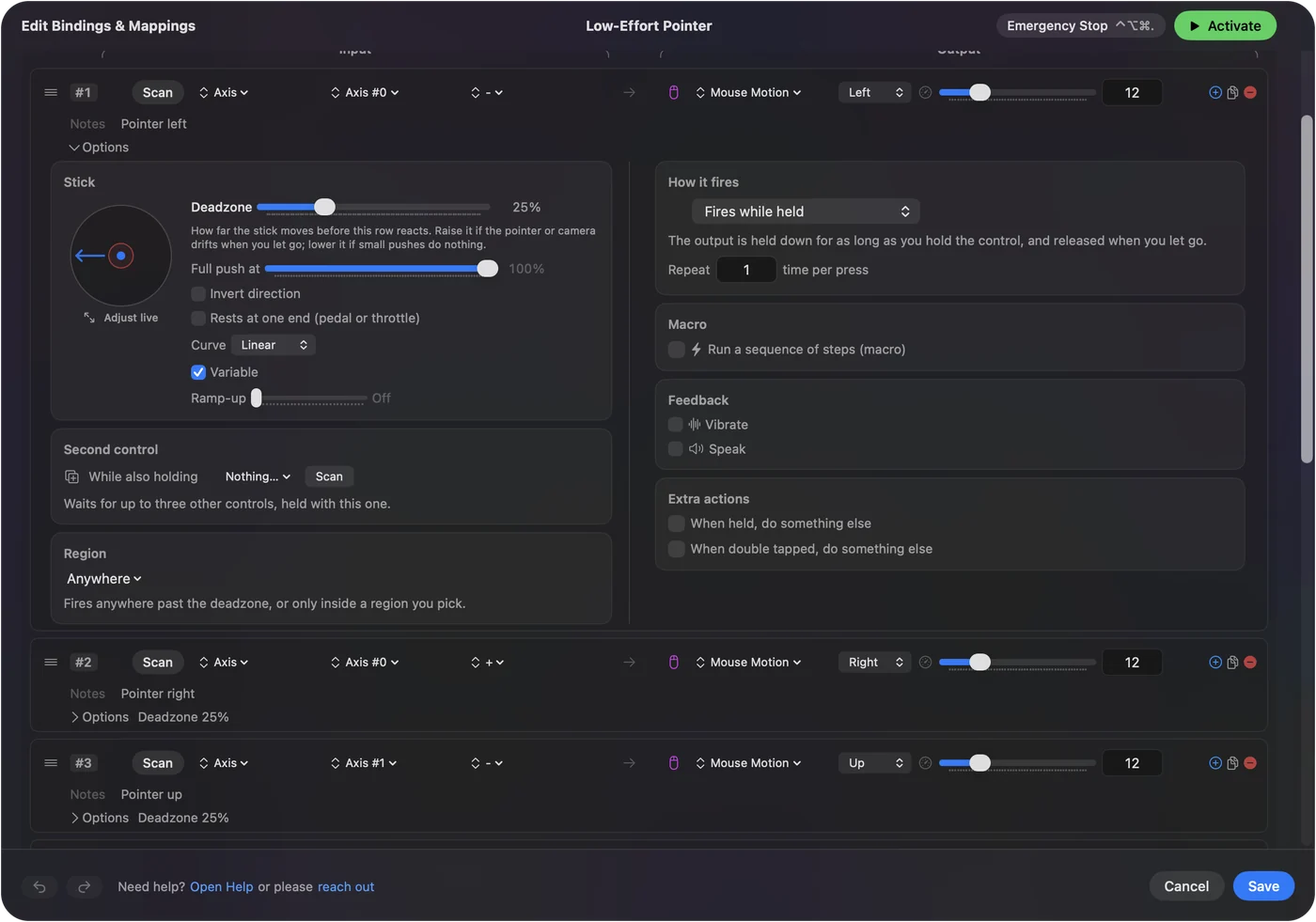
- Put the clicks where they hurt least. Any button or trigger can be the left click, and more than one can.
- Drag without holding. Toggle on a click row makes a drag press once, press again.
- Move shortcuts off the fingers. Copy, paste, undo, and switching apps go on buttons, and a chord gives each button a second job.
- Switch sides through the day. Move the pointer to the other stick, or alternate between the controller and the mouse. They work together.
Try it for short sessions before you rely on it.
Keep the mouse, give it fewer clicks
If you keep the mouse, give its spare buttons the shortcuts your fingers press most: a side button for Copy and a double click on it for Paste, or the middle button for Return. Mouse side buttons on a Mac shows how.
On some MacBooks a knock on the palm rest can run a shortcut too. Tap the Mac was tested on M4 MacBooks; it did not work on an M1 Pro in our testing; the calibrator's status chip tells you whether yours listens. See Tap the Mac.
Game with less strain
A controller is not automatically easier than a mouse for games. If holding buttons hurts, InputConfig can change how they behave:
- Toggle. Turns a held button, such as sprint or aim, into press once and press again.
- Turbo. Repeats a press you would otherwise mash.
- A lower Full push at. Pulling a stick's Full push at in makes a short push count as a full one.
In a game with its own controller support, check its settings too, and Steam Input remaps controllers for games in Steam.
What I cannot promise
- That a controller helps. It uses the thumbs instead of the wrist and index finger, which is a relief for some hands and a strain for others.
- Medical advice. I am not a clinician. If it hurts, see one.
The short version
- Hardware. Try a vertical mouse, a trackball or a trackpad, none of which needs an app.
- macOS. It has Voice Control, Dictation, Dwell and Sticky Keys built in.
- A controller. Use Desktop Navigation in InputConfig, in short sessions at first.
Spread the work across different muscles, and take the breaks.
Questions
Is a game controller better than a mouse for carpal tunnel?
Not for everyone, and I cannot promise it helps. It uses the thumbs instead of the wrist and index finger, which is a relief for some hands and a strain for others. Try it for short sessions first.
Do I need software for a vertical mouse or trackball on a Mac?
No. They work as a normal mouse. InputConfig is only needed to give their extra buttons jobs, or to use a game controller as the mouse.
Is InputConfig free?
Yes. It is free and open source on the Mac App Store, with no account and no network access. A tip jar is optional and adds no features.
Related
Updated