What is a MIDI panic button?
 InputConfig is completely free on the Mac App Store. You don't have to make an account, there are no subscriptions, and nothing is locked. Optimized for Apple silicon.
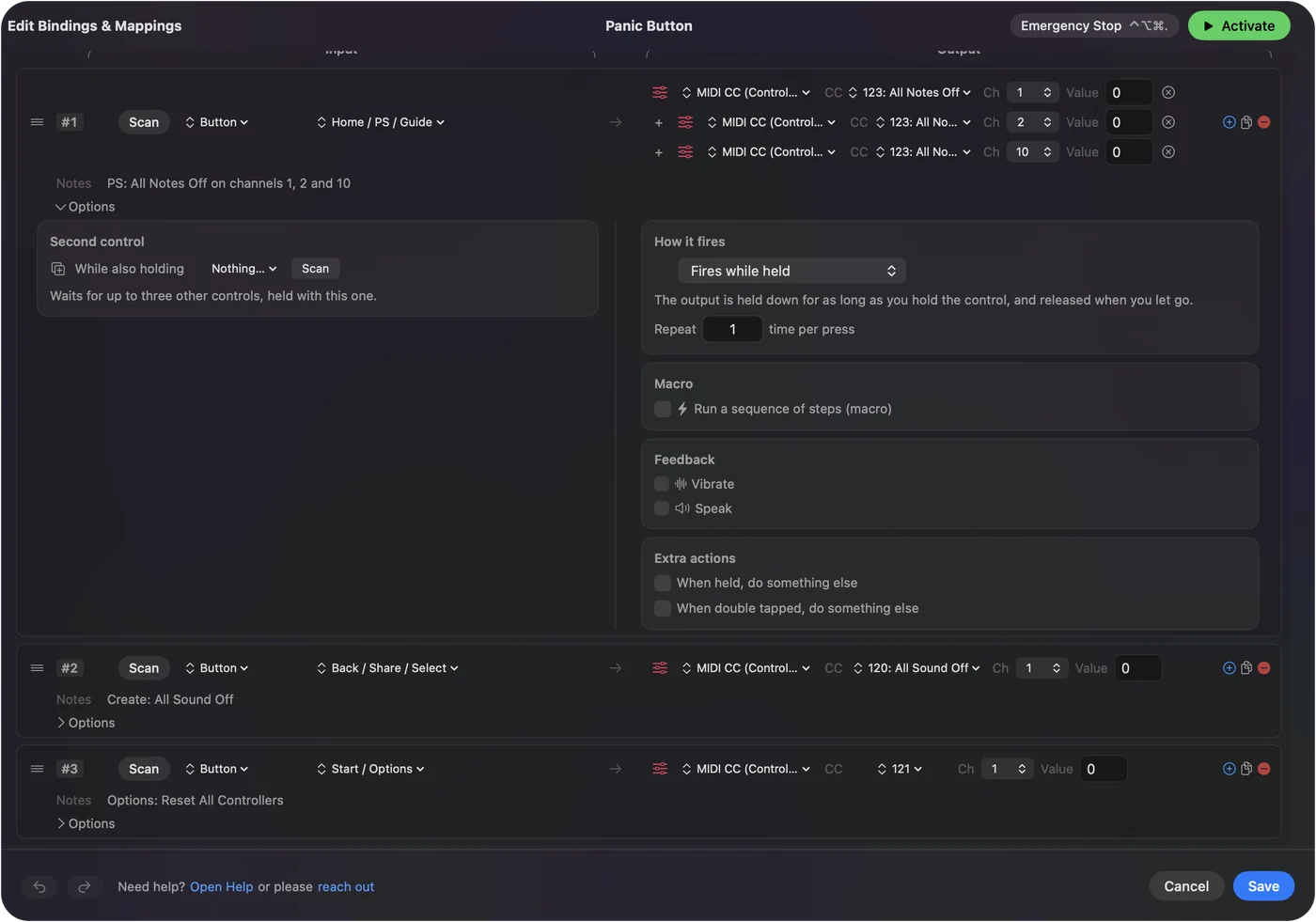
A MIDI panic button silences every note at once. It sends All Notes Off, which is CC 123, and usually All Sound Off, which is CC 120, on all 16 channels, and often lifts the sustain pedal as well. It exists because a note that never receives its Note Off keeps sounding forever, and that is what a stuck note is.
The messages are part of the MIDI standard. There is a free panic button on this site, and the app I make, InputConfig, has its own way of never leaving a note hanging.
On this page
Know what a panic sends
| Message | Bytes on channel 1 (hex) | What it does |
|---|---|---|
| All Sound Off, CC 120 | B0 78 00 | Silences everything at once, release tails included |
| Reset All Controllers, CC 121 | B0 79 00 | Puts the pedals, mod wheel and pitch bend back to rest |
| All Notes Off, CC 123 | B0 7B 00 | Releases every note, as if all keys were lifted |
| Sustain off, CC 64 at 0 | B0 40 00 | Lifts a sustain pedal that is holding notes |
A panic repeats these on all 16 channels. Some also send a Note Off for each of the 128 notes, for instruments that ignore the shorter messages. All Notes Off lets notes fade the way they normally would, and All Sound Off cuts them dead.
Know why a note sticks
- The Note Off never arrived. A cable was pulled, a device was switched off or an app quit while a key was down.
- The channel or the octave changed mid-note. The Note Off went out for a different note or channel than the Note On.
- The sustain pedal is stuck on. The instrument received pedal down and never received pedal up.
- A MIDI loop. An app is hearing its own output and sending it round again.
A stuck note is a Note On whose Note Off went missing.
Send a panic from the browser
- Open the virtual MIDI controller in Chrome, Edge or Firefox.
- Press Send to a MIDI output and allow MIDI.
- Pick the instrument, or the port that leads to it.
- Press Panic: all notes off.
The button sends All Sound Off, All Notes Off and sustain off on all 16 channels. One press reaches every channel, so you do not need to know which one is stuck.
Try the quick fixes first
- Play the stuck note again. Pressing and releasing the same key sends a fresh Note Off for it.
- Press and release the sustain pedal. That sends pedal up.
- Use the DAW's own panic. Most music apps have one, often under a name such as Reset or All Notes Off.
- Switch the instrument off and on. The last resort, and it always works.
Replaying the stuck key is the fastest cure when you know which note it is.
Find the panic in your DAW
Most music apps have their own panic or reset that silences the instruments they host. The name and the place differ, so look for panic, all notes off or reset MIDI in the menus and on the transport, and search the manual for the same words. I have not checked the current menus of Logic Pro, Ableton Live, Reaper, Cubase, FL Studio or Pro Tools, so I will not give you a path from memory.
- Logic Pro. Apple's user guide has a topic called Monitor and reset MIDI events, which is where I would start. I read its title in the guide on October 27, 2026 and could not open the text.
- Ableton Live, Reaper, Cubase, FL Studio and Pro Tools. Search each manual for panic, all notes off and reset.
If the app has no panic, or the stuck note is on a hardware synth, send CC 123 and CC 120 yourself with the browser button above. A panic from the browser works on any instrument you can route MIDI to, whatever app it lives in.
Keep notes from sticking in the first place
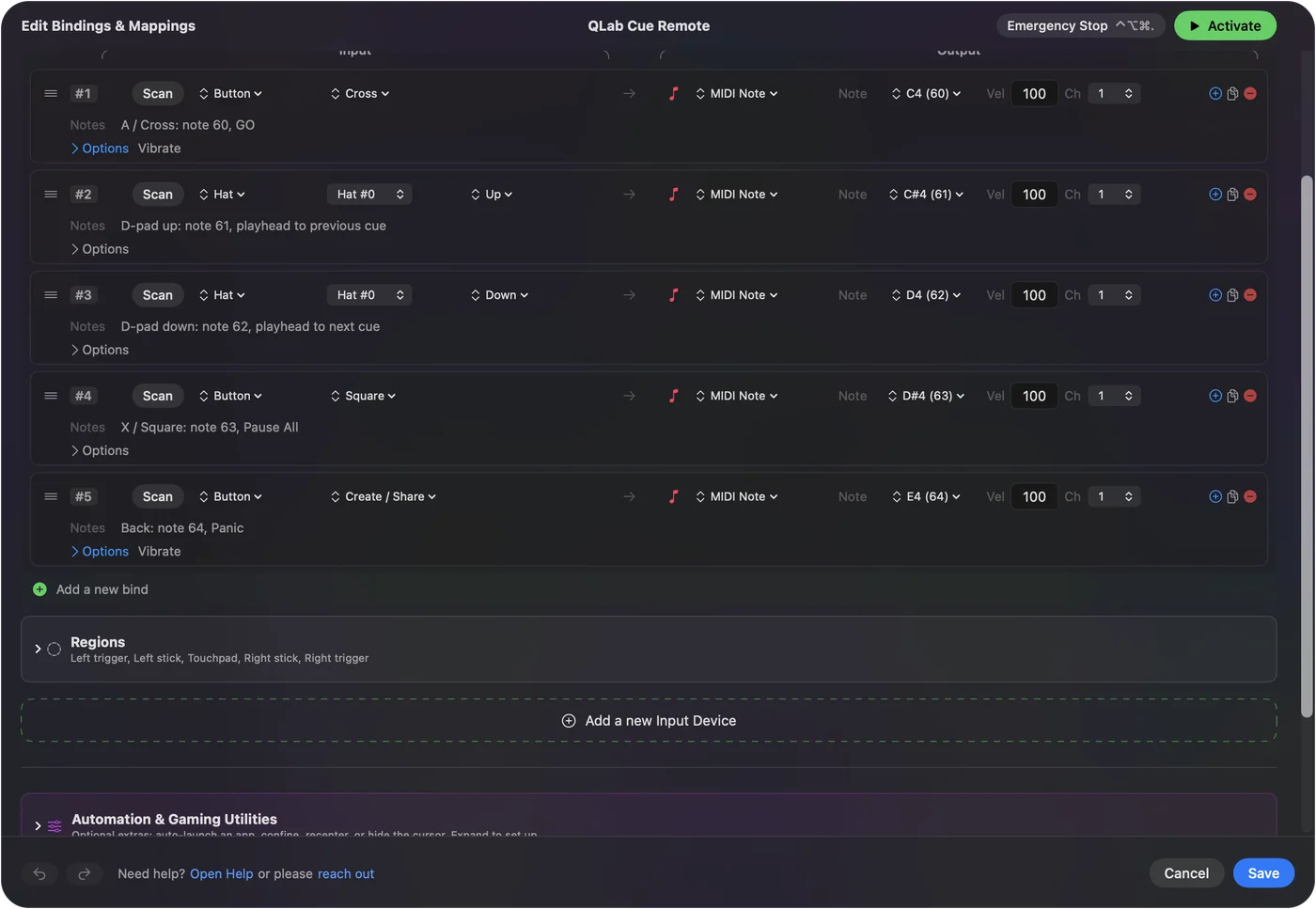
Stop playback before unplugging a device or changing its channel, and avoid routing an app's MIDI output back into its own input. InputConfig guards against the first cause in its own output: when a preset stops, and when the emergency stop is used, it sends a Note Off for every note it is holding. On the way in, an All Notes Off or All Sound Off from a device releases the note rows it was holding, and Reconnect MIDI Sources lets go of notes and pedals held by a source that went quiet. A sender that tracks its own held notes can always clean up after itself. MIDI output describes it.
The short version
- The message. It is CC 123, All Notes Off, and CC 120 is there for instant silence.
- The reach. It goes out on all 16 channels.
- The cause. It is nearly always a Note On that never got its Note Off.
Panic is the Note Off that never came, sent for every note at once.
Questions
What MIDI message is panic?
There is no single panic message. A panic button sends All Notes Off (CC 123) and usually All Sound Off (CC 120) on all 16 channels, and often sustain pedal off (CC 64 at 0). CC 123 tells an instrument to release every note on that channel.
Where is the panic button in Logic, Ableton or Reaper?
Each app names it differently, and I have not checked their current menus. Logic Pro's user guide has a topic called Monitor and reset MIDI events. In the others, search the manual for panic or all notes off. The browser panic button sends the same messages.
What is the difference between All Notes Off and All Sound Off?
All Notes Off (CC 123) releases notes, so their release tails still play and a held sustain pedal can keep them going. All Sound Off (CC 120) silences the instrument at once.
Why do I get stuck MIDI notes?
A Note On arrived and its Note Off did not. Common causes are a pulled cable, an app that quit mid-note, a channel changed while a key was down, a stuck sustain pedal, or a MIDI loop.
How do I stop a stuck MIDI note without a panic button?
Play and release the same note again, press and release the sustain pedal, or switch the instrument off and on.
Is there a free MIDI panic button online?
Yes. The virtual MIDI controller on this site has one. In Chrome, Edge or Firefox, choose a MIDI output and press Panic: all notes off.
Related
This page in other languages: 日本語, 한국어
Updated