How to turn a HID device into a MIDI controller on a Mac
 InputConfig is completely free on the Mac App Store. You don't have to make an account, there are no subscriptions, and nothing is locked. Optimized for Apple silicon.
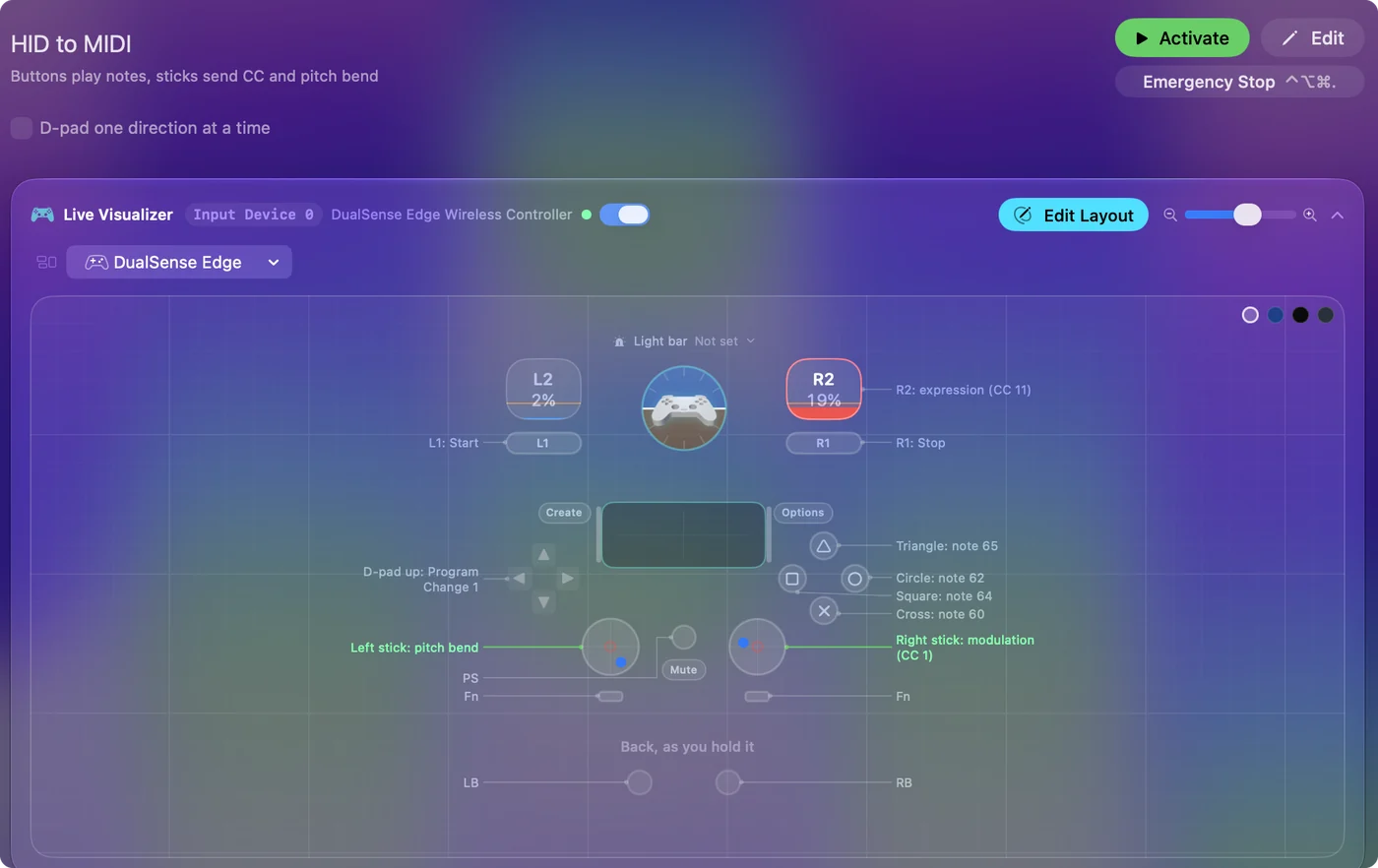
InputConfig, a free Mac app, reads HID devices and sends MIDI from them. Buttons play notes, send Program Changes or start and stop a transport. Axes, such as a stick, a throttle, a wheel or a pedal, send a Control Change or pitch bend that follows their position. Music apps see the result as a MIDI input named InputConfig.
I make InputConfig. The list of devices it reads is below, with the ones it cannot.
On this page
Steps
- Connect the device and open InputConfig.
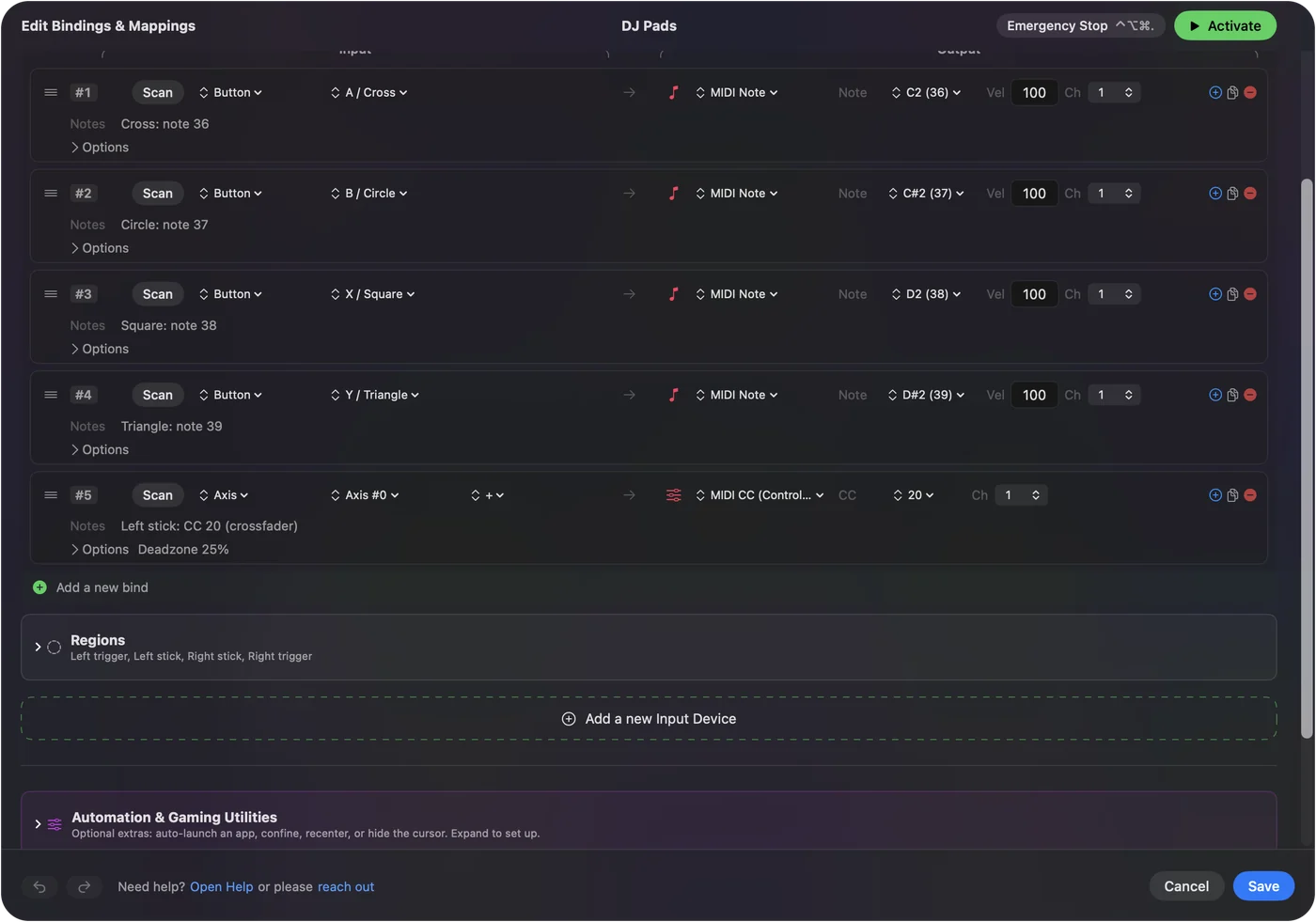
- Add a row, press Scan, and press the button or move the axis.
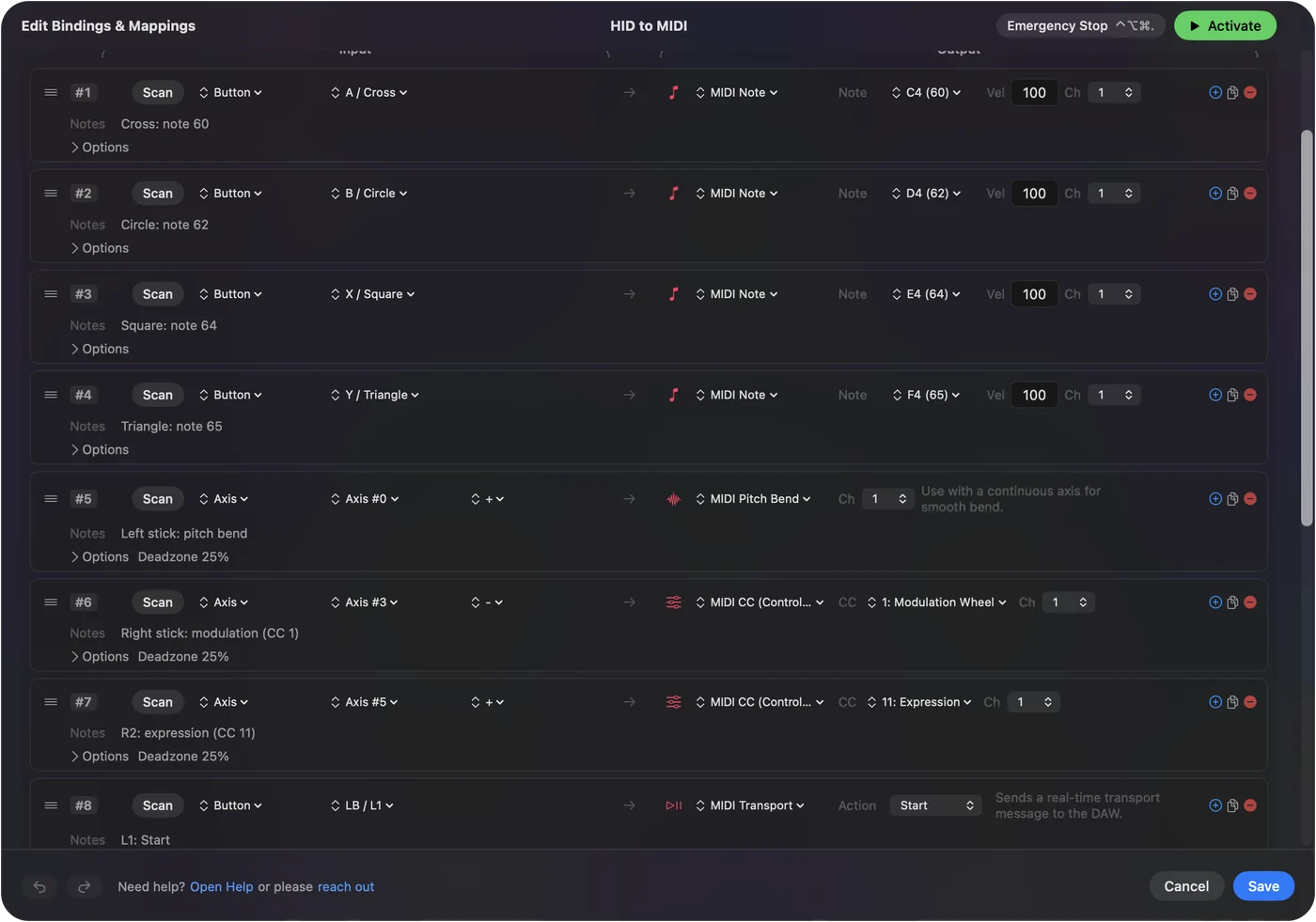
- Choose a MIDI output for the row: Note, CC, Pitch Bend, Program Change or Transport.
- Enable the InputConfig input in the music app and arm a track.
Set it up
- You: Connect the device. In InputConfig, add a row, press Scan, and press the button or move the axis. Then choose a MIDI output for the row.
- InputConfig: Names the control, and sends the message through its own MIDI port whenever the preset is active.
- Check: The music app's MIDI indicator flickers when you press the button.
Scan works out what the control is, so you never need to know its HID number. MIDI output covers every kind of message a row can send.
Know which devices it reads
- With no setup. PlayStation, Xbox, Switch and MFi controllers, which macOS already knows.
- As raw HID devices. Most generic USB gamepads, flight sticks, racing wheels and their pedals, arcade sticks and leverless controllers in their PC or DirectInput mode, and 8BitDo pads in X and D modes.
- Switch interfaces. Assistive switch boxes and sip and puff devices, in the mode that sends joystick buttons.
- Jog wheels, 3D mice and decks. Since 1.8, a Contour ShuttlePRO's jog and shuttle and all six axes of a 3Dconnexion SpaceMouse are read, so a SpaceMouse push can drive a Control Change. Stream Deck keys and dials are read too, as an experimental feature.
- Keyboards and mice. Any key or mouse button can be the input of a row. A key that sends MIDI still types, so use keys that type nothing, such as F13 to F19.
If the Live Visualizer shows a control moving, that control can send MIDI. Controllers InputConfig reads has the full list.
Match the control to the message
| HID control | MIDI message that suits it |
|---|---|
| Button, trigger switch, arcade button | A note, held for as long as the button is |
| Stick axis, throttle, twist, wheel | Control Change or pitch bend that follows the position |
| Pedal with travel, such as a racing pedal | Control Change, such as CC 11 for expression |
| Foot switch or assistive switch | A note, a Program Change, or Start and Stop |
| Hat switch or D-pad | Four notes, or transport |
A throttle that stays where you leave it makes a better fader than a stick that springs back. The MIDI CC list names the controller numbers instruments expect.
Check what the Mac reads first
- Open the joystick test in a browser, or InputConfig's Live Visualizer.
- Press each button and move each axis.
- Note which ones show up. Those are the ones you can bind.
- If nothing shows, try the device's other mode: DInput, PC or Switch.
A control the Mac cannot see is a control no app can map.
Know what cannot be read
- XInput-only devices. Wired Xbox 360 pads and many XInput-only sticks and wheels cannot be read on a Mac. Switch the device to DInput or PC mode if it has one.
- Devices that talk only to their own software. Gaming mouse DPI and profile buttons are handled inside the mouse.
- Force feedback. It is not driven on wheels and flight sticks.
When a device has a mode switch, the PC or DInput position is the one a Mac can read.
Know the older HID to MIDI tools
Two older Mac tools did this job and still come up in searches. MidiHID's code was archived in 2017. ControllerMate's last version supports macOS Mojave at most. I checked both in September 2026. Neither older tool is kept up for current macOS. ControllerMate alternative for Mac goes through what still runs.
The short version
- Scan. Press the button or move the axis.
- Send. Choose Note, CC, Pitch Bend, Program Change or Transport.
- Listen. Enable the InputConfig input in the music app.
Any HID control the Mac can see can become a MIDI control.
Questions
What does HID to MIDI mean?
Turning input from a Human Interface Device, such as a game controller, joystick, pedal or keyboard, into MIDI messages a music app understands.
Is there free HID to MIDI software for Mac?
Yes. InputConfig is free on the Mac App Store. It reads game controllers and most other HID gamepads, sticks and wheels, and sends notes, Control Change, pitch bend, Program Change and transport.
Can a racing wheel or its pedals send MIDI?
Yes, if the Mac reads the wheel. Its axes act like sticks, so the wheel and each pedal can send a Control Change that follows their position.
Can a flight stick throttle be a MIDI fader?
Yes. Bind the throttle axis to a Control Change. It stays where you leave it, which suits volume or a filter.
Can a USB foot pedal send MIDI on a Mac?
Yes, when it reaches the Mac as a joystick button or as a key. Set it to send F13 to F19 or a joystick button in its own software, so a press does not also type a letter.
Does MidiHID still work?
Its code was archived in 2017, so it is no longer maintained.
Related
This page in other languages: Deutsch, 日本語
Updated