What is the easiest mouse for an elderly person on a Mac?
 InputConfig is completely free on the Mac App Store. You don't have to make an account, there are no subscriptions, and nothing is locked. Optimized for Apple silicon.
There is no single best one. Usually the easiest mouse is the one they already have, set up properly: a bigger pointer, a slower tracking speed, and a slower double click. If the wrist, the grip, or the clicking is the real problem, a trackpad, a trackball, or a larger mouse can help, and if no mouse works, a game controller can take its place. Any ordinary USB or Bluetooth mouse or trackball works on a Mac with no driver for pointing, clicking, and scrolling.
On this page
Change the settings before buying anything
- A bigger pointer. System Settings, Accessibility, Display, Pointer size.
- A slower pointer. System Settings, Mouse, Tracking speed.
- A double click that does not have to be quick. System Settings, Accessibility, Pointer Control, Double-click speed.
- A way to find a lost pointer. Leave Shake mouse pointer to locate on, in the same Pointer settings.
Ten minutes in System Settings costs nothing and often solves it. The guide to setting up a Mac for an elderly parent covers text size, the Dock, and dictation too.
Match the device to their hands
| Option | Suits someone who | Watch out for |
|---|---|---|
| Trackpad | Finds pressing a button hard. Turn on Tap to click in System Settings, Trackpad, and a light tap clicks. | Needs a finger that glides steadily. A resting palm can move the pointer. |
| Large or ergonomic mouse | Already knows a mouse but finds a small one hard to grip. | Still needs a steady wrist and a firm click. |
| Trackball | Tires moving the whole arm. The hand stays still and a thumb or fingers roll the ball. | Takes a few days to learn. The buttons still need a press. |
| Game controller with InputConfig | Cannot get on with any mouse. It rests in two hands, a thumb moves the pointer, and a stick pushed gently moves it gently. | Needs half an hour of setup with them, and the free app. |
I have not tested particular brands, so this page names kinds of device, not models.
If no mouse works, use a controller
I built InputConfig because my own hands do not work well with a mouse. With it, a PlayStation or Xbox controller becomes the Mac's mouse: the left stick moves the pointer, a deadzone ignores a resting thumb, and a small number of buttons click, go back, and close pop-ups. Everything else can be left doing nothing, so a wrong press is harmless.
- You: Click Start with Easy Browse on the welcome screen, then press Activate.
- InputConfig: Runs the built-in Easy Browse layout. The pointer starts each push slowly, the face buttons say click, back, close and open while they learn them, and the D-pad changes web pages and tabs.
- Check: Sit with them while they move the pointer to a button and click it. If they overshoot, lower Pointer speed on the preset's page.
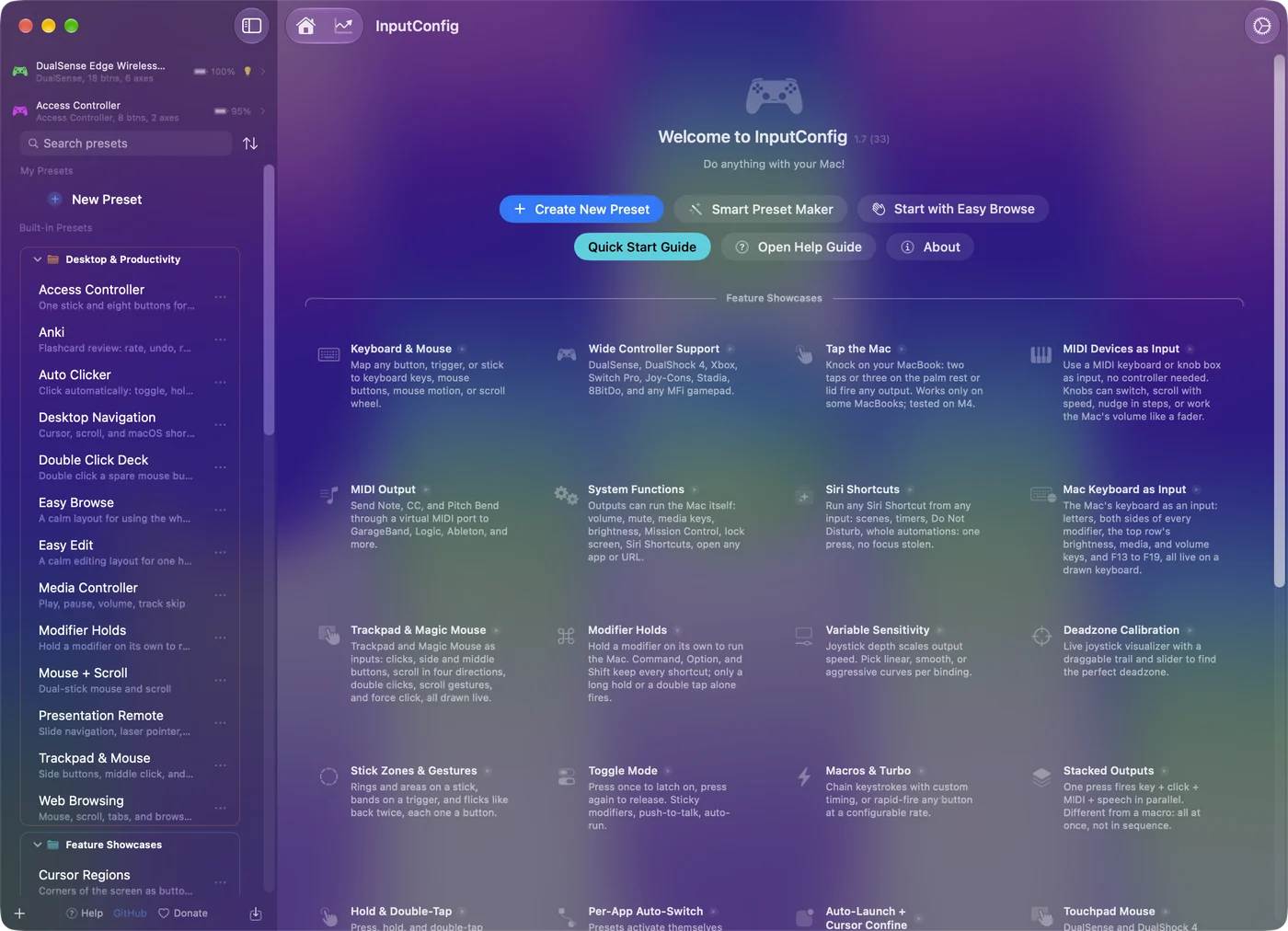
The elderly parent guide walks through setting it up with them, and the Accessibility Pointer layout in the Smart Preset Maker is a precise alternative. For a hand that shakes, see the tremor and limited mobility guide.
Give a mouse's extra buttons simple jobs
A mouse with side buttons can give them simple jobs, such as Back in Safari, without the maker's software: InputConfig reads extra mouse buttons and the scroll wheel as inputs. See mouse buttons and keys as shortcuts.
What I have not tested
- Brands. This page names kinds of device, not models.
- Steadying a mouse. InputConfig does not steady an ordinary mouse. It can make a controller stick ignore small shakes with a deadzone and slow the pointer near the center.
The short version
- Settings first. Start with a bigger pointer, slower tracking and a slower double click.
- Then the device. A trackpad suits weak fingers, a trackball suits a tired arm, and a larger mouse suits a hard grip.
- Then a controller. Use Easy Browse in InputConfig, and set it up with them.
Set it up with them, not for them: they are the only judge of what is easy.
Questions
Is a trackpad or a mouse easier for seniors?
It depends on the hands. A trackpad with Tap to click needs no pressing, which helps weak fingers. A mouse suits someone who already knows one and has a steady wrist. Try both for a week if you can.
How do I make the mouse pointer bigger on a Mac?
System Settings, Accessibility, Display, then drag Pointer size to the right.
Can a game controller replace the mouse for my mother or father?
Yes, with InputConfig, which is free on the Mac App Store and needs macOS 14 or later. Its Easy Browse layout is made for this. It adds to the mouse rather than replacing it, so both work at once while they learn.
Is there a mouse that steadies a tremor on a Mac?
InputConfig does not steady an ordinary mouse. It can make a controller stick ignore small shakes with a deadzone and slow the pointer near the center. The tremor guide has settings to start from.
Related
Updated